
 Share
Share
 Print
Print
|
|
|
|
|


The Part Number is created in the P/N Master and a Serial Part Number is created in TRAX Inventory.
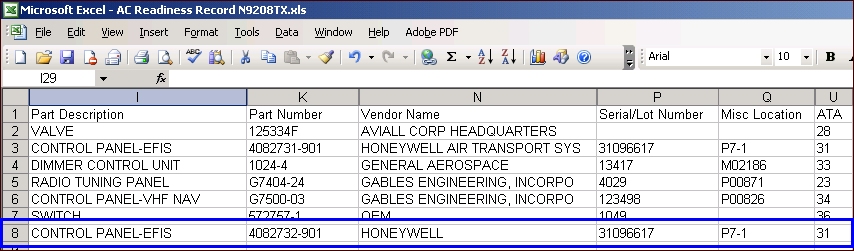
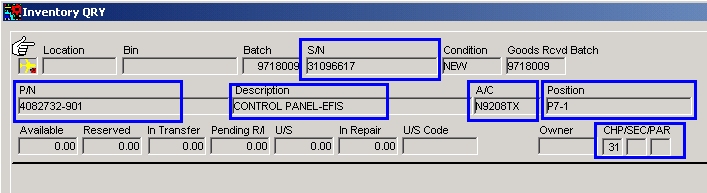
For the new parts that are added to the P/N Master and Inventory the following fields in TRAX are populated from the A/C Readiness Record Fields.
_____________________________________________________________________________________
Part Description
Description
Part Number
P/N
Vendor Name
Manufacturer
Serial / Lot Number
S/N
ATA Chapter
CHP/SEC/PAR
Misc Location
Position
_____________________________________________________________________________________
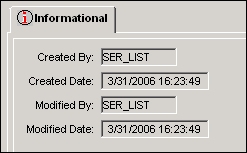
The Informational Tab will show SER_LIST in the Created By Field for all new parts (In the P/N Master and Inventory) created by the Manufacturer Data Import Program.
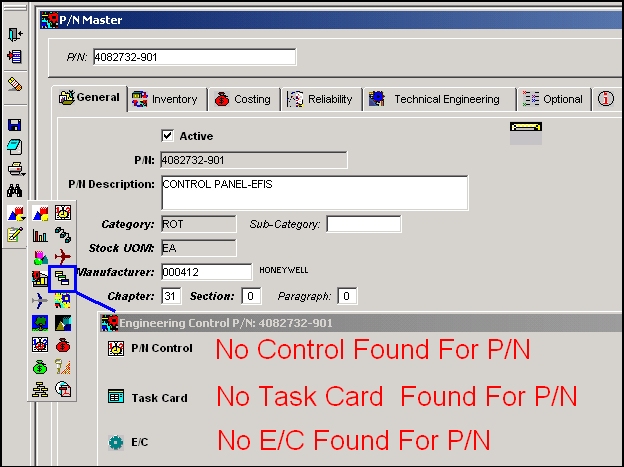
The newly created parts in the P/N Master will not have any P/N Controls or P/N E/Cs against them. It is important that these mandatory controls are entered after the Manufacture Data Load Program is used to create new parts.
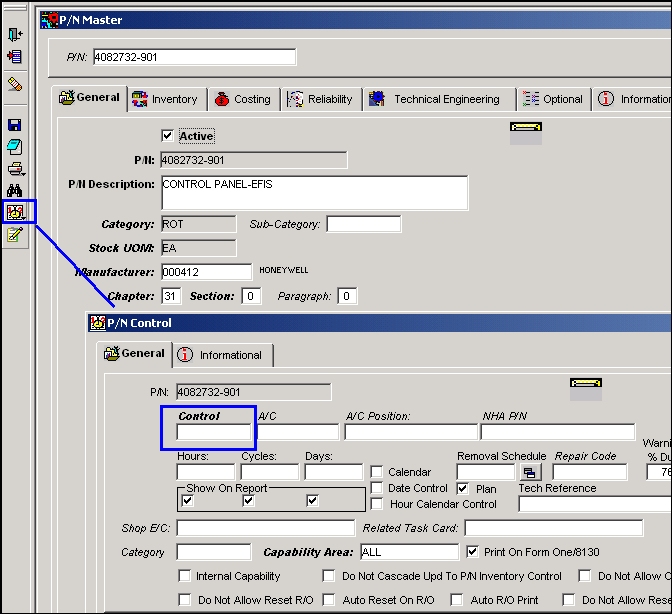
Add any additional information for the newly created parts as necessary such as:
- P/N Controls (Mandatory)
- P/N E/Cs.
- P/N Interchangeable Information
 .
. - P/N Next Lower Assembly Information
 .
. - Reliability Information.
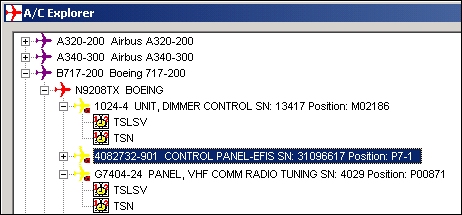
In the A/C Explorer you can Find the newly imported parts.
Share
Print
|
©1997-2026 Trax USA Corp. All rights reserved. This manual may not be copied, photocopied, reproduced, translated, or converted to any electronic or machine-readable form, in whole or in part, without prior written approval from Trax USA Corp. |
 |