 Download Online Help
 Print
|
|
|
|
|


Logging On / Logging Off
To access Planning Control, planners must log on with their credentials.
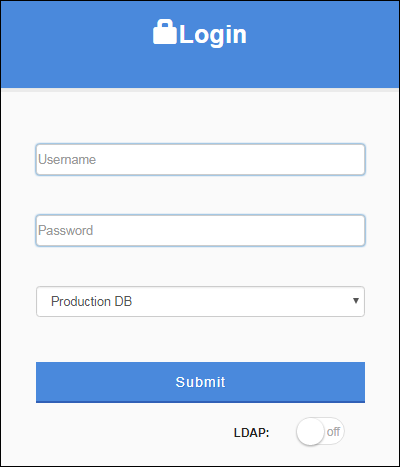
The following options/information is available in this window:
_________________________________________________________________________
Username
The employee or user group's username.
Password
The employee or user group's password.
Environment
Select the name of the database to be logged into.
Submit button
Click the Login button to enter the application.
LDAP
The LDAP functionality connects the user's username with their device's domain name and other technical specifications. When selected, the user will not enter their eMRO username and password but their domain's login username (i.e., 'firstname.lastname') and password. The LDAP (Lightweight Directory Access Protocol) Sign-On Method is an additional security verification that tracks users by using an interface function that calls upon an LDAP database. This database authenticates if a user is valid. For more information refer to the LDAP Sign-On Method via the eMRO System Standards manual.
_________________________________________________________________________
To log out, click on the Log Out button to the top right of the window.

Download Online Help
Print
|
©1997-2018 Trax USA Corp. All rights reserved. This manual may not be copied, photocopied, reproduced, translated, or converted to any electronic or machine-readable form, in whole or in part, without prior written approval from Trax USA Corp. |
 |