 Download Online Help
 Print
|
|
|
|
|


The Multi Express View  is the third and final option available from the View Options menu of the Security Explorer window. Through this view administrators can assign security access to various users/group profiles for various options at a time. This view option differs from the first two view option for the following reasons. The User View deals with one user/group profile and multiple programs while the Program View deals with multiple users/group profiles but only one program at a time. The Multi Express View differs because it manages various amounts of users and also various amounts of programs at the same time. This can can be advantageous to administrators when assigning security access for new programs throughout the database. This view offers a wide range of security managing features from one location.
When selecting the Multi Express View feature, the system displays the following:
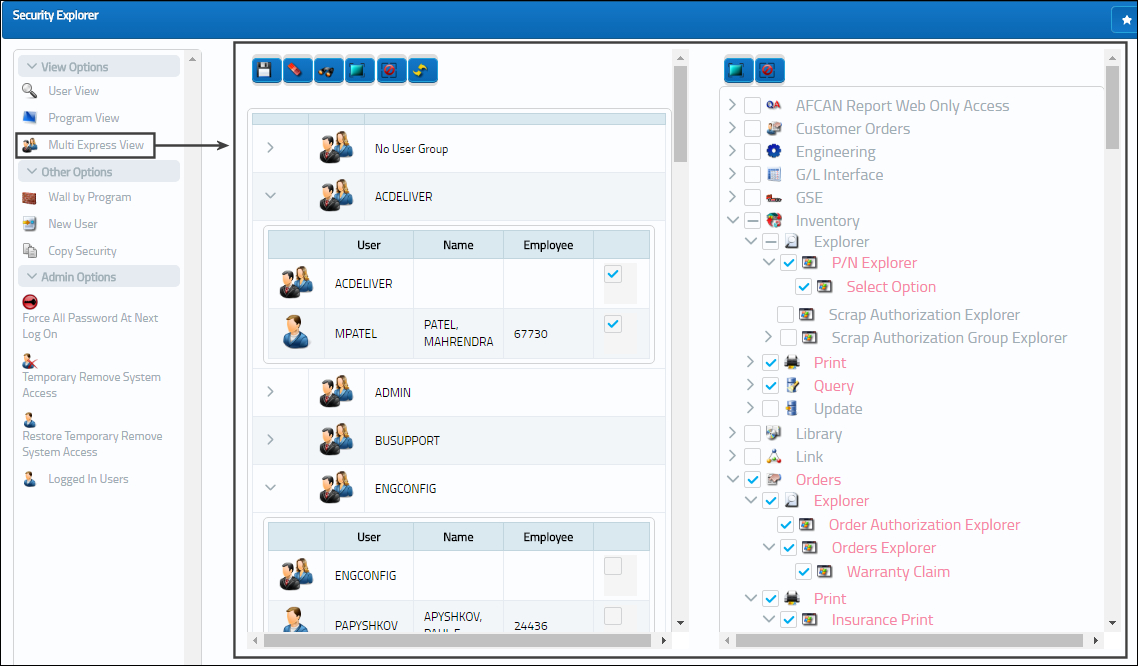
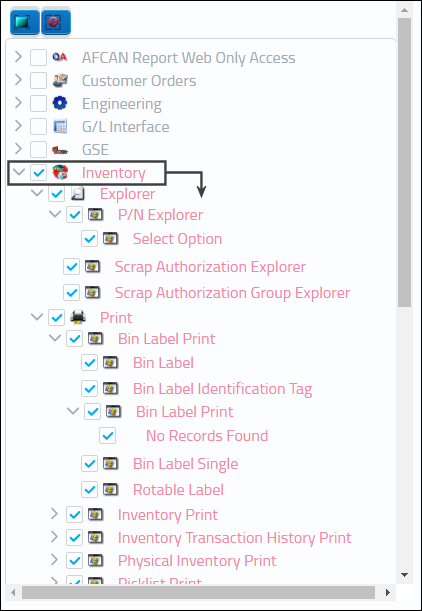
This security feature allows administrators to select individual users in the middle pane then select the programs in the system that the user(s) may access. In the right pane, entire modules/programs may be selected along with all other sub-menu programs by selecting the checkbox next to the module. The system then automatically populates the sub-menu program checkboxes. For example, in the below screen, by selecting the Inventory module, all programs in the Explorer, Print, Query, and Update menu options are automatically selected for that module:
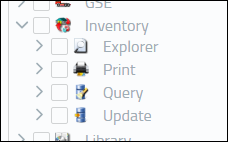
However, if the user de-selects the Inventory module option or any other combination of sub-options, the system re-displays the security access rights based upon what rights for access have been granted or not granted:
Buttons
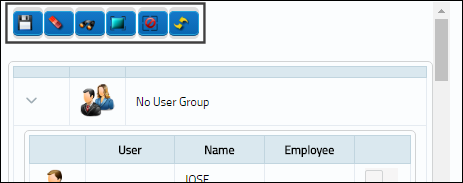
The following buttons help users make and save security selections.
_________________________________________________________________________
Save  button
Select this button finalize the security selections. All currently selected and deselected security window/options will be applied to all currently selected users.
Delete  button
Select to remove the security options for the selected user(s).
Find  button
Select this button to search for users by their names.
Select All  button
Selects all users/group profiles or security options available. Available in both user and security selection areas.
De-Select All  button
De-Selects all users/group profiles or security options available. Available in both user and security selection areas.
Reset  button
Will revert all of the selections made during the present session.
_________________________________________________________________________
When finished with all of the security updates, administrators will need to save the information by selecting the Save button at the bottom of the window. Administrators can also select the Delete button to remove security for the selected user/group.
Download Online Help
Print
|
©1997-2018 Trax USA Corp. All rights reserved. This manual may not be copied, photocopied, reproduced, translated, or converted to any electronic or machine-readable form, in whole or in part, without prior written approval from Trax USA Corp. |
 |