 Download Online Help
 Print
|
|
|
|
|


Error Messages, via eMRO Basics
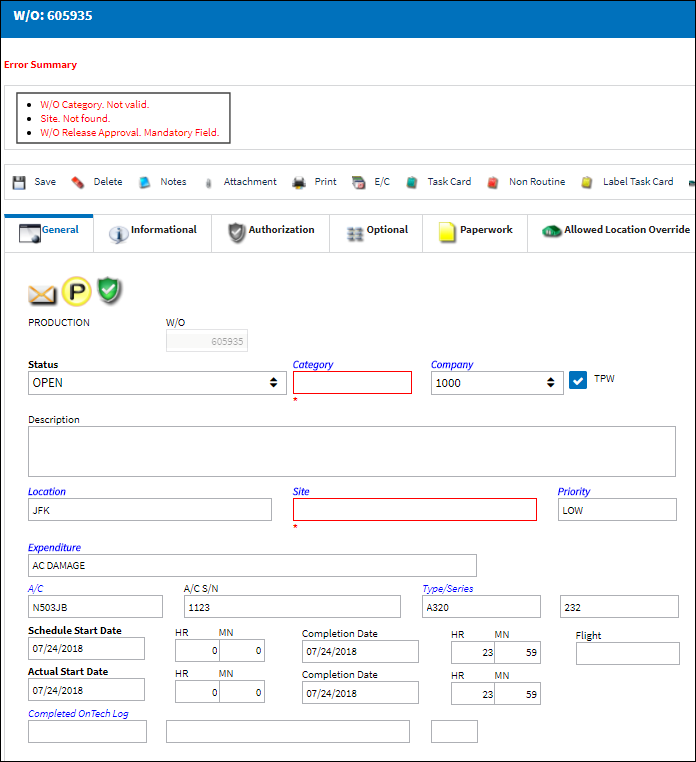
Errors in eMRO are displayed in the Error Summary section at the top of the window the user is working in. Errors will not be generated and displayed until the user has completed a transaction in a specified window and has saved the transaction.
In the example below, the user is attempting to create a new Work Order. The user has populated all of the below information, except for the Category, Site and the W/O Release Approval (found in the W/O, Optional tab). Once the user saves the record, the Error Summary appears as shown below.
Download Online Help
Print
|
©1997-2018 Trax USA Corp. All rights reserved. This manual may not be copied, photocopied, reproduced, translated, or converted to any electronic or machine-readable form, in whole or in part, without prior written approval from Trax USA Corp. |
 |