 Download Online Help
 Print
|
|
|
|
|


TraxDoc Progress Queue, via Navigation Panel
The TraxDoc Queue allows the user to track the progress of records that are being loaded/imported.
Select the TraxDoc Queue.
The user is taken to the TraxDoc Progress window where they can track the progress of records.
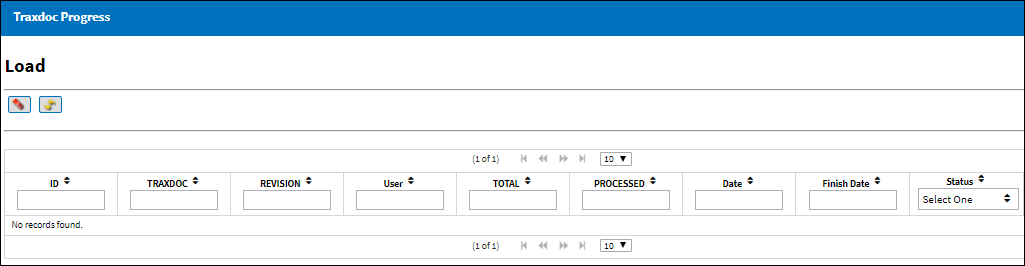
The following options/information is available in this window:
_________________________________________________________________________
ID
The Trax generated ID of the TraxDoc record that was loaded/imported.
TraxDoc
The TraxDoc Document ID number, which is automatically generated by the system.
Revision
The document’s current revision number. Each TraxDoc can have multiple revisions as the data/records created through the TraxDoc will need to be updated (revised) regularly depending on the requirements of the aircraft manufacturer, regulatory agency, airline, etc.
User
The name of the User who loaded/imported the TraxDoc record.
Total
The total number of Task Cards that were loaded/imported into the system.
Processed
The number of Task Cards that have been processed (loaded/imported) into the system.
Date
The initial date the TraxDoc record was loaded/imported.
Finish Date
The date the TraxDoc record load/import was complete.
Status
The status of the TraxDoc record load/import (e.g. In Progress, Completed, etc.)
_________________________________________________________________________
Download Online Help
Print
|
©1997-2018 Trax USA Corp. All rights reserved. This manual may not be copied, photocopied, reproduced, translated, or converted to any electronic or machine-readable form, in whole or in part, without prior written approval from Trax USA Corp. |
 |