
 Share
Share
 Print
Print
|
|
|
|
|


Audit Authorization, via Audit Creation/Following, Auditor Review Tab
Once all the Steps have been ‘Closed’ on an Audit, the status of the Audit will go to ‘Completed’ via Quality Assurance/Update/Audit Creation/Following/ General Tab.
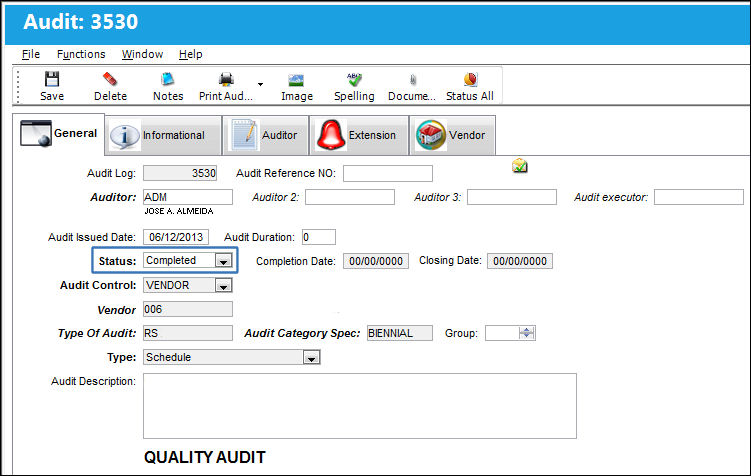
Once the status of the Audit is ‘Completed’, the next phase of the process is the Audit Authorization. The Audit Authorization is performed via the Auditor Review Tab:
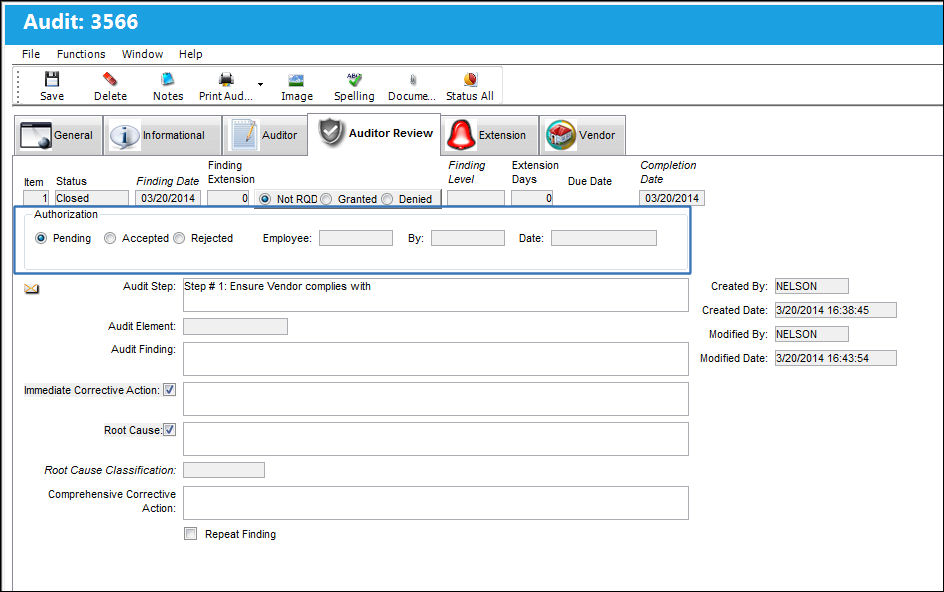
The person responsible for reviewing the Audit (performing the Auditor Review) must check their list as often as required to determine if there are any Audits waiting for review/authorization. This is done in the Audit Creation/Following selection window as follows.
For more information, refer to the Audit Creation/Following Detail, Auditor Review Tab.
 System Notification
After the Audit has been authorized, a notification called 'Audit Complete Notification' can be sent, indicating that the Audit is ready to be signed-off. For more information regarding setting up the Notification, refer to the System Notification.
Share
Print
|
©1997-2026 Trax USA Corp. All rights reserved. This manual may not be copied, photocopied, reproduced, translated, or converted to any electronic or machine-readable form, in whole or in part, without prior written approval from Trax USA Corp. |
 |