
 Share
Share
 Print
Print
|
|
|
|
|


P/N Software Configuration (PNSOFTEC - No)
The P/N Software Configuration functionality helps manage hardware and software P/N authorizations, inventory availability, current installations, authorizations, revisions, and up-to-date compliance records. The P/N Software Configuration is the link between the hardware part and the software position for that part. Software parts are made up of two main components: the physical hardware (part) that is installed on the aircraft and that part's software which is loaded against that part. Both of these components have P/N Master records. The P/N software Configuration window lists each components' Equipment Reference Designator (ERD: the hardware position on the aircraft) and Software Location ID (SLID: the digital location where the software is loaded against the hardware part). Each ERD can have multiple SLIDs, as one hardware part may require multiple types of software. Further, each SLID can contain multiple softwares.
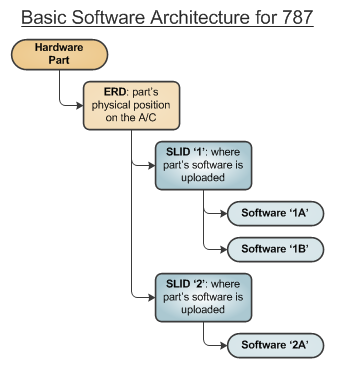
The data that composes this configuration, provided by the A/C manufacturer, can be loaded into the system through two Manufacturer Data Imports. The 'Import A/C Authorized Software Configuration' creates a master template of the software configurations for the aircraft; the 'Import As Flying Software Configuration' loads the aircraft's actual installed serial numbers. Each import should only be run once, at implementation of the aircraft's software configuration. All other edits to the configuration should be done via revisions.
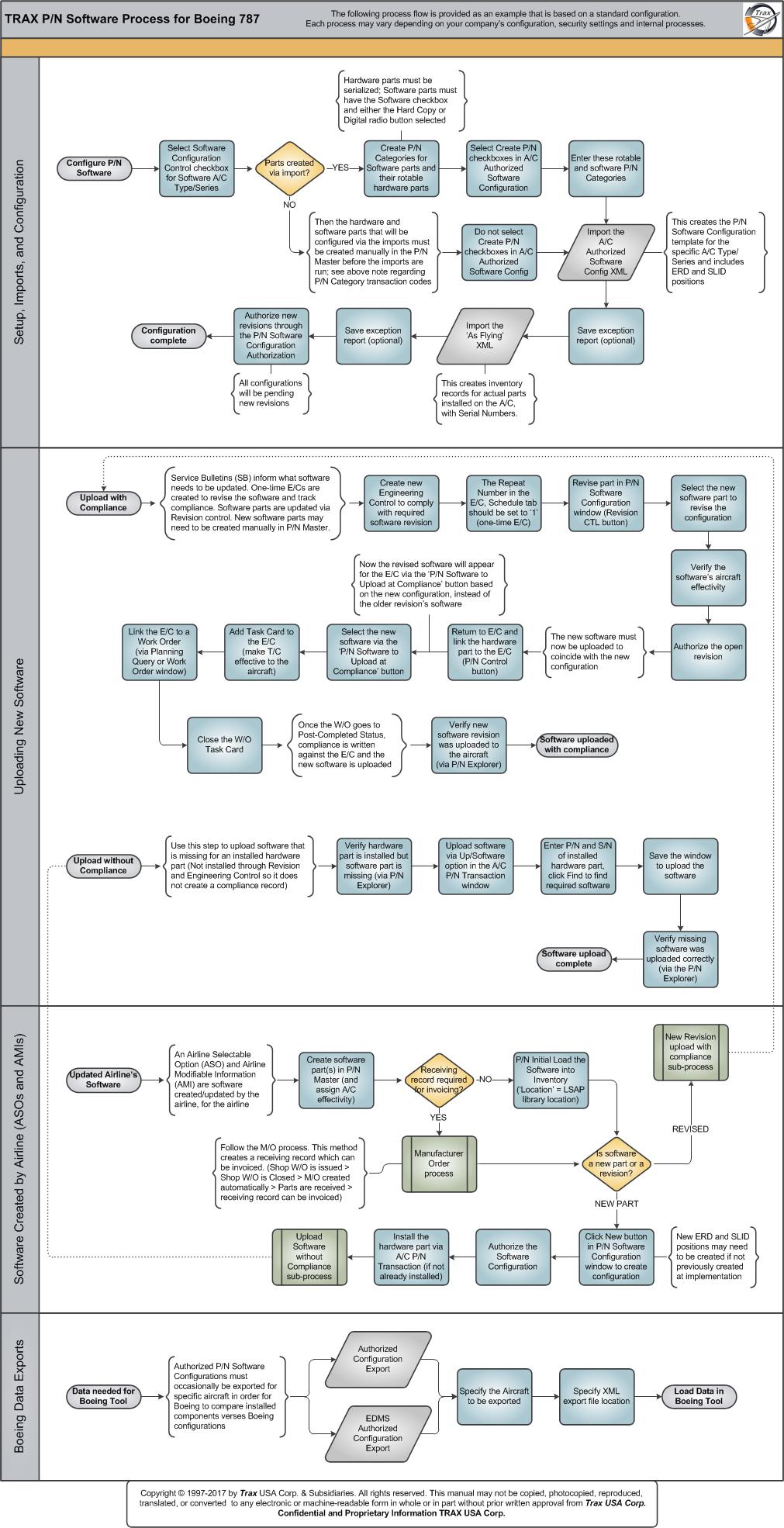
The following chart outlines the different processes for implementing, configuring, and utilizing the P/N Software Configuration functionality for the Boeing 787.
 Share
Print
Share
Print
|
©1997-2026 Trax USA Corp. All rights reserved. This manual may not be copied, photocopied, reproduced, translated, or converted to any electronic or machine-readable form, in whole or in part, without prior written approval from Trax USA Corp. |
 |