
 Share
Share
 Print
Print
|
|
|
|
|


PNSOFTEC - Control Software Configuration via P/N Software and SLID

Control Software Configuration via P/N Software and SLID
Affected Window: w_pn_software_configuration_eu
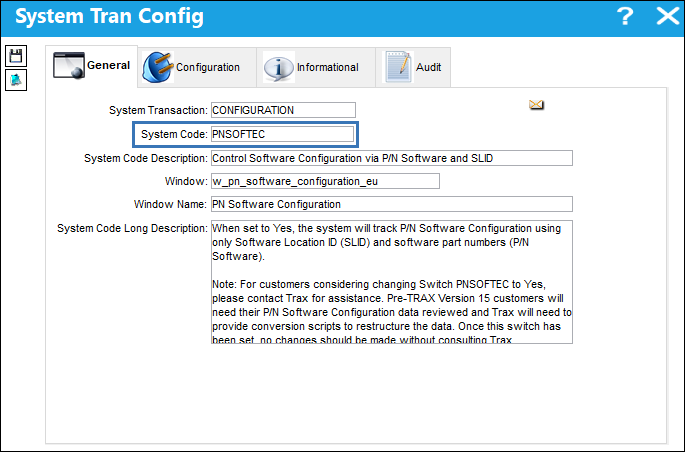
 For customers considering changing Switch PNSOFTEC to Yes, please contact Trax for assistance. Existing P/N Software Configuration data will need to be reviewed and Trax will need to provide conversion scripts to restructure the data. Once this switch has been set, no changes should be made without consulting Trax. Once the switch is set to Yes customers cannot go back to a No setting or data will get corrupted.
Note: A P/N Category System Transaction Code with the Software checkbox and Digital or Hard Copy radio button selected is required. Each software part number must be created in the P/N Master using the P/N Category flagged as software and assigned A/C effectivity. The Software Configuration Control checkbox must be selected in the A/C Type/Series, General tab.
Switch Set to Yes:
When set to Yes, the system will track P/N Software Configuration using only Software Location ID (SLID) and software part numbers (P/N Software).
Note: This eliminates the obligation to: track software with hardware P/Ns and Equipment Reference Designators (ERD); carry out A/C P/N Transactions to upload software and install/remove individual P/N S/Ns on-wing.
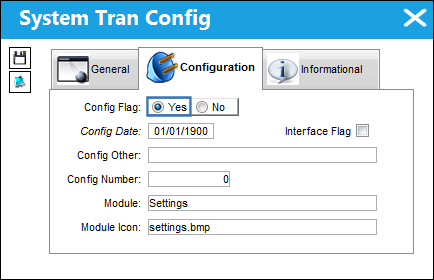
 P/N Software Configuration Process (PNSOFTEC - Yes)
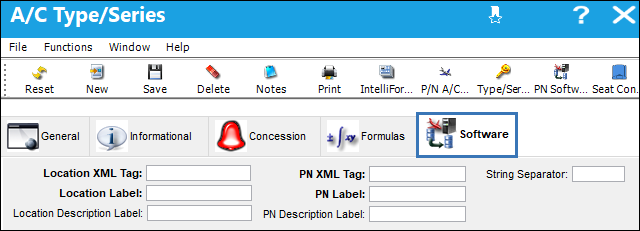
In the A/C Type/Series, General tab, when the fleet type's Software Configuration Control checkbox is selected, a Software tab appears. The customer can identify reference points (tags) from the A/C manufacturers XML file and populate the reference points in the applicable Software tab fields. During the Manufacture Data Import, when the system comes across these reference points it will know what data to include in the load process, where to load the data, and the import will build the P/N Software Configuration. For more information, refer to A/C Type Series, Software Tab, via Aircraft Type/Series.
Note: With PNSOFTEC set to yes, only one file needs to be loaded to build the P/N Software Configuration and load the P/N Software and SLID data; versus having to load two files when tracking P/N Software with PNSOFTEC set to no.
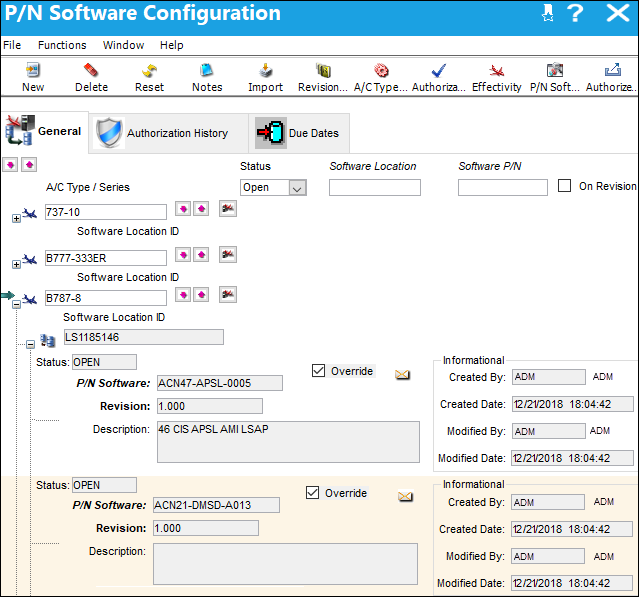
The P/N Software Configuration windows will show only Software Location ID & Software P/N under the A/C Type/Series; Hardware P/N and Equipment Reference Designator (ERD) will not be applicable. For more information, refer to P/N Software Configuration, General Tab, via P/N Software Configuration.
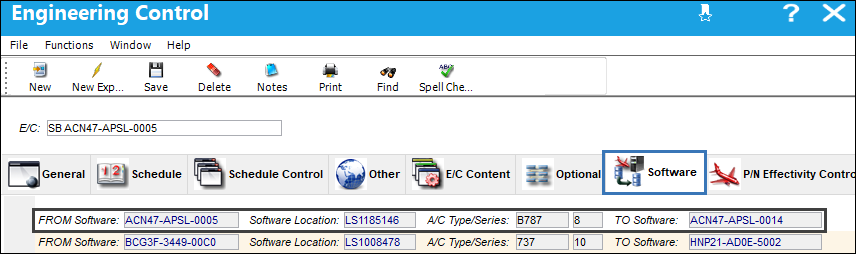
A Software tab is available via Engineering Controls. The Software tab offers functionality similar to the P/N Modify To field for P/N E/Cs. However, in this case when the E/C is complied with the old P/N Software upgrades to the new P/N Software, and P/N Software Configuration effectivity will be removed from the 'FROM Software' configuration and effectivity will be added to the 'TO Software' configuration. Multiple P/N Software, SLID, and A/C Type/Series can be set up under the Software tab for the same E/C. For more information, refer to Engineering Control, Software Tab, via Engineering Control.
Note: For existing customers who change the switch to Yes, please be advised that the Software tab will only appear for new E/Cs (following P/N Software Configuration rules).
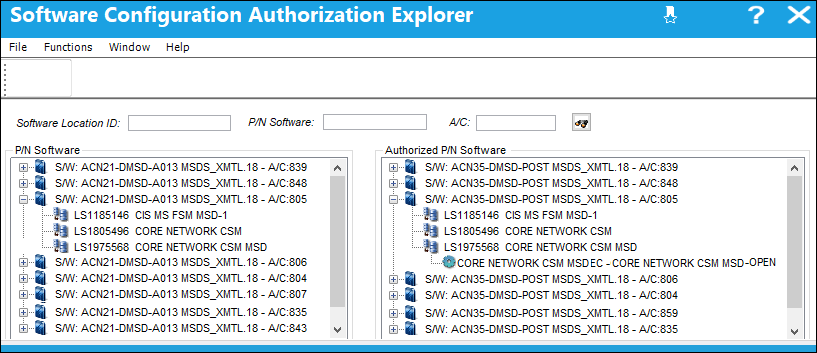
The Software Configuration Authorization Explorer window has two columns. The P/N Software column displays what P/N Software is currently loaded on an A/C and in which SLID. The Authorized P/N Software column displays new P/N Software and any E/Cs that have been released to upgrade to the new software. For more information, refer to Software Configuration Explorer, via Settings, Explorer Menu.
 The Software Configuration Authorization Explorer window is security controlled. Additional security for the Authorized P/N Software column provides the capability to restrict a users view to only the P/N Software column (Settings/ Explorer/ Software Configuration Explorer/ Authorized P/N).
Example:
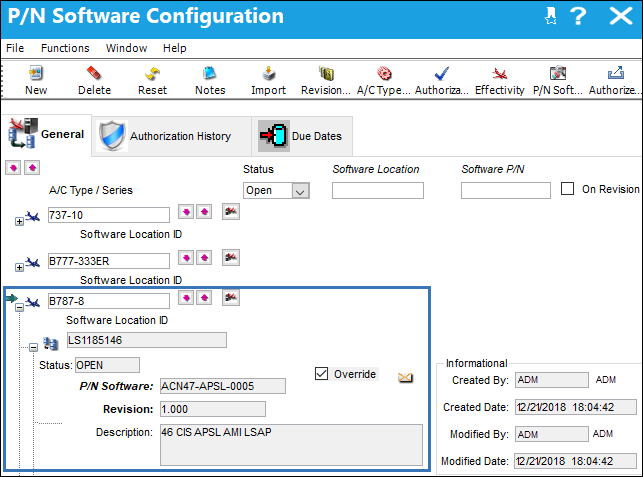
The P/N Software Configuration for aircraft type/series B787-8 contains P/N Software ACN47-APSL-0005 which is located at SLID LS1185146.
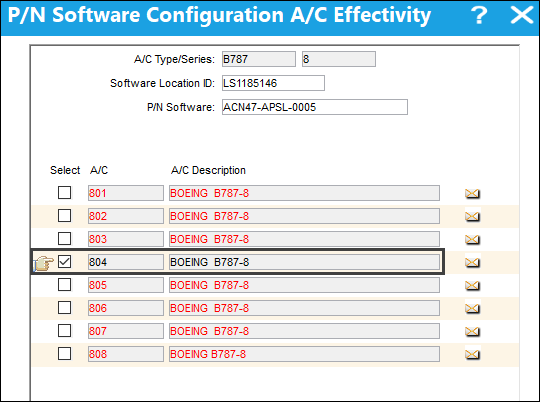
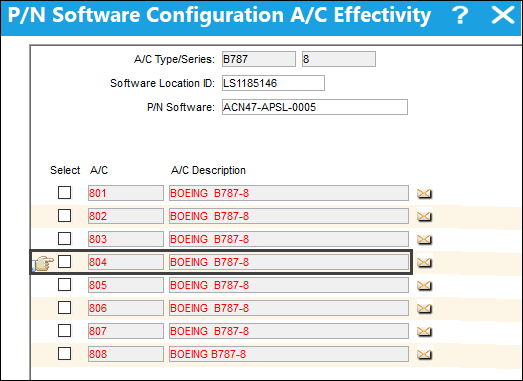
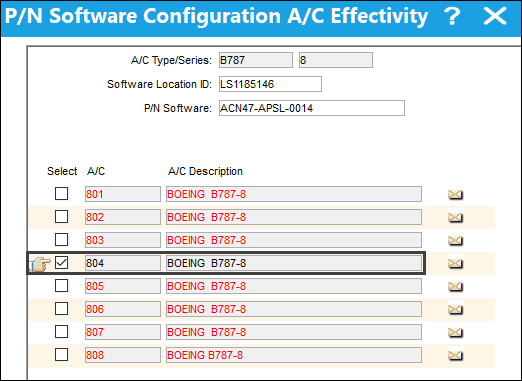
Select the Effectivity  Button to view the P/N Software Configuration A/C Effectivity for this P/N Software Configuration; only effective to A/C 804.
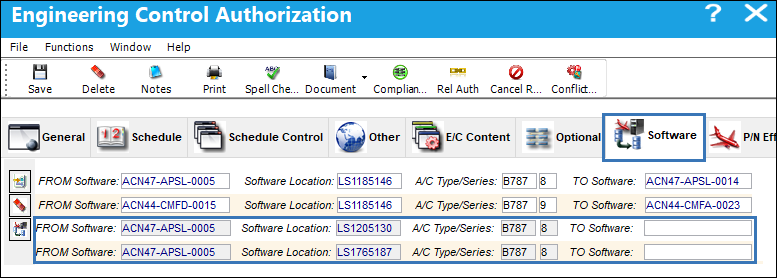
A Service Bulletin is issued to upgrade the P/N Software. An E/C is created to upgrade the software and to track the compliance. In the Engineering Control Software tab an entry is made so when the E/C is complied with the FROM Software ACN47-APSL-0005, at SLID LS1185146, for A/C Type/Series B787-8, upgrades TO Software ACN47-APSL-0014.
In the Software Configuration Authorization Explorer window, the P/N Software column shows the current P/N Software for the SLID. The Authorized P/N Software column displays the new P/N Software for the SLID, in addition it shows the E/C that has been released to upgrade the software.
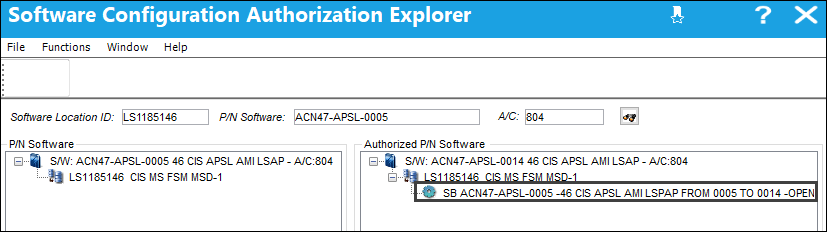
The E/C is complied with (either via a Work Order, or Manual Compliance).
In the P/N Software Configuration window, notice the initial (FROM) P/N Software Configuration record has changed to a status of N/A.
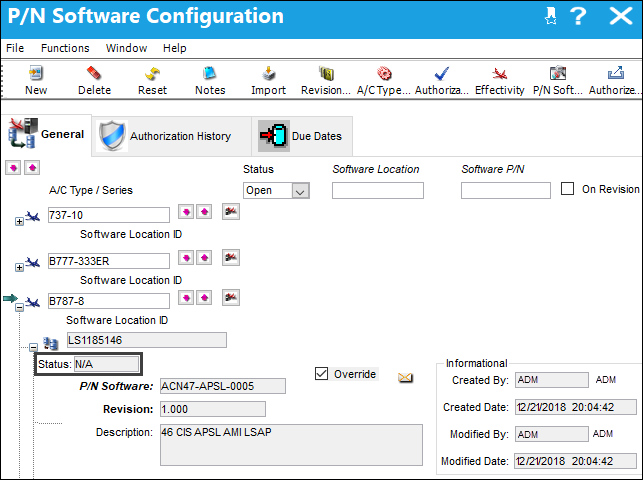
And effectivity to A/C 804 has been removed from the P/N Software Configuration.
The new (TO) P/N Software Configuration has been created and in an Open status.
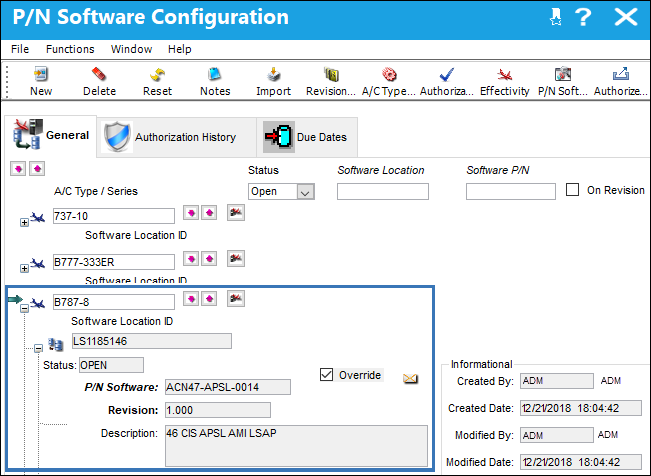
And A/C 804 is effective.
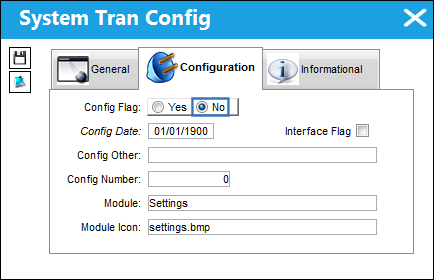
Switch Set to No:
When set to No, P/N Software Configuration works as it did prior to TRAX Version 15. P/N Software Configuration uses a Hardware P/N, Equipment Reference Designators (ERD), SLID, P/N Software, and actual P/Ns are Installed/Removed from the A/C.
For more information, refer to the P/N Software Configuration Process.
P/N Software Configuration Process (PNSOFTEC - No)
Share
Print
|
©1997-2026 Trax USA Corp. All rights reserved. This manual may not be copied, photocopied, reproduced, translated, or converted to any electronic or machine-readable form, in whole or in part, without prior written approval from Trax USA Corp. |
 |