
 Share
Share
 Print
Print
|
|
|
|
|


BINCATLINKPNCAT - Bin Category in Bin Master linked to P/N Category
Bin Category in Bin Master linked to P/N Category
Affected Window: w_system_tran_code
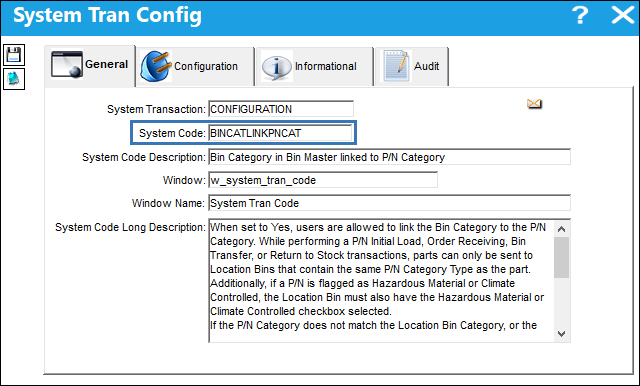
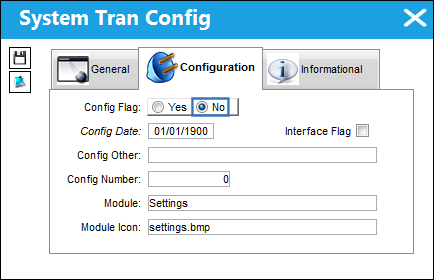
Switch Set to Yes:
When set to Yes, users are allowed to link the Bin Category to the P/N Category. While performing a P/N Initial Load, Order Receiving, Bin Transfer, or Return to Stock transactions, parts can only be sent to Location Bins that contain the same P/N Category Type as the part. Additionally, if a P/N is flagged as Hazardous Material or Climate Controlled, the Location Bin must also have the Hazardous Material or Climate Controlled checkbox selected.
If the P/N Category does not match the Location Bin Category, or the P/N's Hazardous Material/Climate Controlled flag does not match the Location Bin checkbox, the system will prevent the user from completing the transaction.
If a Bin is not setup with a Bin Category then any part can be stored in that bin, with the exception of P/Ns classified as Hazardous Material or Climate Controlled.
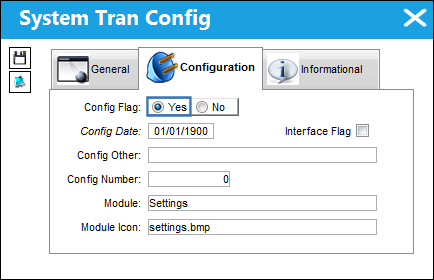
For example, notice that the Bin Category via the Bin Master window is linked to the BIN/CATEGORY Transaction Code. This Bin Category transaction code contains the P/N Category Type radio buttons which are linked to the P/N Transaction radio buttons of the PNCATEGORY transaction code. The following Bin Category and the P/N Category transaction codes are both set to 'Serialized.'
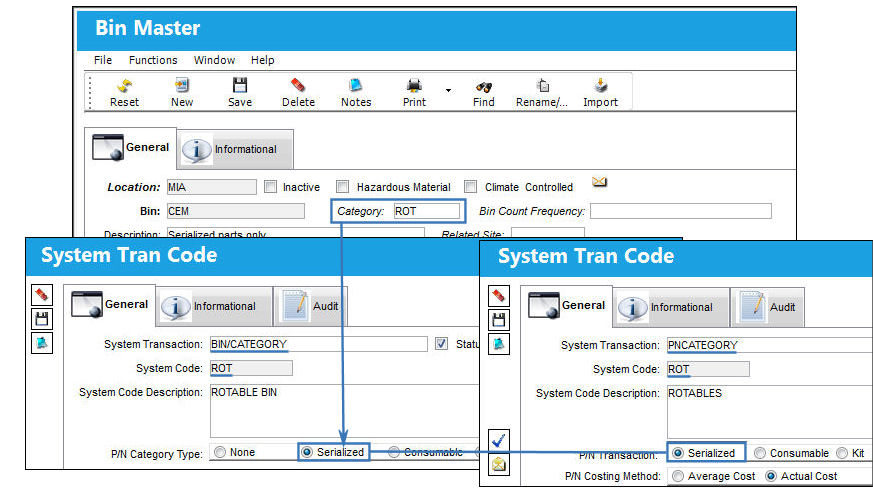
The following Bin Category and the P/N Category transaction codes are both set to 'Consumable.'
When a Bin Transfer is carried out, the P/N Category of the part being transferred is validated against the Bin Category of the Location Bin.
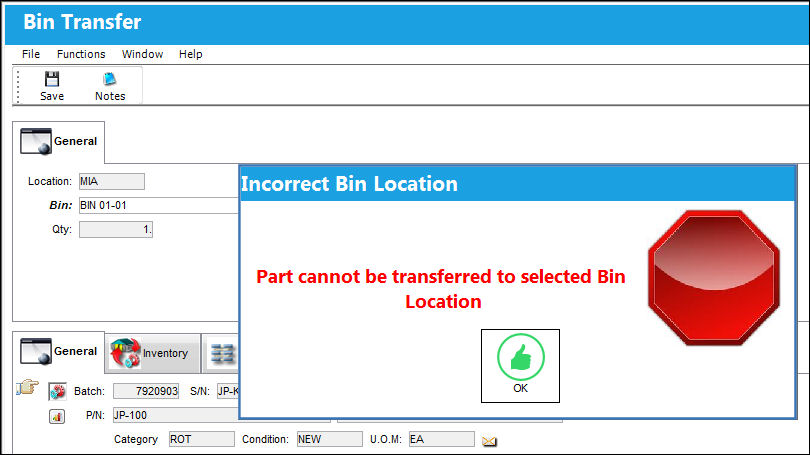
The following Bin Transfer contains a Serialized part. When it is transferred to a Bin that contains a Bin Category that is not Serialized, the following error message appears.
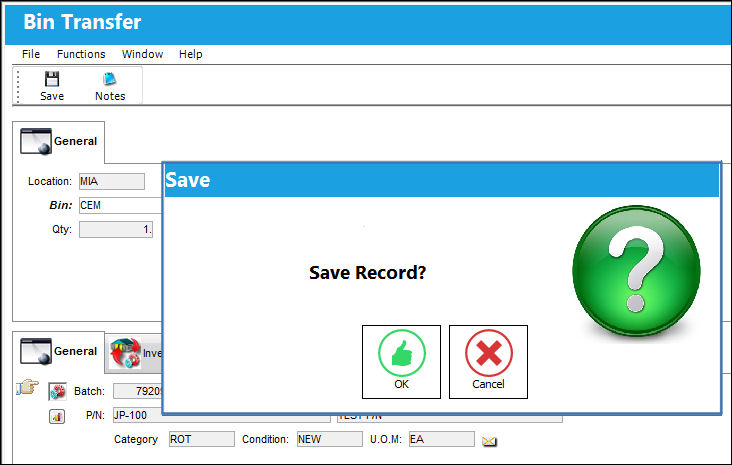
When a serialized Bin is entered for the Bin Transfer, users are allowed to complete the transfer.
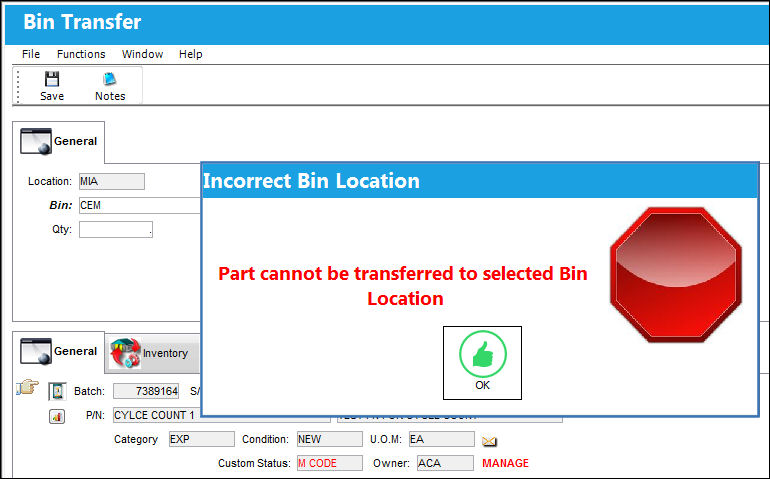
Alternatively, the following Bin Transfer contains a Consumable part. When it is transferred to a Bin that contains a Bin Category that is not Consumable, the following error message appears.
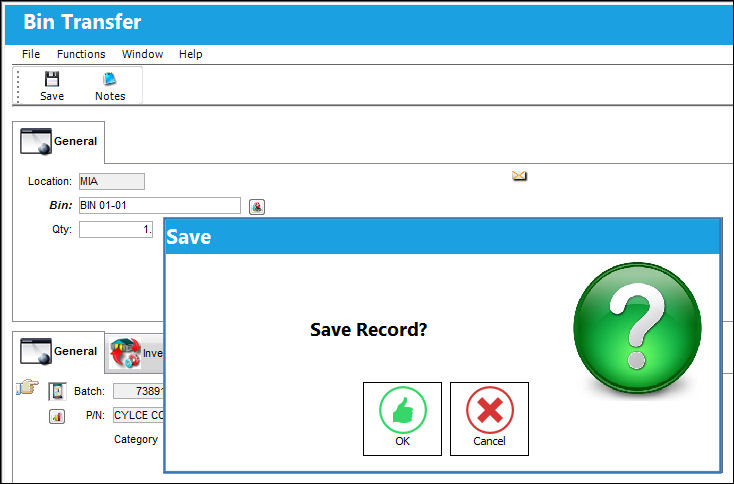
When a Consumable Bin is entered for the Bin Transfer, users are allowed to complete the transfer.
When set to yes, this switch will also validate the Hazardous Material and Climate Controlled checkboxes of the Bin Master window.
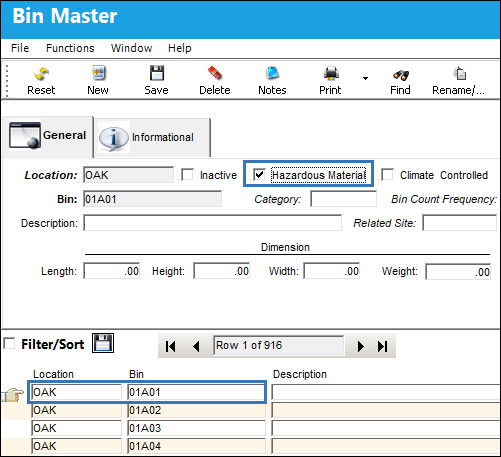
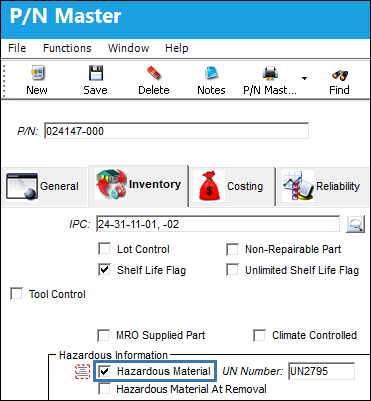
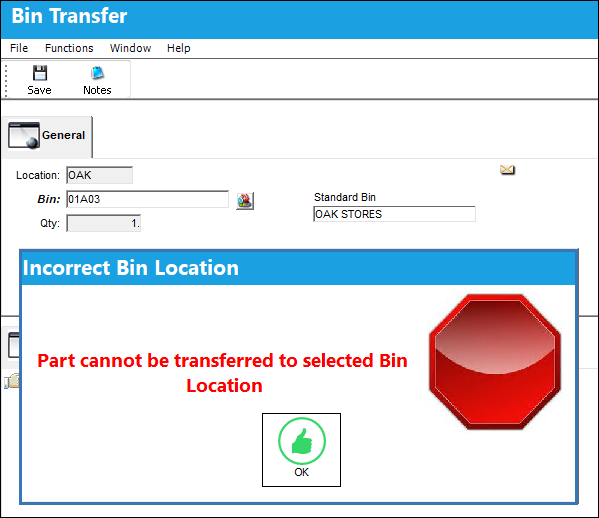
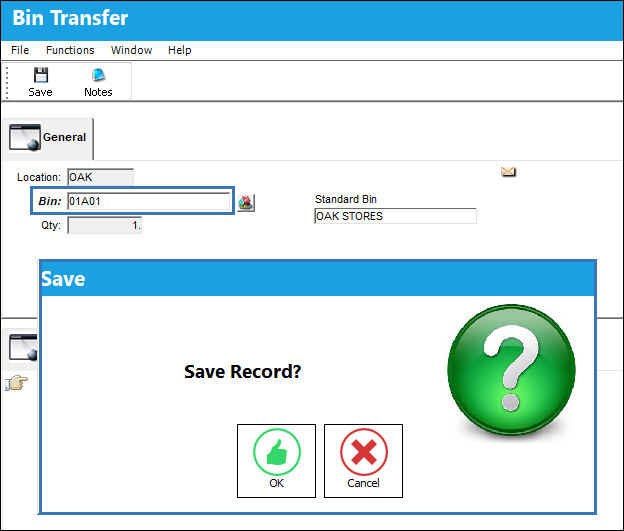
If a P/N is flagged as Hazardous Material or Climate Controlled, via the P/N Master, Inventory tab, then the Location Bin must also have the related Hazardous Material or Climate Controlled checkbox selected. If a P/N is flagged as Hazardous Material or Climate Controlled and the Location Bin does not have the related Hazardous Material or Climate Controlled checkbox selected, an error message will appear preventing the user from completing the transaction; and inversely, if the P/N is not flagged as Hazardous Material or Climate Controlled but the Location Bin is, the system will prevent the part from being stored in that Bin.
For example, notice that the Hazardous Material checkbox is selected via the Bin Master.
The following P/N is flagged as Hazardous Material via the P/N Master, Inventory tab.
A Bin Transfer takes place for the Hazardous Material part. When a Bin is entered that does not have the Hazardous Material checkbox selected, the following error message appears.
When a Bin is entered that has the Hazardous Material checkbox selected, the user is allowed to complete the Bin Transfer transaction.
Switch Set to No:
When set to No, the option to link a Bin Category to the P/N Category is not available. Additionally, the system will not validate the P/N Hazardous Material or Climate Controlled flags against the Location Bin checkboxes.
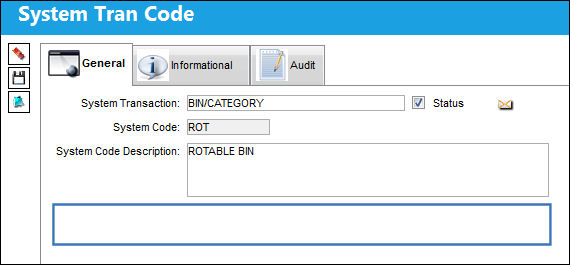
Notice from the Bin Category transaction code that the P/N Category Type radio buttons are not available. This removal keeps users from linking Bin Categories to P/N Categories.
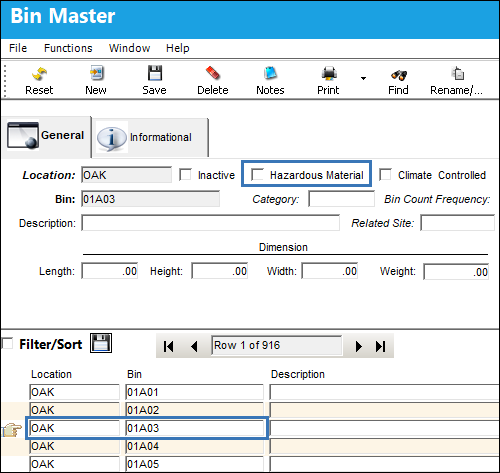
The Hazardous Material checkbox is not selected for the Bin Master.
The P/N is flagged as Hazardous Material via the P/N Master, Inventory tab.
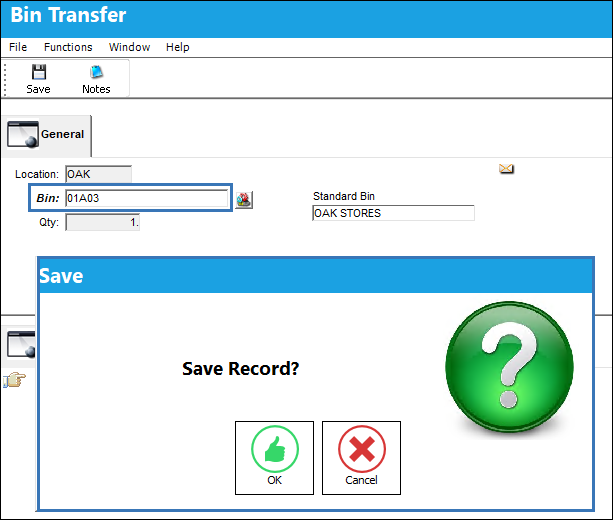
When a Bin Transfer takes place, the system allows the Hazardous Material P/N to be transferred to a Location Bin that does not have the Hazardous Material checkbox selected.
Share
Print
|
©1997-2026 Trax USA Corp. All rights reserved. This manual may not be copied, photocopied, reproduced, translated, or converted to any electronic or machine-readable form, in whole or in part, without prior written approval from Trax USA Corp. |
 |