
 Share
Share
 Print
Print
|
|
|
|
|


PN_NHA_EFF - Enable P/N NHA Effectivity Validation
Enable P/N NHA Effectivity Validation
Affected Window: w_pn_master
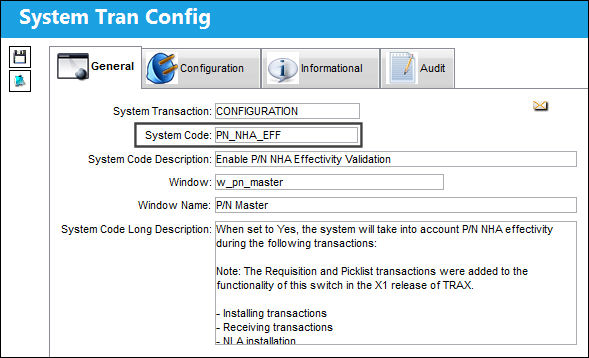
 The Requisition and Picklist transactions were added to the functionality of this switch.
Setup:
From the P/N Interchangeability window, an Interchangeable part has been established against the Main P/N. Point to either the Main P/N or the Both Way Interchangeable P/N and select the NHA Effectivity  button.
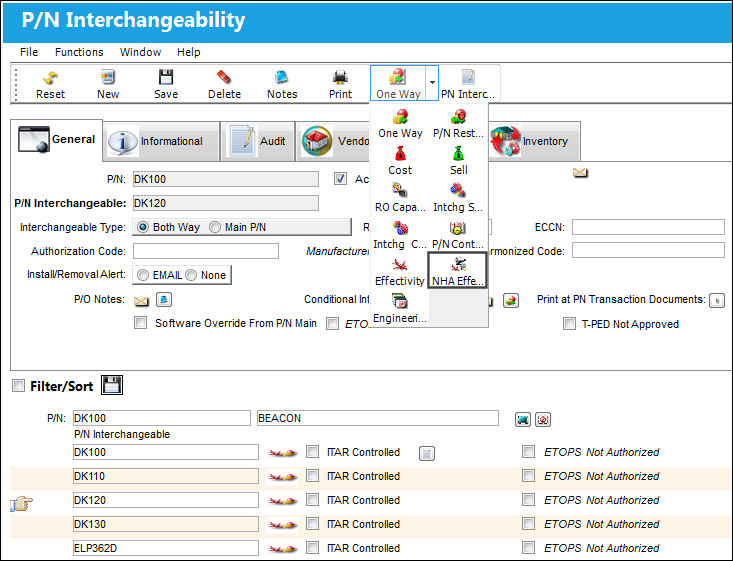
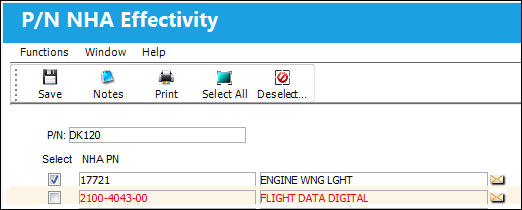
TRAX displays the P/N NHA Effectivity window. This window will show all part numbers set up in the system as NHAs for the selected NLA. The purpose of this window is to establish NLA effectivity at the NHA level. In the following example, NLA DK120 is effective to NHA 17721, but it is not effective to NHA 2100-4043-00.
The NHA Effectivity button is only available when this switch is set to Yes.
Switch Set to Yes:
When set to Yes, the system will take into account P/N NHA effectivity during the following transactions:
- Installing transactions
- Receiving transactions
- NLA installation
- P/N Initial Load
- Inventory Supervisor
- Requisitions
- Picklists
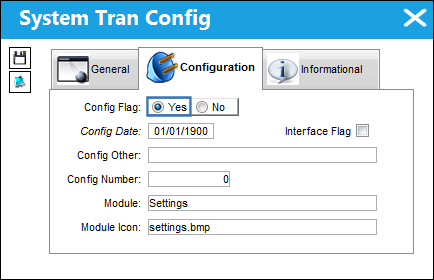
The NHA Effectivity button is only available when this switch is set to Yes.
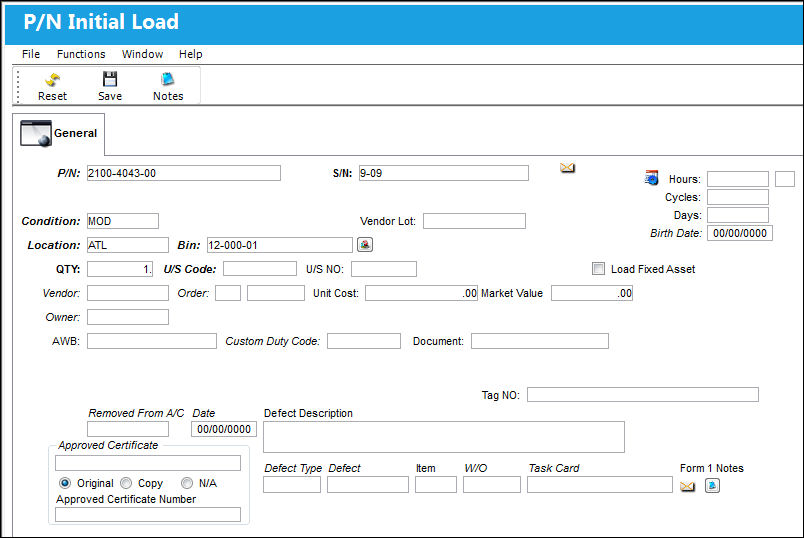
To demonstrate the functionality of the switch, TRAX will complete a P/N Initial Load.
From the P/N Initial Load window, select the NHA that will be installed. Enter all mandatory information and select the Save  button.
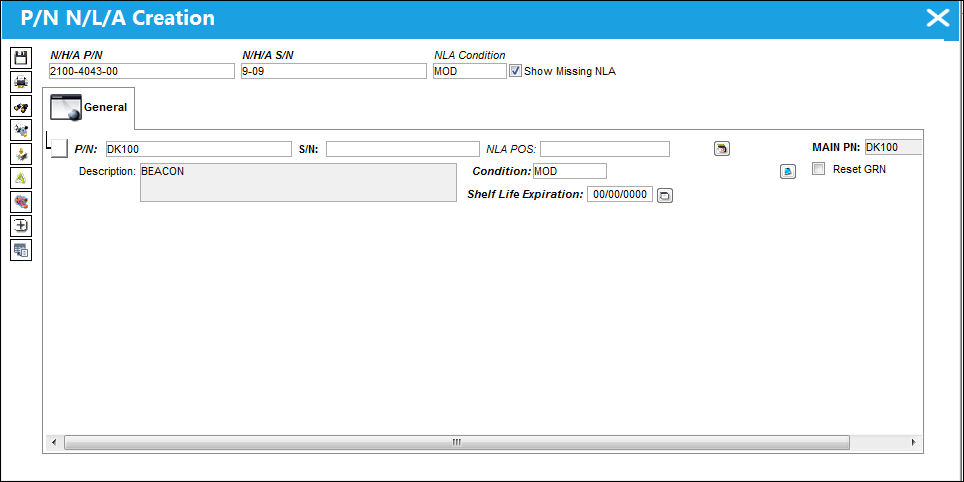
The P/N Inventory Next Lower Assembly window appears.The NLA Main P/N will appear by default in the P/N field.
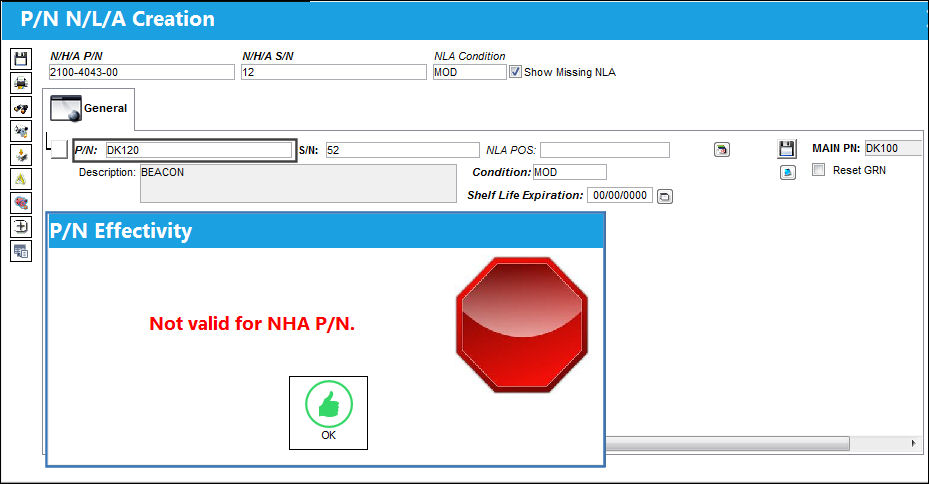
In this example, the user manually attempts to override the NLA Main P/N with the NLA Both Way Interchangeable. When attempting to populate the S/N field, the P/N Effectivity window appears preventing the user from installing NLA 134-076090-A on NHA 143-0801265.
Switch Set to No:
When set to No, the system will not take into account P/N NHA effectivity during the following transactions:
- Installing transactions
- Receiving transactions
- NLA installation
- P/N Initial Load
- Inventory Supervisor
- Requisitions
- Picklists
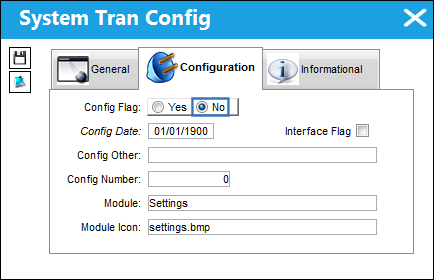
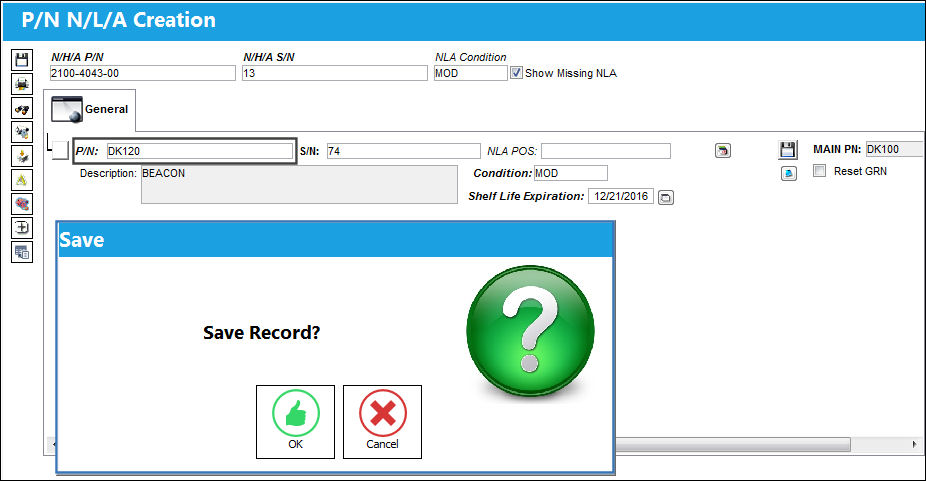
The user attempts to Initial Load the same part.
When the user manually attempts to override the NLA Main P/N with the NLA Both Way Interchangeable, the system does not validate for P/N NHA effectivity and they are able to save the transaction.
Share
Print
|
©1997-2026 Trax USA Corp. All rights reserved. This manual may not be copied, photocopied, reproduced, translated, or converted to any electronic or machine-readable form, in whole or in part, without prior written approval from Trax USA Corp. |
 |