
 Share
Share
 Print
Print
|
|
|
|
|


PNVENDROAUTLOC - Auto R/O By Location

Auto R/O By Location
Affected windows: w_pn_vendor_price_ro_eu
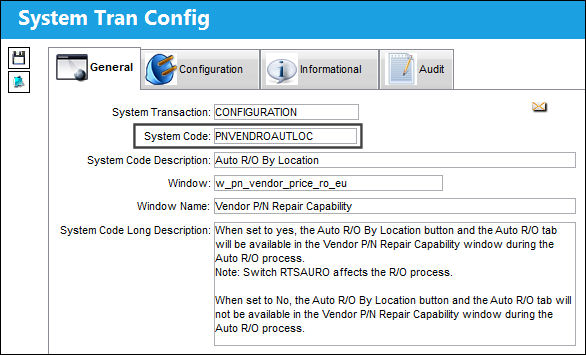
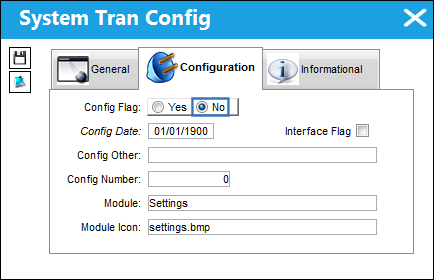
Switch Set to Yes:
When set to Yes, the Auto R/O By Location button and the Auto R/O tab will be available in the Vendor P/N Repair Capability window during the Auto R/O process.
Switch  RTSAURO affects the R/O Process.
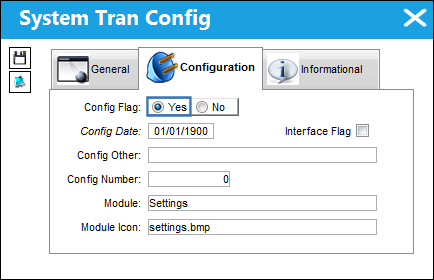
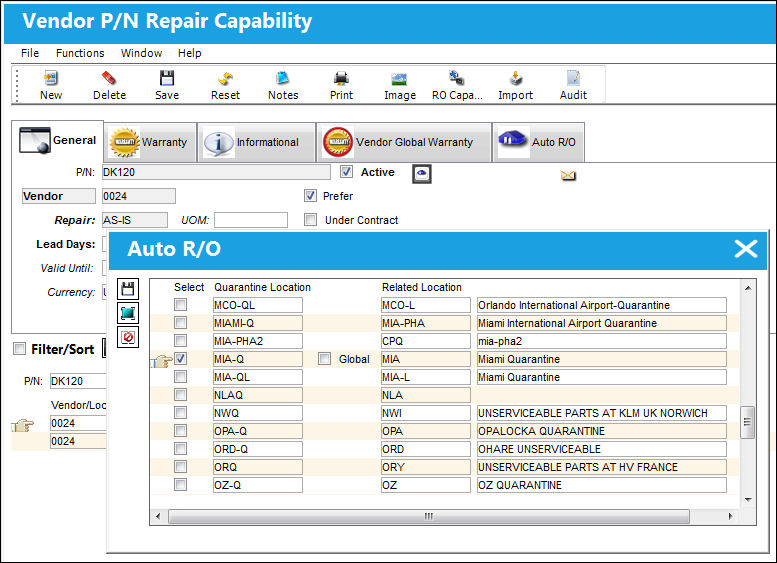
In the example below, Location 'MIA-Q' has a related location of 'MIA.'
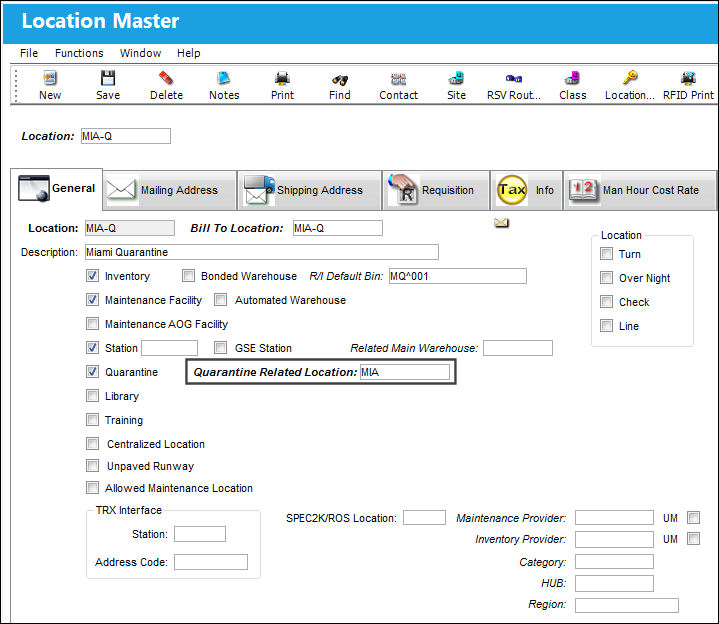
In the P/N Master window, to set up qualified repair stations select the Interchangeable  multi-button and from the list select the RO Capability
  button.
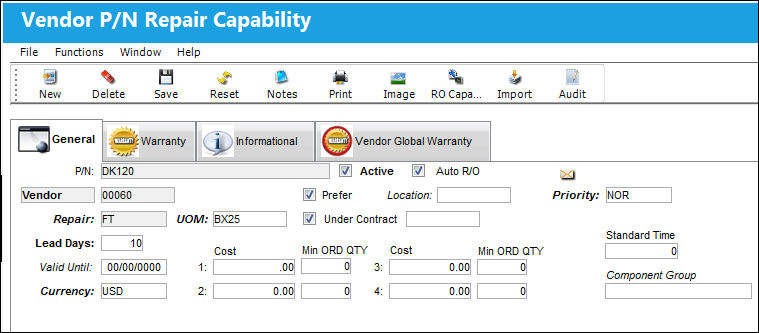
In the Vendor P/N Repair Capability window select the Auto R/O By Location  button. The Auto R/O window will pop-up with a list of repair capable locations. Select from the list the desired locations and specify whether a location is a Global location.
The Global Location checkbox is only selected when trying to designate that the selected global location supersedes all other repair capable locations at the Auto R/O level or the Return to Stock header level.
The user is able to add either multiple preferred vendors with the same repair code or duplicate vendors with different repair codes as displayed below.
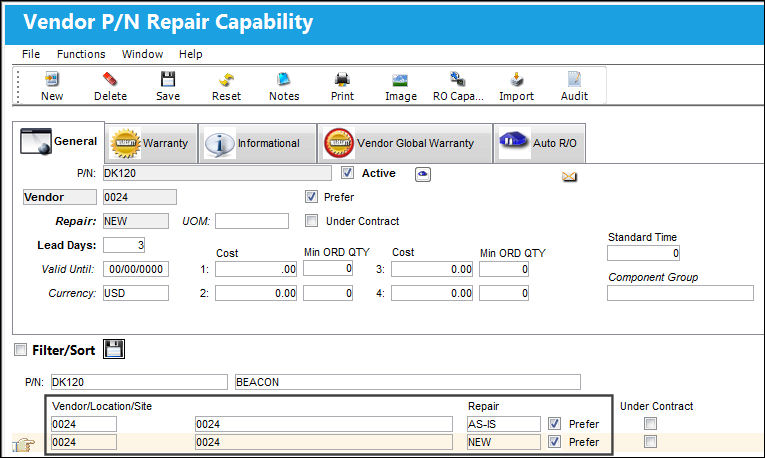
Duplicate vendors with the same repair code for the same P/N and RTS location is not allowed in the system.
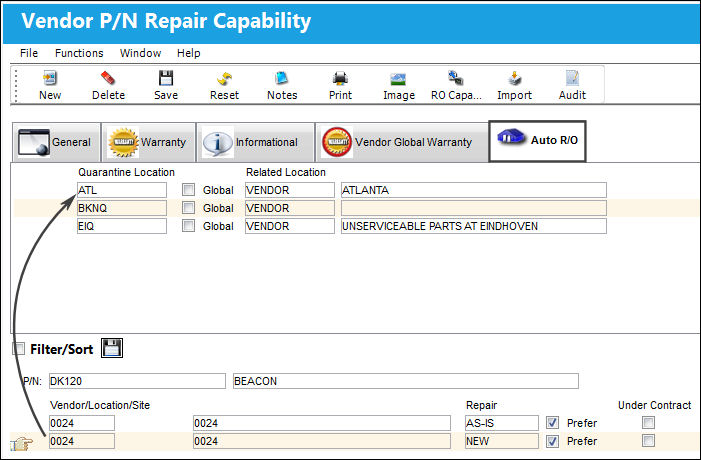
Under the Auto R/O tab, the user is able to see the multiple preferred quarantine locations, selected at the Auto R/O By Location button, associated to the specified vendor.
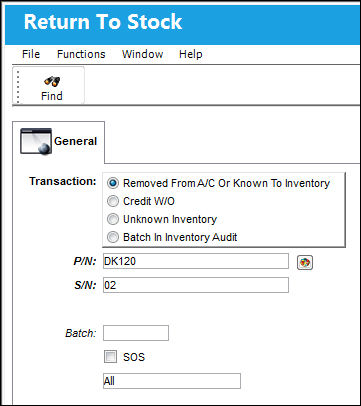
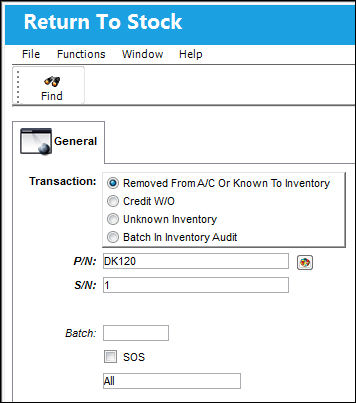
Enter the P/N and S/N information of the part you require to return to stock and select the Find  button.
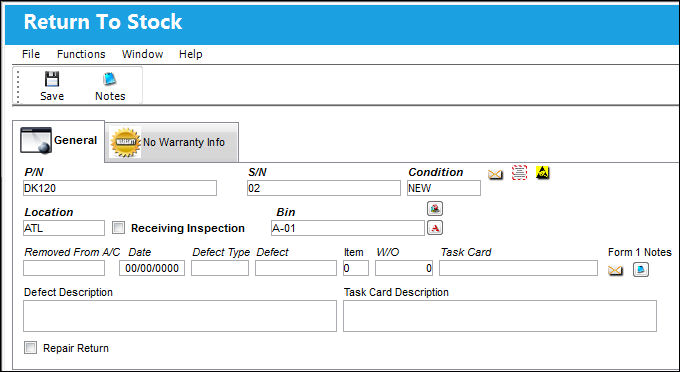
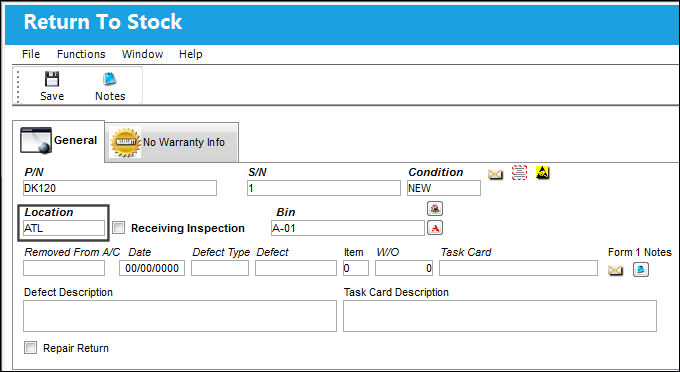
In the detail of the Return To Stock window, enter the location, bin, quantity, and condition information. Save the record. Location 'ATL' is entered for this example.
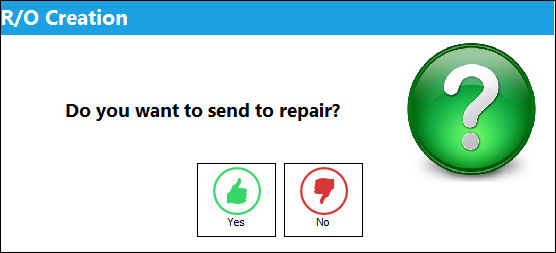
The system will display the R/O Creation prompt.
When Inventory Switch RTSAURO is set to yes, upon saving a return to stock transaction the system will prompt to send the part to repair.
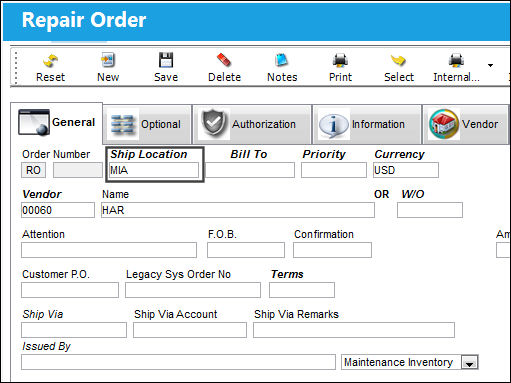
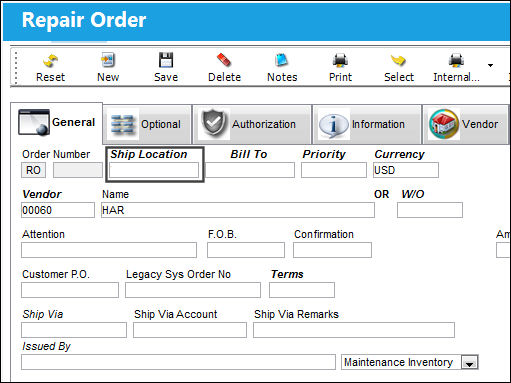
In the Repair Order header, note that the entered Ship Location is 'MIA' and not the designated location entered at the RTS header. This is due to the Auto R/O location being selected as a Global location which automatically overrides the location information at the RTS header level.
Multiple locations can be specified as repair capable however only one location can be designated as a 'GLOBAL' location.
Switch Set to No:
When set to No, the Location button and the Auto R/O tab located via R/O Capabilities is not available in the Vendor P/N Repair Capability window during the Auto R/O process.
In the P/N Master window, to set up qualified repair stations select the Interchangeable multi-button and from the list select the RO Capability button.
In the Vendor P/N Repair Capability window, the Auto R/O By Location button and the Auto R/O tab is not available.
The system allows the user to select the Auto R/O checkbox and enter one repair capable location. The specified location will override the RTS location information.
Enter the P/N and S/N information of the part you require to return to stock and select the Find button.
The system displays the R/O Creation prompt.
When Inventory Switch RTSAURO is set to yes, upon saving a return to stock transaction the system will prompt you if you want to send the part to repair.
In the detail of the Return To Stock window, enter the location, bin, quantity, and condition information. Save the record. Location 'ATL' is entered for this example.
In the Repair Order header window, note how the Ship Location and Bill To are blank. The system allows the user to enter the location information.
Share
Print
|
©1997-2026 Trax USA Corp. All rights reserved. This manual may not be copied, photocopied, reproduced, translated, or converted to any electronic or machine-readable form, in whole or in part, without prior written approval from Trax USA Corp. |
 |