
 Share
Share
 Print
Print
|
|
|
|
|


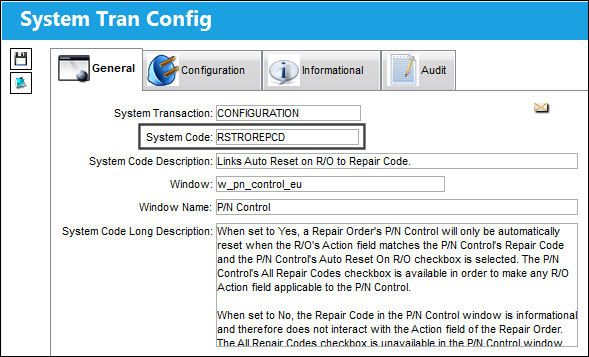
RSTROREPCD - Links Auto Reset on R/O to Repair Code
Links Auto Reset on R/O to Repair Code
Affected Field: w_pn_control_eu
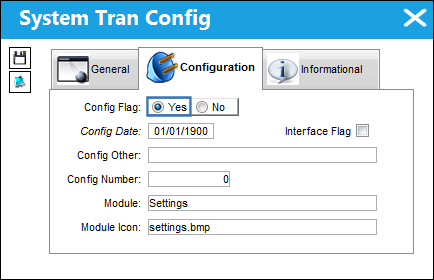
Switch Set to Yes:
When set to Yes, a Repair Order's P/N Control will only be automatically reset when the R/O's Action field matches the P/N Control's Repair Code and the P/N Control's Auto Reset On R/O checkbox is selected. The P/N Control's All Repair Codes checkbox is available in order to make any R/O Action field applicable to the P/N Control.
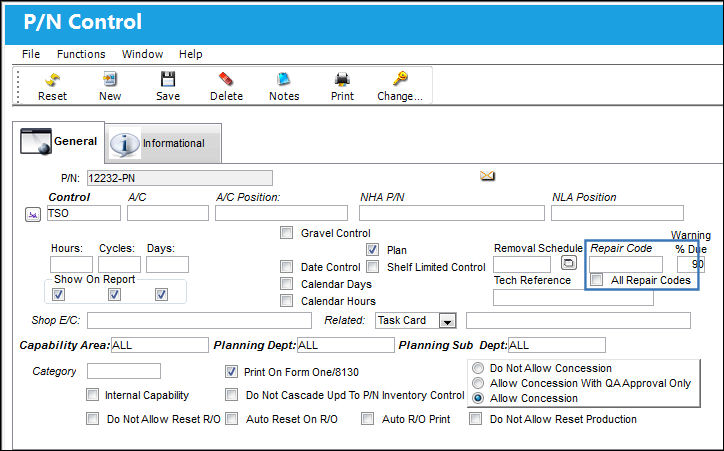
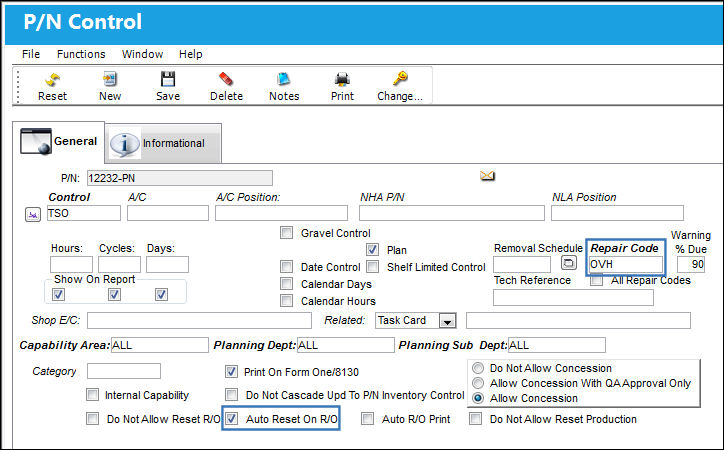
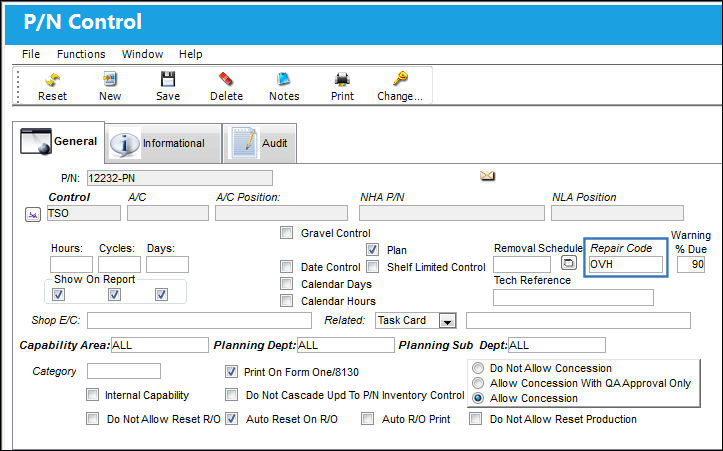
Notice the P/N Control's Repair Code and All Repair Codes checkbox. When the All Repair Codes checkbox is deselected, the Repair Code field is mandatory.
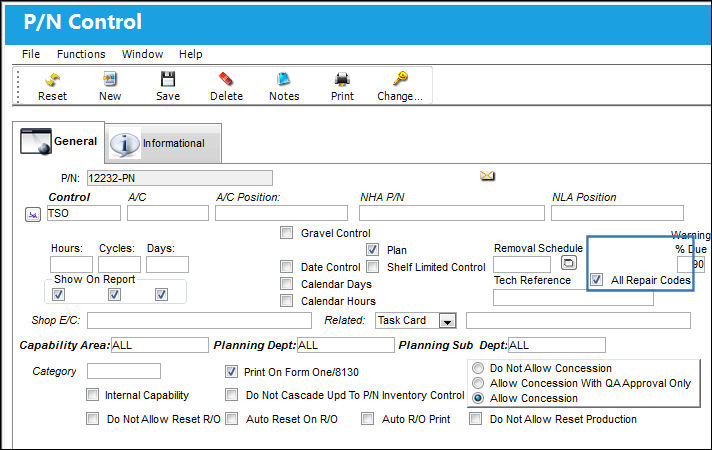
When the All Repair Codes checkbox is selected, the Repair Code field is not available.
The functionality works as follows. Populate the Repair Code and select the Auto Reset On R/O checkbox.
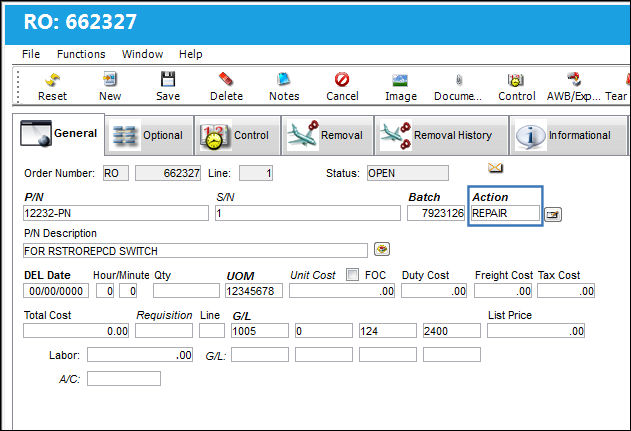
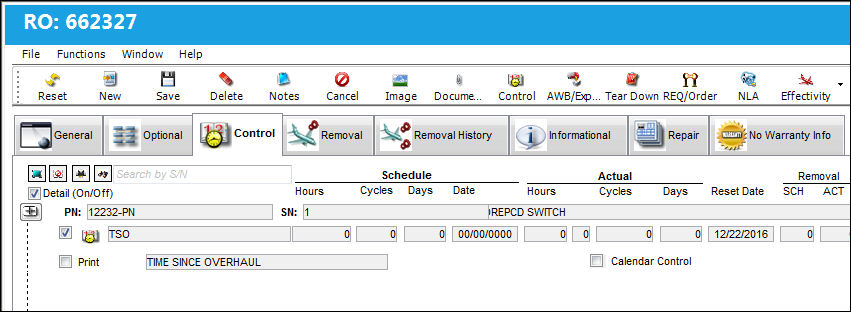
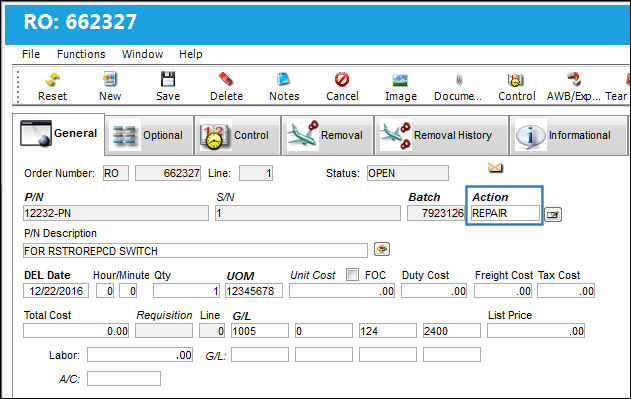
Create a Repair Order and enter an Action that does not match the P/N Control's Repair Code. Save the R/O.
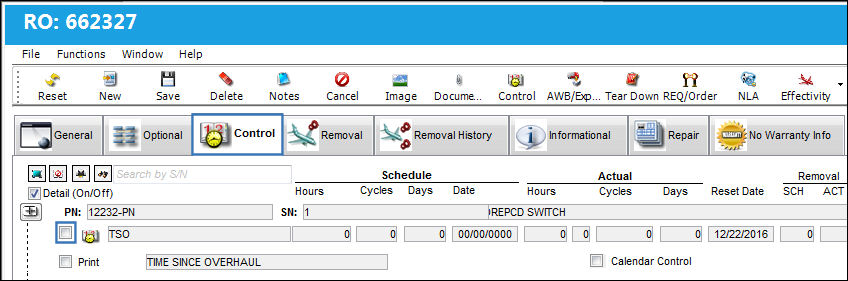
From the Control tab, notice that the P/N Control is not selected. This indicates that the Control will not be reset because the R/O's Action does not match the P/N Control's Repair Code.
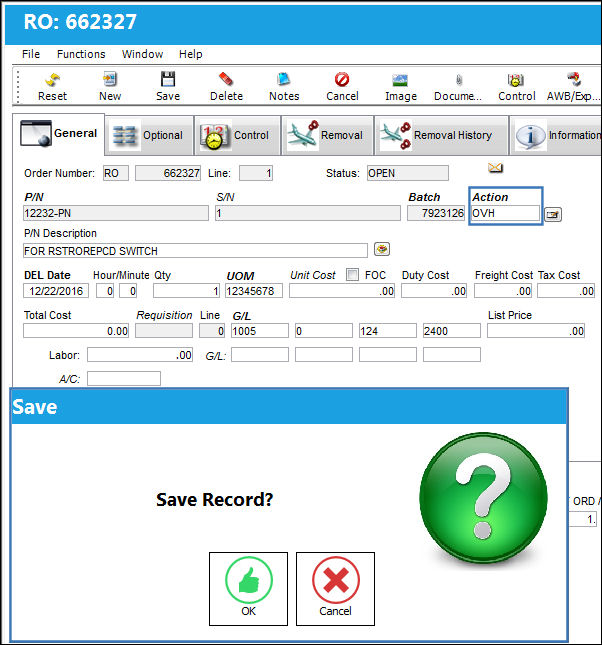
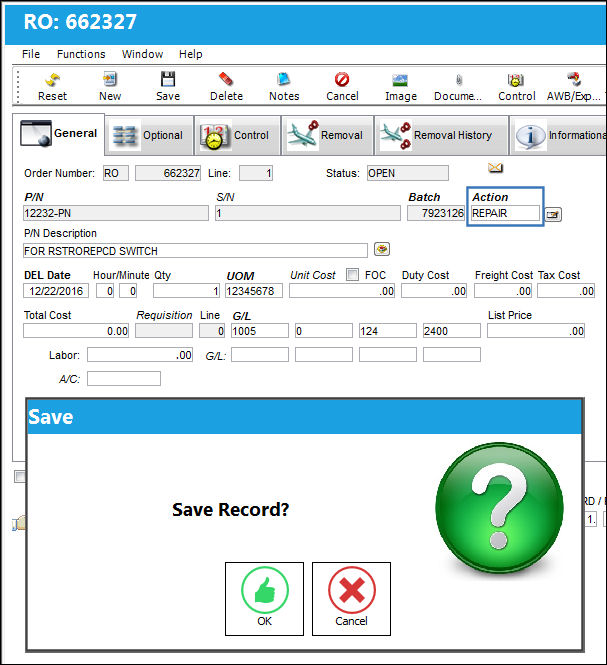
Now return to the General tab and enter the same Action that is listed in the P/N Control's Repair Code. Save the R/O.
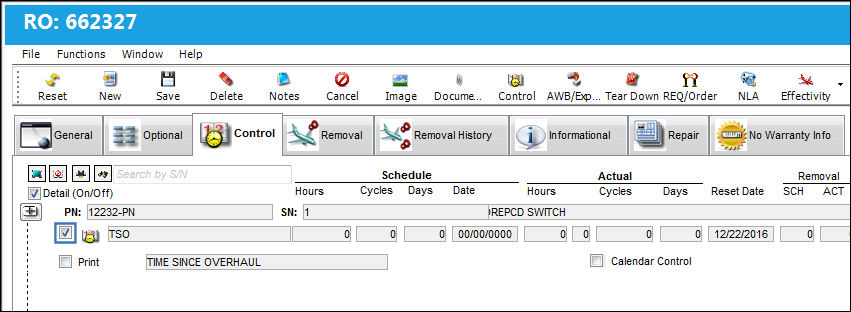
From the Control tab, notice that the Control is now selected. This indicates that the Control will be reset because the R/O's Action does match the P/N Control's Repair Code.
Users could override this functionality by selecting the All Repair Codes checkbox via the P/N Control. Notice that the Repair Code field is not available.
From the Repair Order, General tab, enter a different Action then save.
From the Control tab, notice that the Control is selected indicating that it will be reset.
Switch Set to No:
When set to No, the Repair Code in the P/N Control window is informational and therefore does not interact with the Action field of the Repair Order. The All Repair Codes checkbox is unavailable in the P/N Control window.
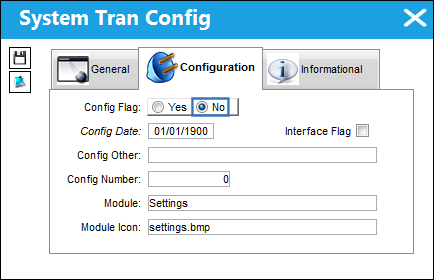
For example, notice that the All Repair Codes checkbox is not available and the Repair Code field is not mandatory.
A Repair Order is created with an Action that does not match the above P/N Control's Repair Code.
From the Control tab, notice that the Control is selected indicating that the Control will be reset even though the R/O Action and the P/N Control Repair Code do not match up. The Repair Code is informational.
Share
Print
|
©1997-2026 Trax USA Corp. All rights reserved. This manual may not be copied, photocopied, reproduced, translated, or converted to any electronic or machine-readable form, in whole or in part, without prior written approval from Trax USA Corp. |
 |