
 Share
Share
 Print
Print
|
|
|
|
|


Double-click on any of the category icons (Explorer  , Print
  , Query
  , and Update
  ) to view all the options available in that category:
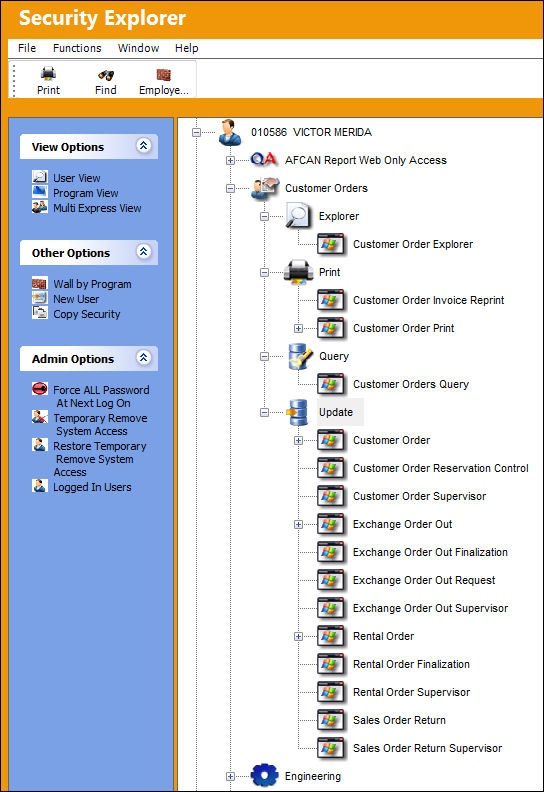
The categories within each module can be broken down by the following:
_____________________________________________________________________________________
Explorer icon
A window that lists categorical information where users can assign functionality (i.e.: security, authorization, etc.) to employees, codes, transactions, etc..
Print icon
A window used to generate print documents. This information cannot be created, edited, or updated.
Query icon
A window where users can enter information to view details but cannot create, edit or update the information.
Update icon
Used to enter, create, or update all types of information, transactions, orders, etc. Most windows are categorized as Update windows.
_____________________________________________________________________________________
This is merely another way of accessing the available options beside single clicking on the plus/minus (+/-) signs next to the icons.
Share
Print
|
©1997-2026 Trax USA Corp. All rights reserved. This manual may not be copied, photocopied, reproduced, translated, or converted to any electronic or machine-readable form, in whole or in part, without prior written approval from Trax USA Corp. |
 |