
 Share
Share
 Print
Print
|
|
|
|
|


The Security Status icons indicate security access or denied security access to certain windows, fields, tabs, or buttons for each user/user group profile. They can be switched back and forth by granting or removing security access to users. Administrators will be able to add or remove access through various methods within the User View, Program View and Multi Express View windows. The access icons are as follows:
_____________________________________________________________________________________
Access Granted  icon
icon
Indicates a user/user group's security access to system windows, fields, tabs, or buttons.
Access Denied  icon
icon
Indicates a user/user group's denied access to system windows, fields, tabs, or buttons.
_____________________________________________________________________________________
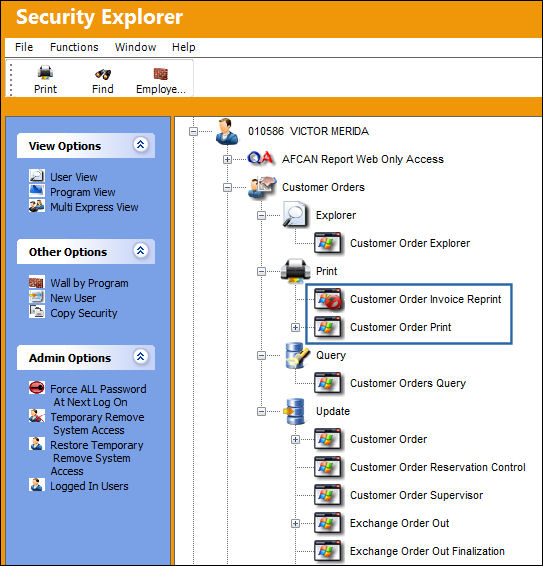
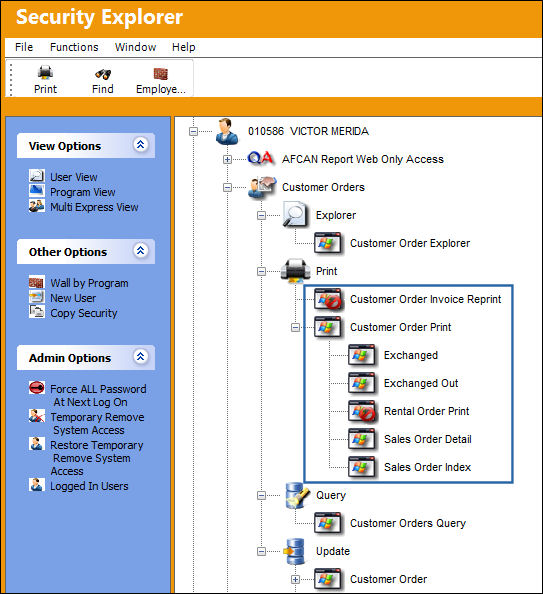
Some options expand further to display all available buttons/tabs in that option (Right click to Access context menu):
Share
Print
|
©1997-2026 Trax USA Corp. All rights reserved. This manual may not be copied, photocopied, reproduced, translated, or converted to any electronic or machine-readable form, in whole or in part, without prior written approval from Trax USA Corp. |
 |