
 Share
Share
 Print
Print
|
|
|
|
|


The Detail Audit tab displays historical information regarding the Order, as seen below:
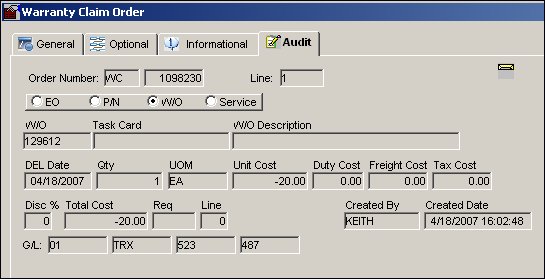
Select as necessary, for W/C Orders, one of the following radio buttons that most appropriately applies:
Engineering Order (E/O), Part Number (P/N), Work Order (W/O), or Service.
Select the Save  button to save all information.
This tab has been replaced with the Audit  button in Version 11 and all later releases. For more information, refer to the Audit button, via Standard Buttons.
Share
Print
|
©1997-2026 Trax USA Corp. All rights reserved. This manual may not be copied, photocopied, reproduced, translated, or converted to any electronic or machine-readable form, in whole or in part, without prior written approval from Trax USA Corp. |
 |