
 Share
Share
 Print
Print
|
|
|
|
|


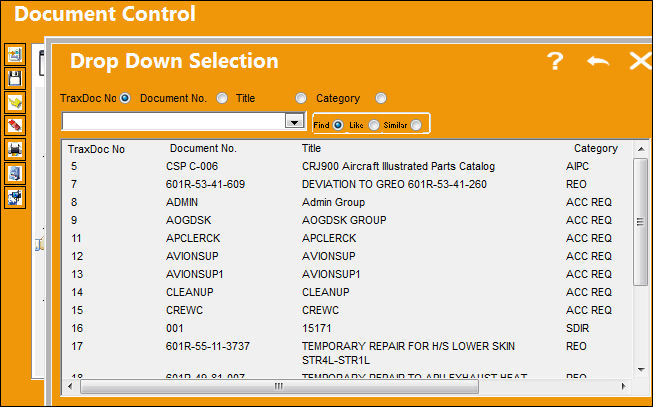
From the Document Control window, select the TraxDoc  button. TRAX displays the following Drop Down Selection window. Select desired TraxDoc. The TraxDoc will be highlighted in blue once selected. Double click the desired selection.
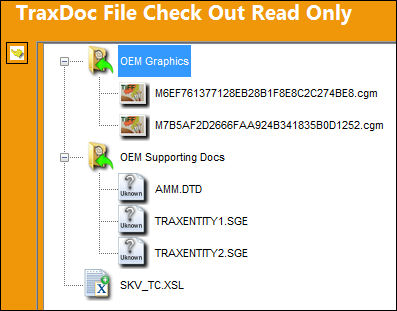
TRAX displays the TraxDoc File Check Out Read Only window. Select a document or image to be viewed. Click on the Select  button.
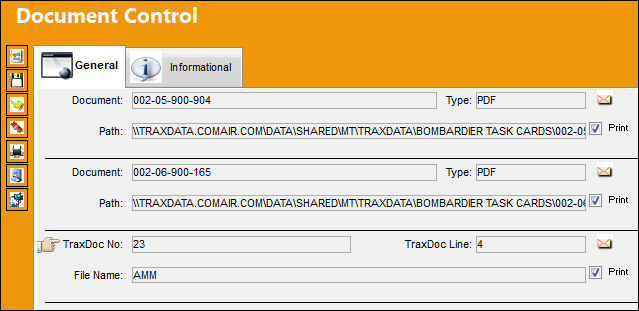
The Traxdoc Number is added to the General Tab of the Document Control window. Click on the Select button.
Share
Print
|
©1997-2026 Trax USA Corp. All rights reserved. This manual may not be copied, photocopied, reproduced, translated, or converted to any electronic or machine-readable form, in whole or in part, without prior written approval from Trax USA Corp. |
 |