
 Share
Share
 Print
Print
|
|
|
|
|


Export Button, via Image Button
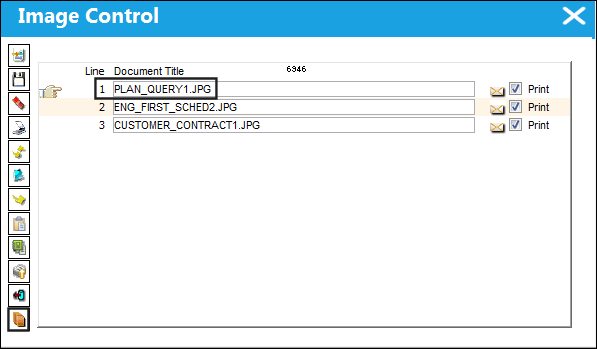
The Export  button allows users to export images to a desired location.
From the Image Control window select the Export  button.
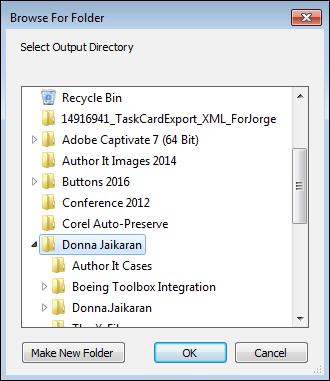
The Browse For Folder window appears. Select a folder to export desired image to. Select 'OK.'
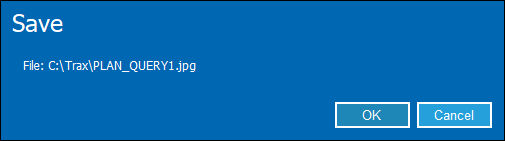
The following information pop-up will appear informing the user that the image was successfully exported to the selected folder.
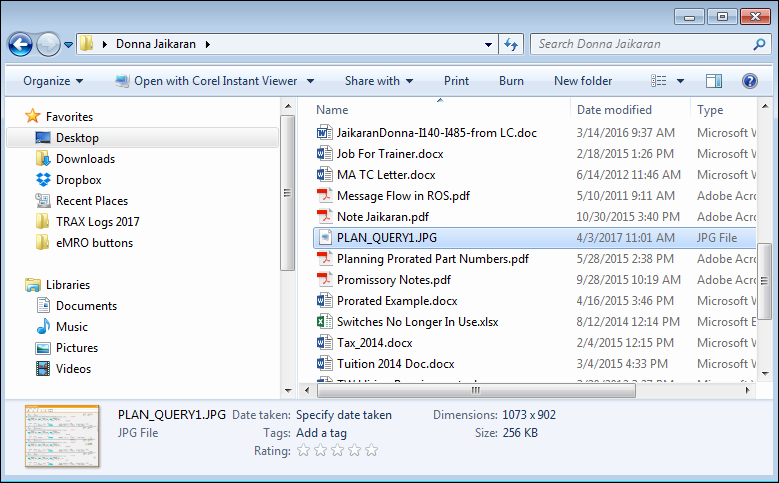
Go to the selected folder to view the image:
Share
Print
|
©1997-2026 Trax USA Corp. All rights reserved. This manual may not be copied, photocopied, reproduced, translated, or converted to any electronic or machine-readable form, in whole or in part, without prior written approval from Trax USA Corp. |
 |