
 Share
Share
 Print
Print
|
|
|
|
|


Additional Options, via Image Button
Once an image has been uploaded, the user has a number of additional options.
- Select the Increase Size
 button to increase the size of the image
 - Select the Decrease Size
 button to decrease the size of the image
 - Select the Rotate
 button to rotate the image
The user may also edit the image using the following options:
- Rectangle
- Highlight
- Pointer
- Ellipse
- Polyline
- Free Hand
- Polygon
- Label
- Notes
- Stamp
- Special Effects
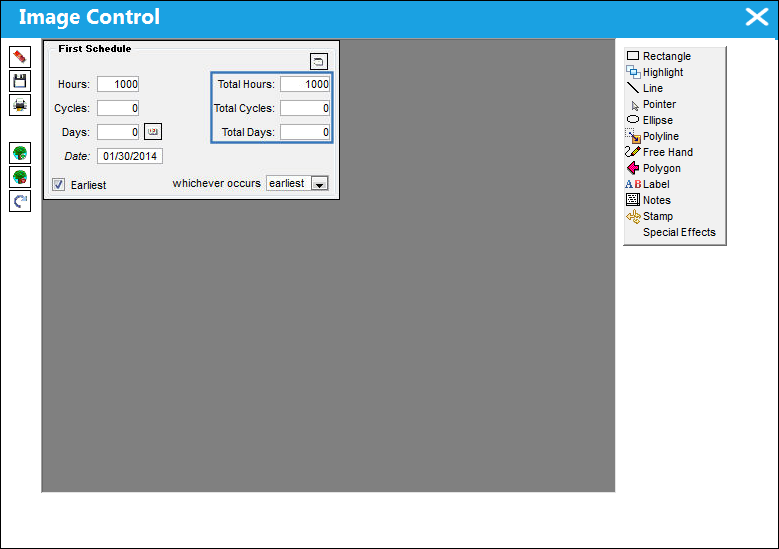
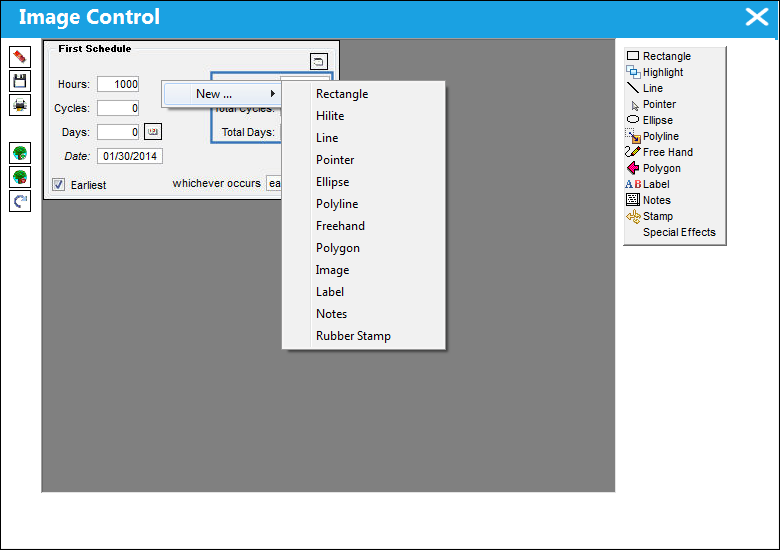
In the yellow highlighted box on the far right in the below image are additional options. Most of the same options are available if the user right clicks on an image and follows the New > shown below in the middle of the image.
Share
Print
|
©1997-2026 Trax USA Corp. All rights reserved. This manual may not be copied, photocopied, reproduced, translated, or converted to any electronic or machine-readable form, in whole or in part, without prior written approval from Trax USA Corp. |
 |