
 Share
Share
 Print
Print
|
|
|
|
|


Security to Current Revisions, via TraxDoc Master
The TraxDoc Security Explorer window allows a user to change their status to allow them to modify revisions to a TraxDoc.
Go to TraxDoc/Update/TraxDoc Master.
Select the Find  button and double click on a TraxDoc.
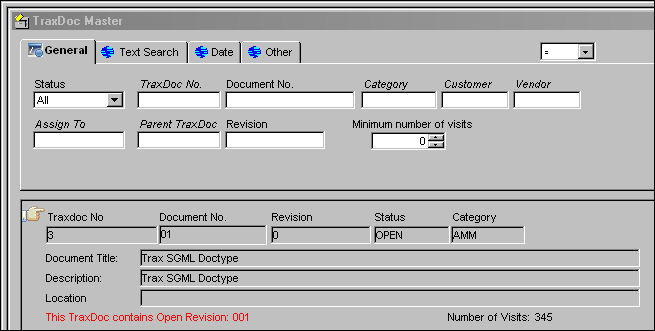
The following information box appears. Select OK.

The user is taken to the TraxDoc Query window. The user is unable to update any information in this query window.
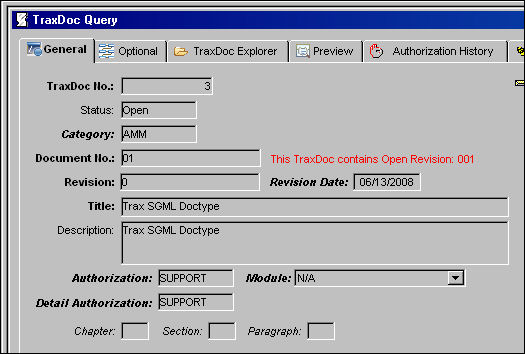
Go to TraxDoc/Explorer/TraxDoc Security Explorer.
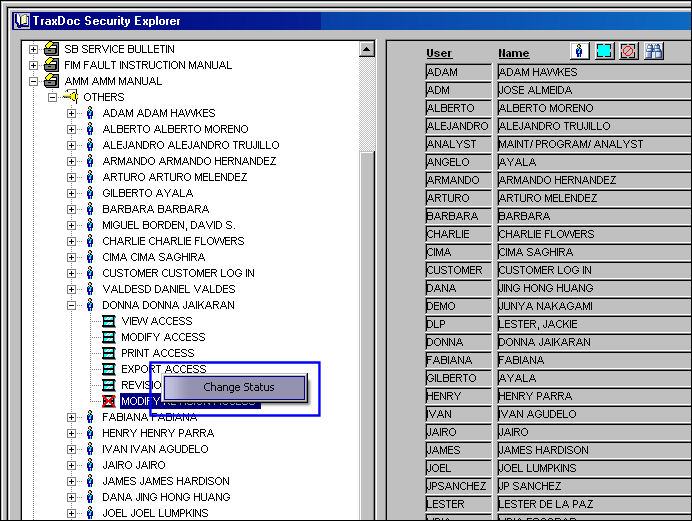
Under the users' name, right click on 'MODIFY REVISION ACCESS'. The Change Status button appears. Select on it to change the status.
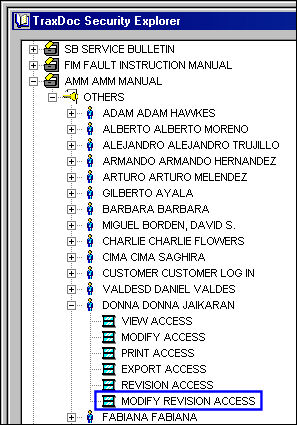
The status of the 'MODIFY REVISION ACCESS' will change to available:
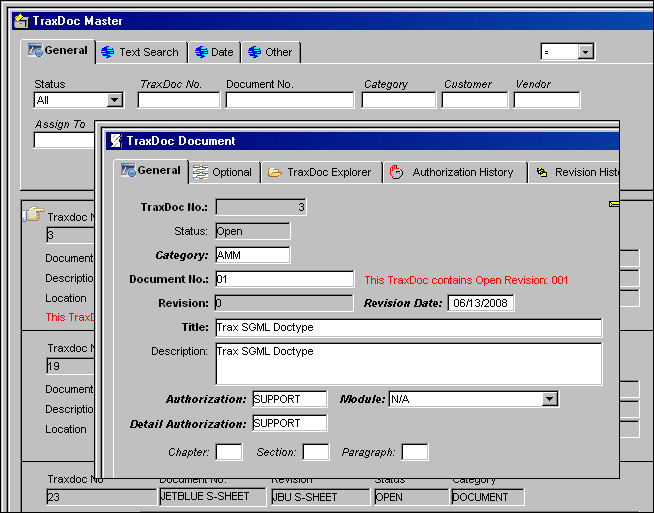
Go to the TraxDoc Master. Select the Find button and double click on a TraxDoc. The TraxDoc Document window appears. The user is able to update/modify a revision from this window.

 Note: The Modify Revision Access option also allows users to edit PDFs through the Edit button during the authorization process. For more information on the Edit button, please refer to Edit Button, via TraxDoc Document Detail, TraxDoc Explorer Tab.
Share
Print
|
©1997-2026 Trax USA Corp. All rights reserved. This manual may not be copied, photocopied, reproduced, translated, or converted to any electronic or machine-readable form, in whole or in part, without prior written approval from Trax USA Corp. |
 |