
 Share
Share
 Print
Print
|
|
|
|
|


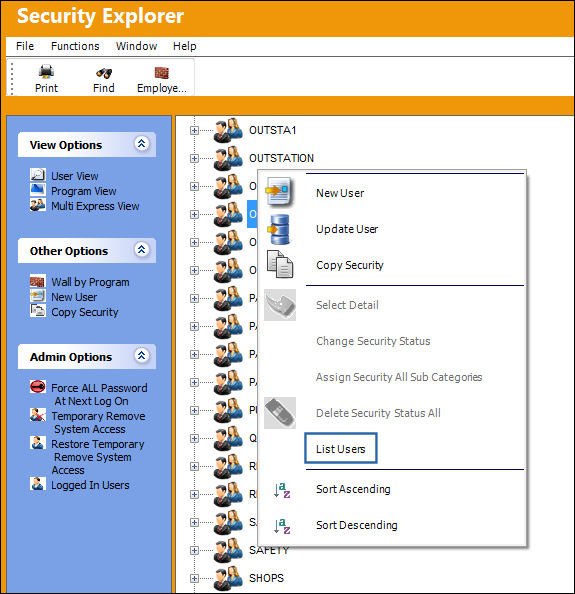
The List Users option is used to display the various users listed in a selected security Group. This option is only available when right-clicking over a Group (which are listed with the User Group  icon).
For example, right-click over a Group then select the List Users option.
The following pop-up will appear with a listing of the individual users of the Group. The below example is labeled: 'Users under ADMIN profile.'
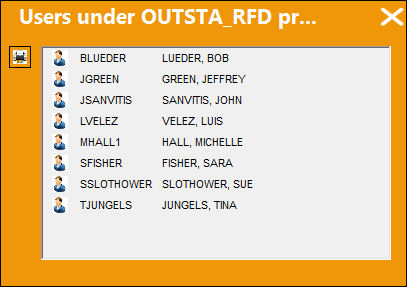
This pop-up window is informational-only. The only buttons included are the Print  and Exit
  buttons.
Share
Print
|
©1997-2026 Trax USA Corp. All rights reserved. This manual may not be copied, photocopied, reproduced, translated, or converted to any electronic or machine-readable form, in whole or in part, without prior written approval from Trax USA Corp. |
 |