
 Share
Share
 Print
Print
|
|
|
|
|


Additional Information
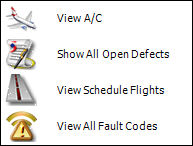
Additional information related to a selected aircraft can be obtained by doing a right mouse-click on the aircraft icon. A pop-up window will appear:
_____________________________________________________________________________________
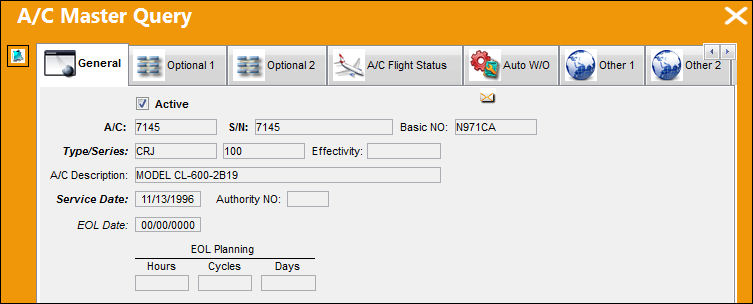
View A/C  button
Select this button to view the Aircraft Master Query window:
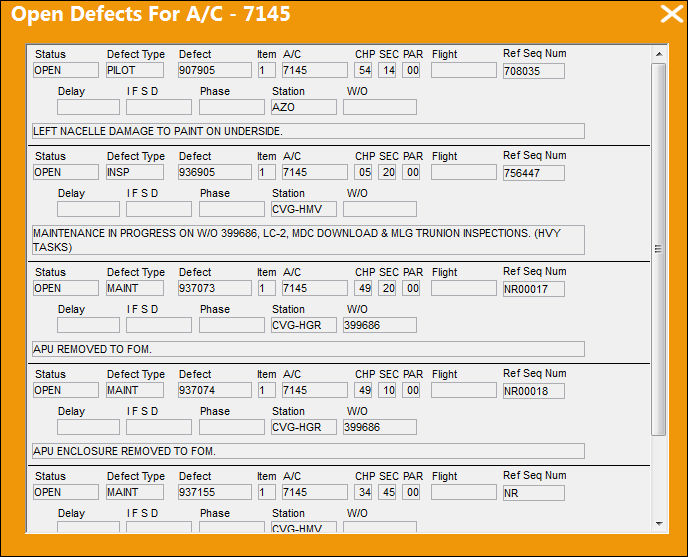
Show All Open Defects  button
Select this button to view a list of all defects that are currently open in the system for that aircraft:
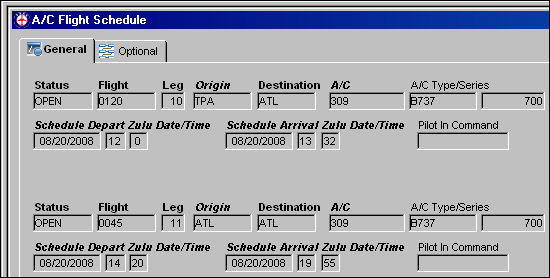
View Schedule Flights  button
Select this button to open the Aircraft Schedule Flight window:
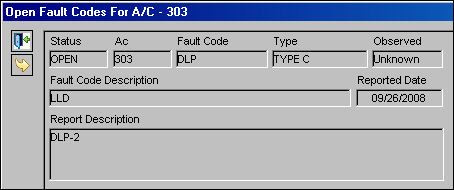
View All Fault Codes  button
Select this button to view the Open Fault Codes window:
_____________________________________________________________________________________
Share
Print
|
©1997-2026 Trax USA Corp. All rights reserved. This manual may not be copied, photocopied, reproduced, translated, or converted to any electronic or machine-readable form, in whole or in part, without prior written approval from Trax USA Corp. |
 |