
 Share
Share
 Print
Print
|
|
|
|
|


This is the number of Man Hours needed to complete the maintenance event:
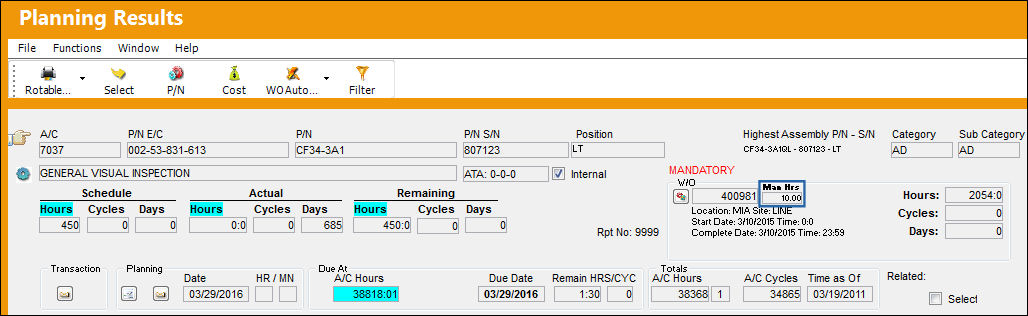
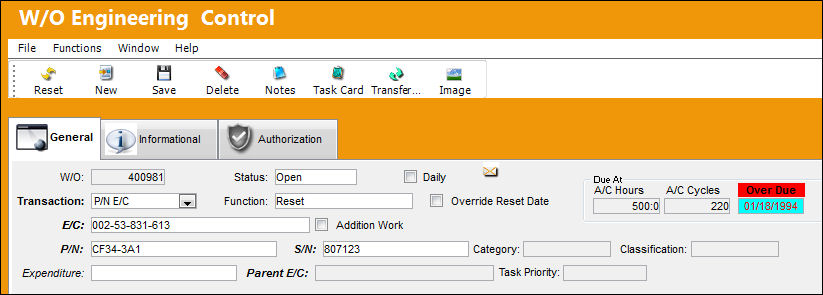
To confirm that the number of Man Hours appearing in the Planning Query is correct, go to Engineering/Update/Engineering Control, Engineering Task Card Control.
Select into the E/C. From the Task Card window, select the Items  button and select Skills tab.
From the Task Card Item window, the user can see that the number of Man Hours is forecasting correctly in the Planning Query:
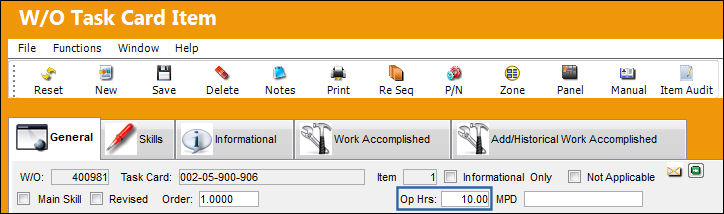
The Man Hours listed in the Planning Query also take into account any Called On E/Cs and their Man Hour requirements.
Share
Print
|
©1997-2026 Trax USA Corp. All rights reserved. This manual may not be copied, photocopied, reproduced, translated, or converted to any electronic or machine-readable form, in whole or in part, without prior written approval from Trax USA Corp. |
 |