
 Share
Share
 Print
Print
|
|
|
|
|


The P/N Information Tab allows the user to add and associate as many P/N S/Ns to the Shop Work Order as required. The Multi Line items allow the Shop Work Order to handle high volume Shops (i.e. Tire and Battery Shops).
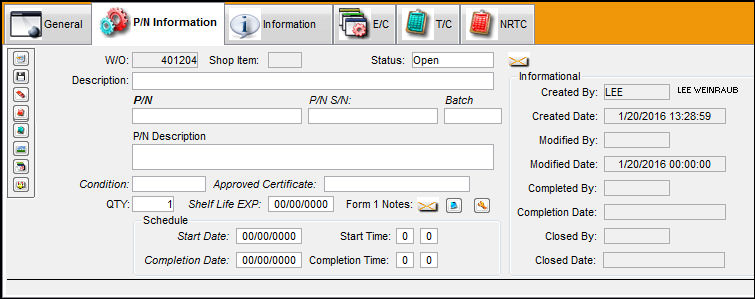
The following buttons are available in this tab for additional functionality:
- N/R button
- Task Card button
- Image button
- E/C button
- Load Controls button
Share
Print
|
©1997-2026 Trax USA Corp. All rights reserved. This manual may not be copied, photocopied, reproduced, translated, or converted to any electronic or machine-readable form, in whole or in part, without prior written approval from Trax USA Corp. |
 |