
 Share
Share
 Print
Print
|
|
|
|
|


Selected Shop Work Order Area, via Shop Resource/Tasks Planner
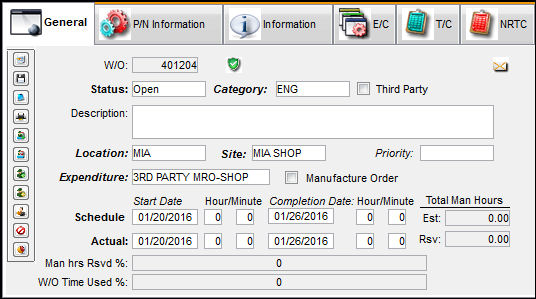
The Selected Work Order Area shows detailed information regarding the Shop Work Order selected in the Display By Area. Select any Shop Work Order in the Display By Area. The Shop Work Order information becomes available in the Selected Work Order Area.
For planning purposes, users can be sent System Notifications when a Shop Work Order schedule date or time is changed. For more information refer to the Shop W/O Schedule Date/Time Change via the Settings Training Manual.
Refer to Shop Resource/Tasks Planner to see where the Selected Work Order Area is located on the Shop Resource/Tasks Planner.
The following tabs are available via the Selected Work Order Area:
- General Tab
- P/N Information Tab
- Information Tab
- E/C Tab
- T/C Tab
- NRTC Tab
Share
Print
|
©1997-2026 Trax USA Corp. All rights reserved. This manual may not be copied, photocopied, reproduced, translated, or converted to any electronic or machine-readable form, in whole or in part, without prior written approval from Trax USA Corp. |
 |