
 Share
Share
 Print
Print
|
|
|
|
|


Display Control Area, via Shop Resource/Tasks Planner
The Display Control Area allows the user to manipulate the type of information being viewed in the Display By Area.

The following information/options are available in this window:
_____________________________________________________________________________________
Location radio button
Select this radio button for a view of all locations where Shop Work Orders are coming due. This view will display each location and each site for that location as defined in the Location Master. For more information, please refer to the Site Button, via Location Master in the Settings Training Manual.
P/N radio button
Select this radio button for a view of all P/Ns.
_____________________________________________________________________________________
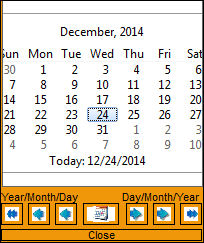
Select Date  button
Select this button to view a current calendar to select a date to view Shop Tasks.
_____________________________________________________________________________________
Calendar Display
Select the Calendar Display drop down selection to view a list of time frames in which to view Shop Task(s).
Number of Months
Select the up/down arrows to select the number of days or months the user would like to view.
This value changes to days or month depending on the calendar display selection.
_____________________________________________________________________________________
Refresh Time (min)
This window does not automatically refresh. The user may use the drop down menu to select the value (number of minutes) to determine the refresh rate of data displaying in the window.
_____________________________________________________________________________________
Share
Print
|
©1997-2026 Trax USA Corp. All rights reserved. This manual may not be copied, photocopied, reproduced, translated, or converted to any electronic or machine-readable form, in whole or in part, without prior written approval from Trax USA Corp. |
 |