
 Share
Share
 Print
Print
|
|
|
|
|


The Controls tab offers a view of the following information:

When the P/N Control is selected, the Total Selected Man Hrs are reset:
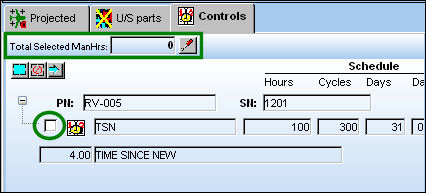
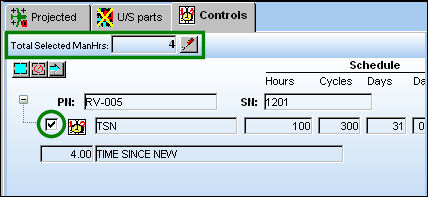
For information regarding the above buttons and fields, refer to the Repair Order Detail, Control Tab via Repair Order, which can be found in the Orders Training manual.
The following information/options are available in this window:
_____________________________________________________________________________________
Breakdown  button
Click on this button to see the Man Hours for each task broken down by Skill.
Select All  button
Click on this button to select all P/N Controls.
Deselect All  button
Click on this button to de-select all P/N Controls.
Add Tasks  button
Click on this button to add the task to the selected task(s) to the Work Order.
_____________________________________________________________________________________
Share
Print
|
©1997-2026 Trax USA Corp. All rights reserved. This manual may not be copied, photocopied, reproduced, translated, or converted to any electronic or machine-readable form, in whole or in part, without prior written approval from Trax USA Corp. |
 |