
 Share
Share
 Print
Print
|
|
|
|
|


The Filter by Employee option allows users to filter for specific criteria regarding the Requisitions they wish to appear in their queue.
For additional information regarding how to apply filters, refer to the Employee Master, Buyer Tab via Employee Master which can be found in the Settings Training manual.
The following filters have been predefined for User/Buyer DONNA via Employee Master, Buyers tab:
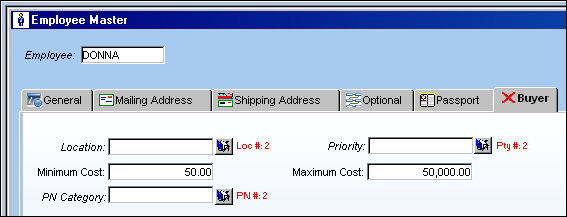
The above figures are just examples to illustrate the functionality.
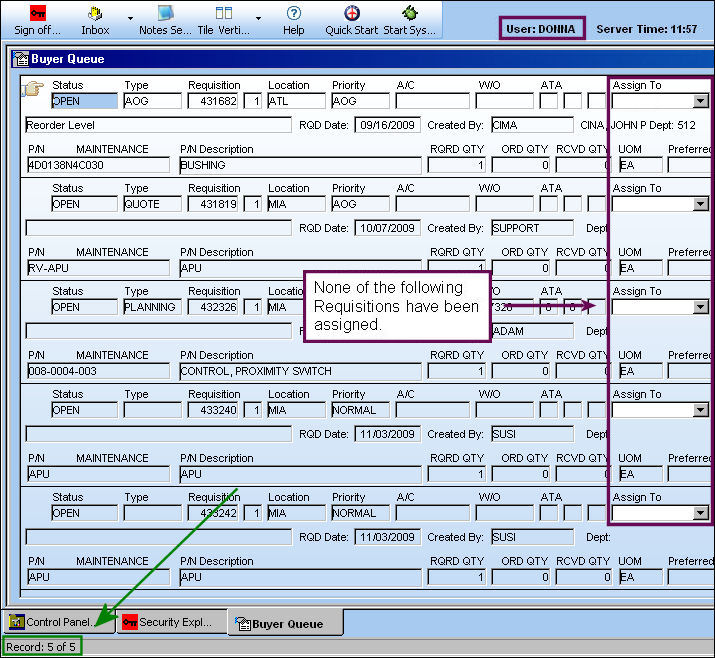
Based on the above filters, the following Requisitions appear in the following Users' Buyer Queue even though they are not assigned to that user specifically:
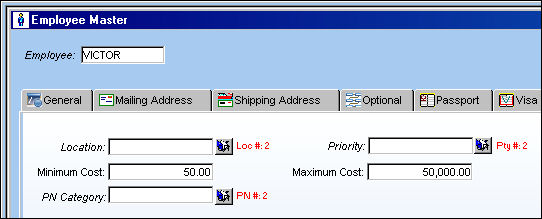
The same filters have been predefined for User VICTOR:
Therefore, the same Requisitions are available for User VICTOR to view in his Buyer Queue:
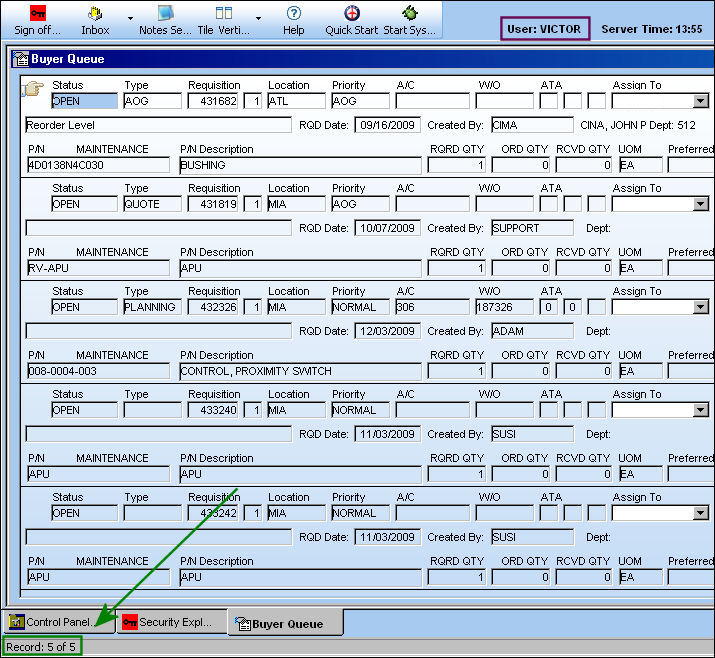
Currently Requisition 431819 appear in both queues, but is not assigned to either user.
Now the above Requisition is assigned to user VICTOR.
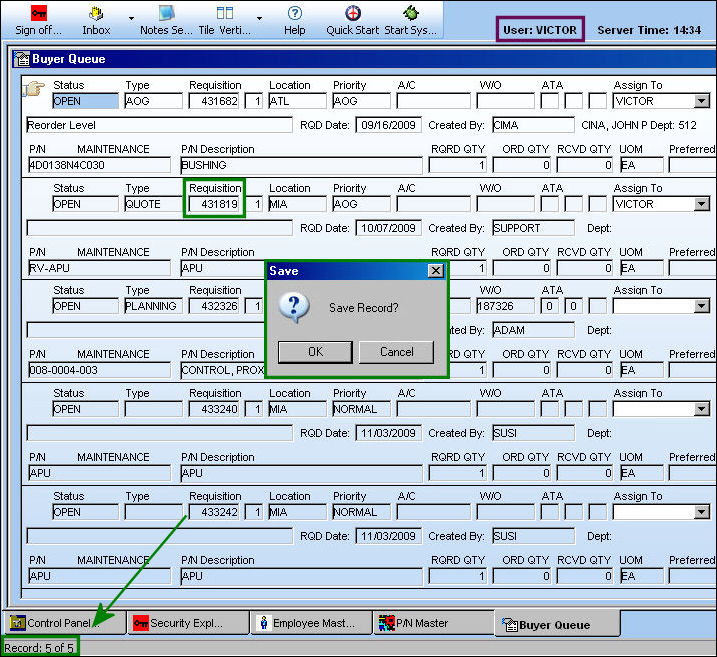
Because the Requisition is now assigned to a different user, it no longer appears in user DONNA's queue:
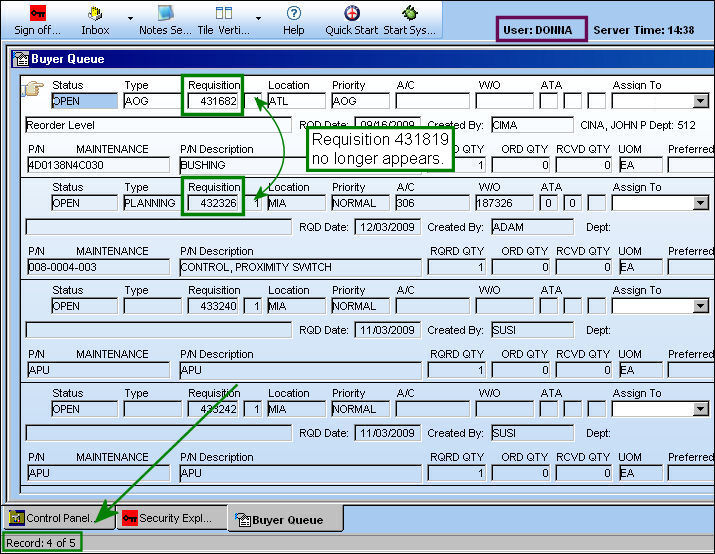
Changes made in this window will take effect after ten minutes, or when the Reset  button is selected.
Share
Print
|
©1997-2026 Trax USA Corp. All rights reserved. This manual may not be copied, photocopied, reproduced, translated, or converted to any electronic or machine-readable form, in whole or in part, without prior written approval from Trax USA Corp. |
 |