
 Share
Share
 Print
Print
|
|
|
|
|


When a P/N is installed on an Aircraft the A/C tab appears displaying information regarding the current A/C P/N Installation.
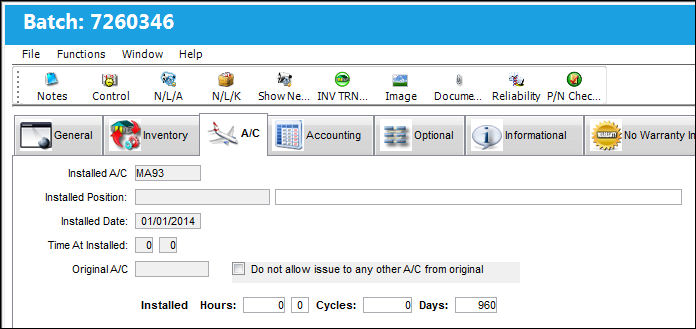
The following information/options are available in this window:
_____________________________________________________________________________________
Installed A/C
The aircraft in which the part is currently installed.
Installed Position
The position on the aircraft of the installed part.
Installed Date
The Date that the part was Installed.
Time At Installed
The time at which the part was Installed on the aircraft.
Original A/C
The original aircraft that the part was Installed on.
Do not allow issue to any other A/C from original checkbox
This checkbox will prohibit the part from being issued to any other aircraft than the original.
Installed Hours/Cycles/Days
The amount of hours/minutes/cycles/days of the current installation. The hours and cycles are dependent on the flight times accumulated during the current installation.
_____________________________________________________________________________________
Share
Print
|
©1997-2026 Trax USA Corp. All rights reserved. This manual may not be copied, photocopied, reproduced, translated, or converted to any electronic or machine-readable form, in whole or in part, without prior written approval from Trax USA Corp. |
 |