
 Share
Share
 Print
Print
|
|
|
|
|


The TRAX Datawindow Field Control window allows administrators to set up which fields will display in the Defect Report window via the New Express  button. Allowing TRAX administrators to choose which fields are available for mechanics/users helps simplify the Defect Report Express creation process. Some of the fields in the Defect Report Express window are mandatory--these fields will always be displayed in the Defect Report Express window regardless of their display status in the TRAX Datawindow Field Control window.
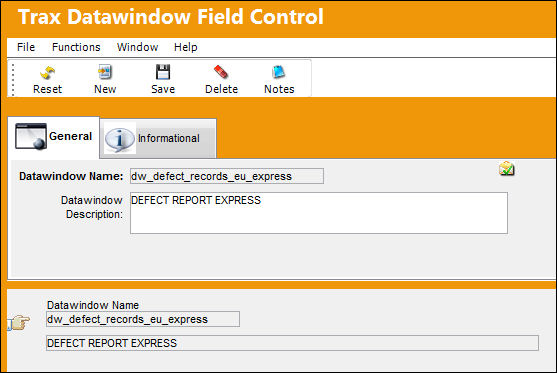
To access the setup option, open the TRAX Datawindow Field Control window via System Administration/Update then select the Defect Report Express datawindow.
From the detail window, all of the fields in the Defect Report Express window are displayed.
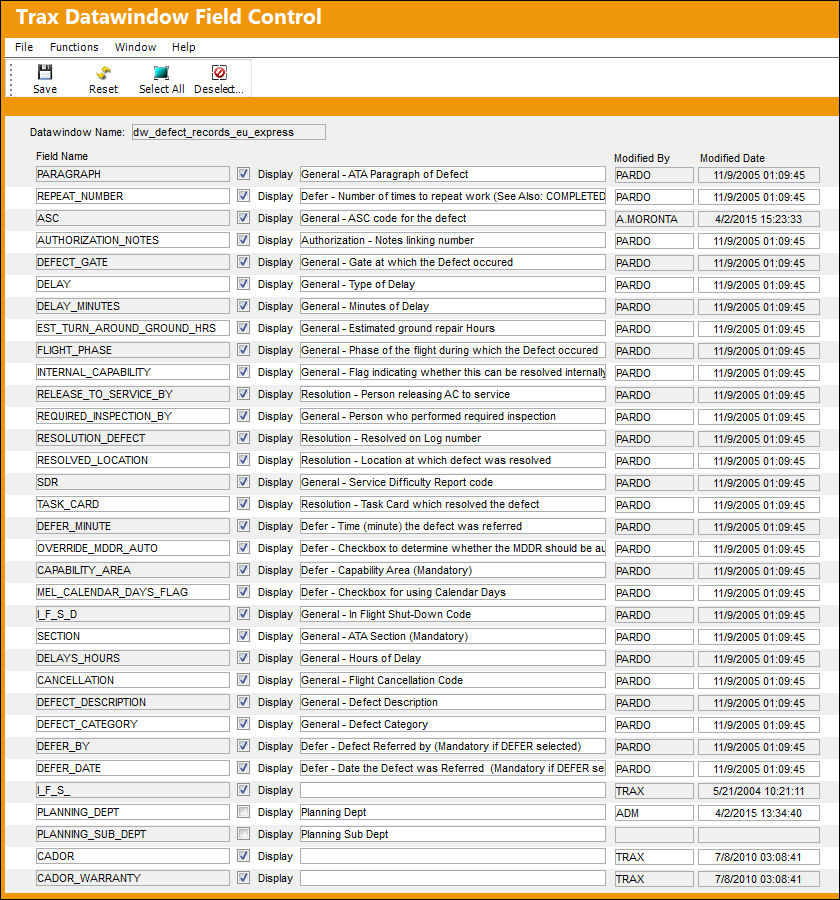
The information for each field is displayed as follows:
_____________________________________________________________________________________
Datawindow Name
The name of the selected TRAX window (Defect Report Express).
Field Name
The name of the field in the datawindow.
Display checkbox
Select this checkbox to display the field in the datawindow. When deselected the field is not displayed.
Field Description
A short description of the field.
Modified By
The user who last modified the record.
Modified Date
The date the record was last modified.
_____________________________________________________________________________________
Once all information is entered/edited, select the Save  button for the changes to take effect in the Defect Reports Express window.
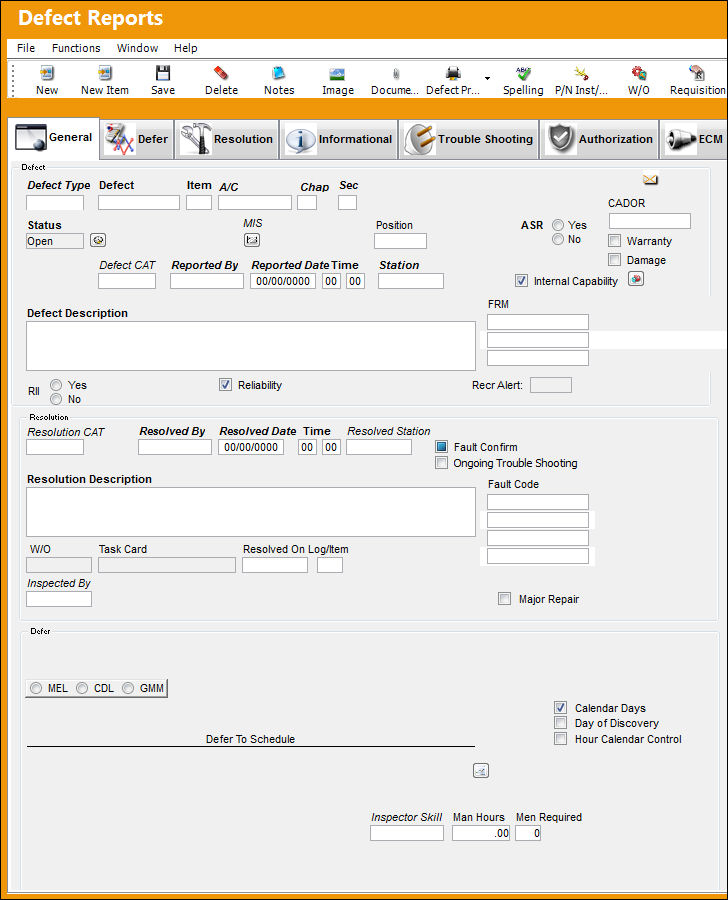
The following is the Defect Reports Express window with all of the fields displayed.
The following is an example of only the mandatory fields. Even if all of the fields are deselected in the TRAX Datawindow Field Control window, the following fields will still appear in the Defect Report Express window:
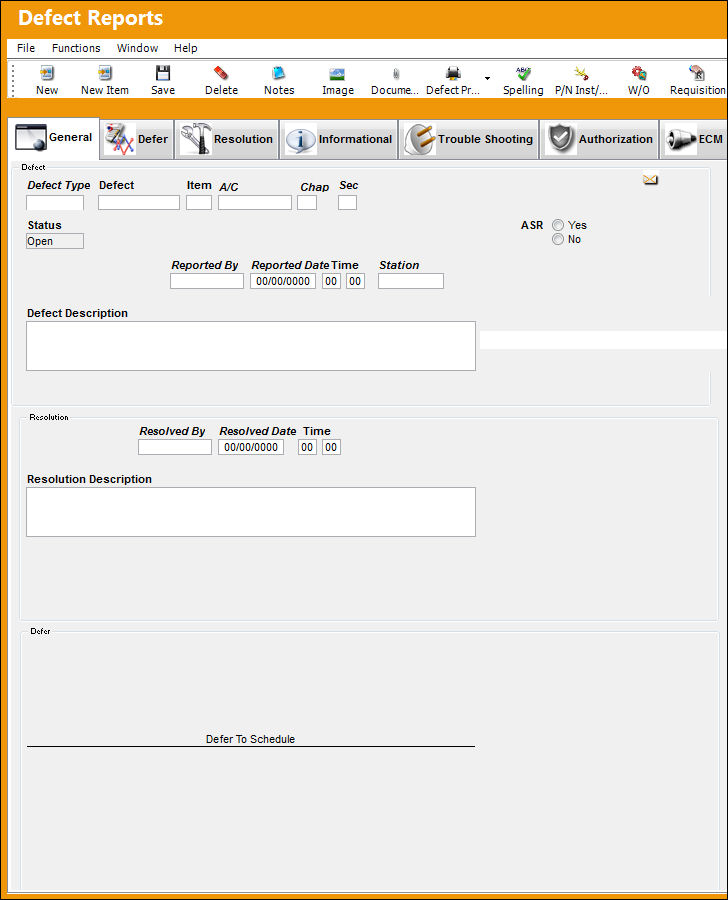
Fields that are datawindows (ie: FRM and Fault Code) and all buttons are mandatory. They cannot be removed from the Defect Report Express window.
To remove a field from the window, go to the window and find the field that should no longer be displayed. Go to the TRAX Datawindow Field Control window and find and deselect the Display checkbox of the field and save. From the window, notice that the field is no longer displayed.
Share
Print
|
©1997-2026 Trax USA Corp. All rights reserved. This manual may not be copied, photocopied, reproduced, translated, or converted to any electronic or machine-readable form, in whole or in part, without prior written approval from Trax USA Corp. |
 |