
 Share
Share
 Print
Print
|
|
|
|
|


Auto Exchange Order [P/N Pool]
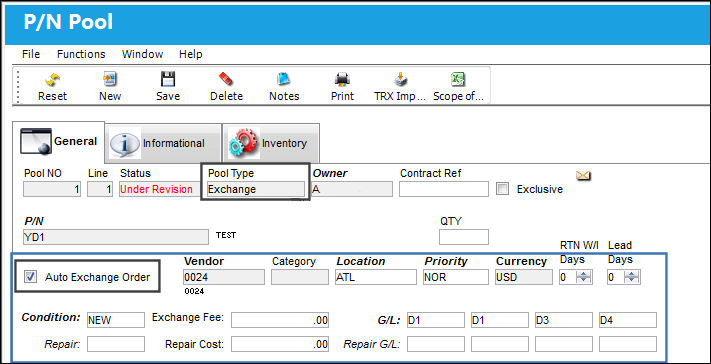
The Auto Exchange Order option allows customers to set up an auto generated Exchange Order when parts from a P/N Pool Agreement are returned to stock. This automatic Exchange Order for pooled parts is triggered when the Exchange option from the Pool Type drop down is selected as well as the Auto Exchange Order checkbox through the P/N Pool window.
The Auto Exchange Order functionality works for Main P/Ns as well as Both-Way Interchangeable P/Ns. This functionality is slightly modified for One-Way Forward P/Ns. For additional information on how the Auto Exchange Order option works for One-Way Forward parts, refer to Auto Exchange Order One-Way Forward [P/N Pool], via the P/N Pool of the Inventory Training manual.
For example, the Exchange option from the Pool Type drop down is selected and the Auto Exchange Order checkbox appears. Once the checkbox is selected, the Exchange Order fields appear. Enter all relevant information then save.
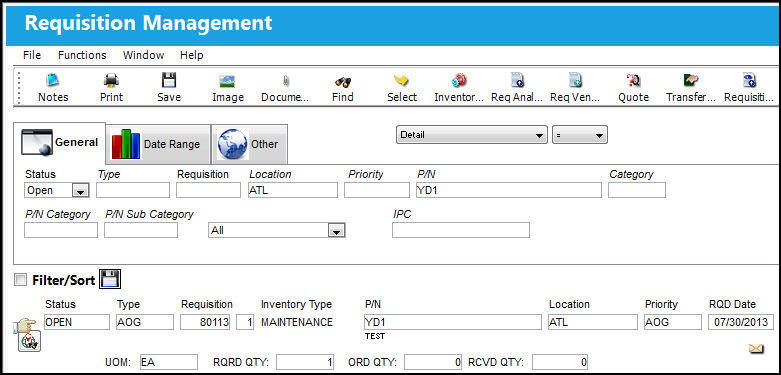
Create a requisition for the pooled P/N via the requisition window. Once created, view the requisition in the Requisition Management window then select the Requisition Analyzer  button.
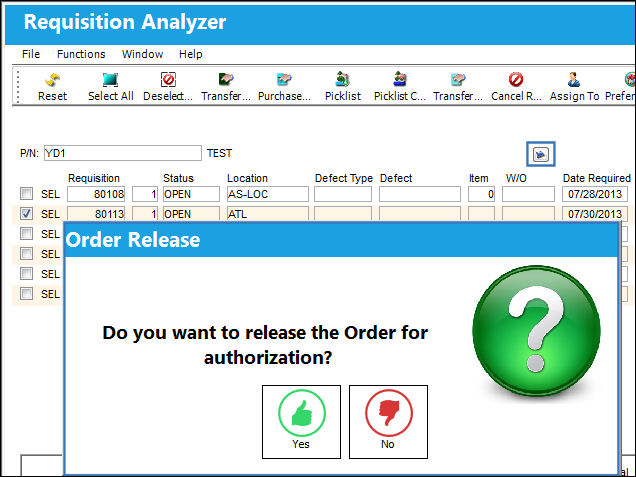
From the Requisition Analyzer window, select the requisition for the pooled part then select the Exchange Pool  button.
For more information refer to the Requisition Analyzer Button via the Requisition Training Manual.
The Exchange Order is then created automatically.
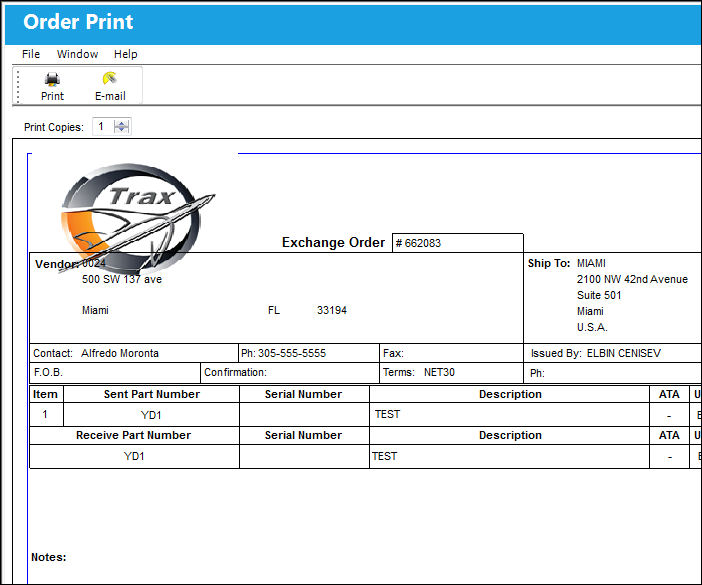
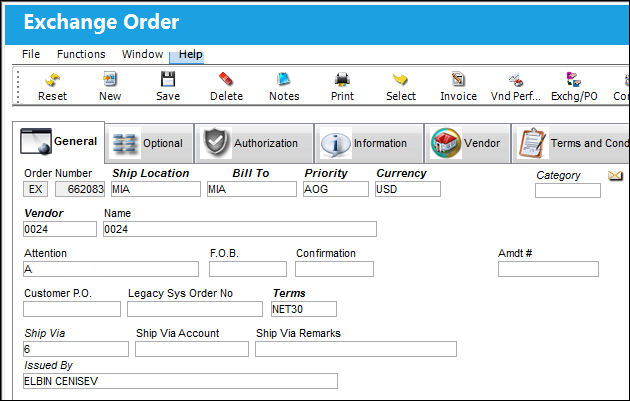
Notice the information from the Exchange Order header window matches the information entered in the P/N Pool window.
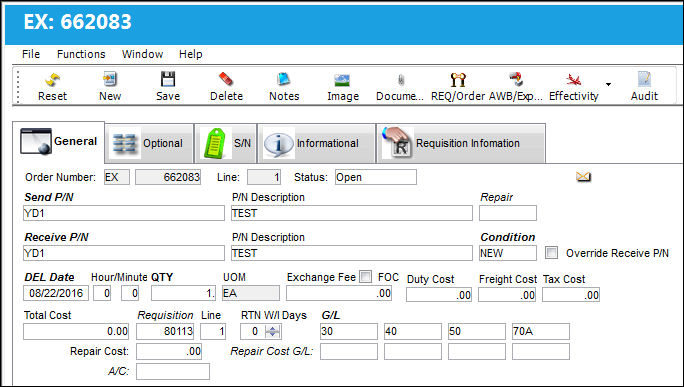
The information in the E/X detail window also matches the information from the P/N Pool window.
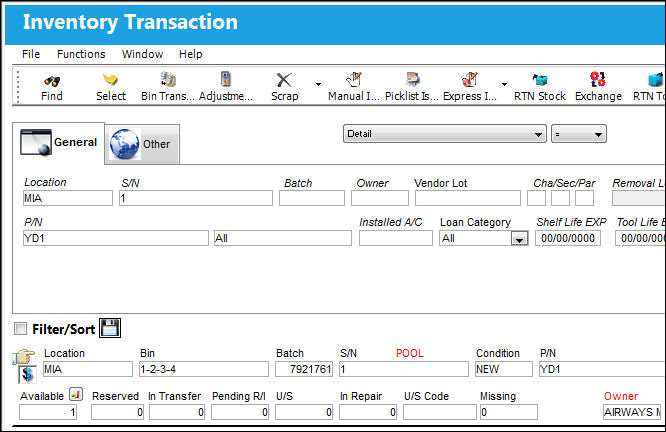
Once the E/X is received, the pooled part is available in the Inventory Transaction window.
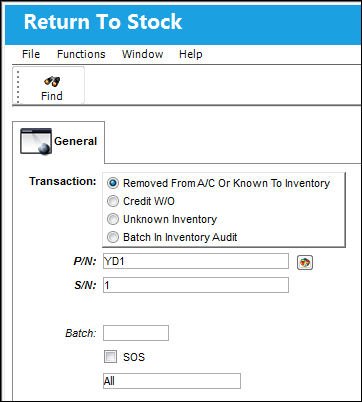
From this point, the part can be Manual Issued and Returned To Stock.
The part can then be issued to an Exchange Order.
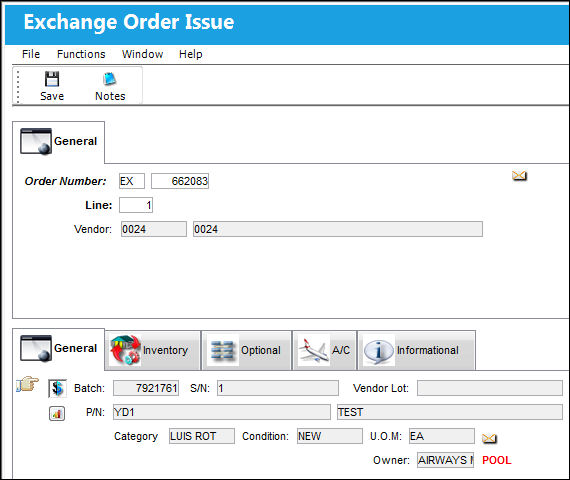
Notice the part is returned to its original Exchange Order through the Exchange Order Issue window.
Share
Print
|
©1997-2026 Trax USA Corp. All rights reserved. This manual may not be copied, photocopied, reproduced, translated, or converted to any electronic or machine-readable form, in whole or in part, without prior written approval from Trax USA Corp. |
 |