
 Share
Share
 Print
Print
|
|
|
|
|


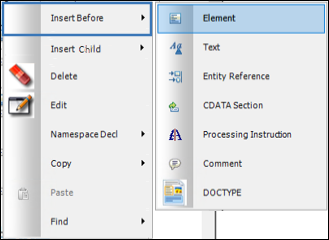
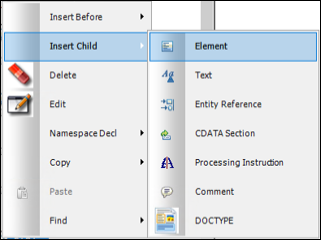
The Insert Before and Insert Child options are used to insert one of the following within the Tree View:
- Element
- Text
- Entity Reference
- CDATA Section
- Processing Instruction
- Comment
- DOCTYPE
Hover the cursor over the Insert Before option to access the following additional options:
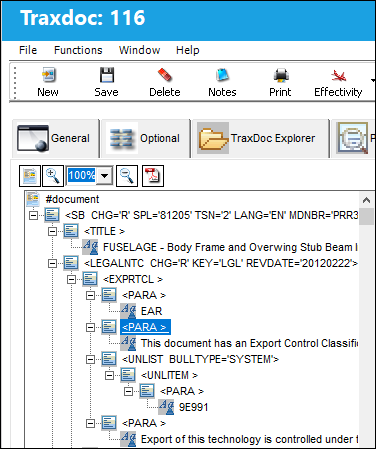
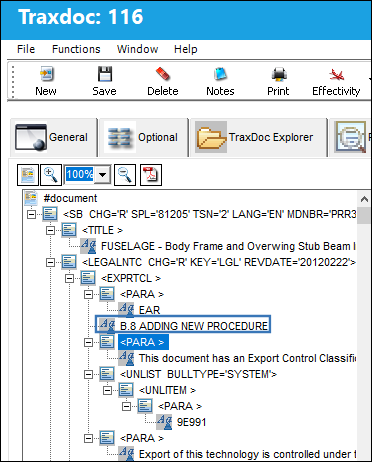
Right-click on the following element:
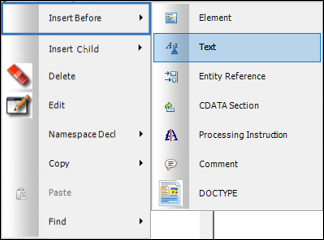
From the Insert Before options, select the Text  button.
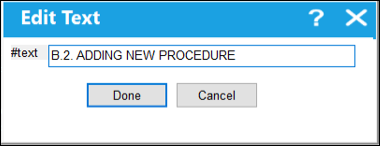
TRAX displays the Edit Text window. In the Text field, enter the name of the element to be inserted before. Select 'Done.'
The text appears above the highlighted (blue) element as shown below:
Note that the same options can be accessed via the Insert Child option.
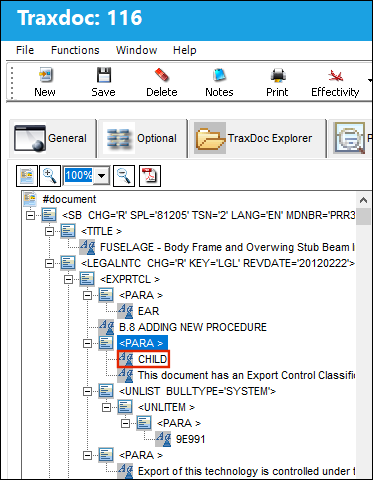
The only difference is that the selection will be inserted as a Child (slightly indented and below the desired entry) as shown below:
Share
Print
|
©1997-2026 Trax USA Corp. All rights reserved. This manual may not be copied, photocopied, reproduced, translated, or converted to any electronic or machine-readable form, in whole or in part, without prior written approval from Trax USA Corp. |
 |