
 Share
Share
 Print
Print
|
|
|
|
|


The TRX Import  button of the P/N Pool window is used during the initial setup of the TRX Interface to import a listing of all pooled parts that can be accessed by the interface. When the button is selected the following window pops up.
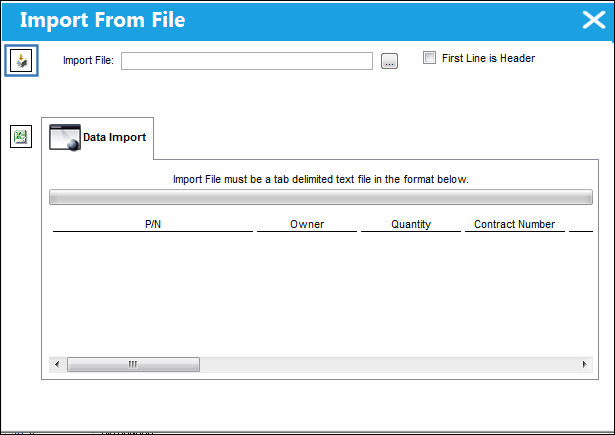
 This button is part of the TRX interface functionality and is only available for customers using this interface. For more information on the TRX interface refer to the TRX Interface (TCS) manual.
First, the user must prepare the file. For information regarding how to prepare the import file, refer to Preparing File For Import, via the Import Button of the System Standards Training Manual.
Criteria for Parts and Tools Import file:
Column Name |
Data Type |
Limitation |
Path |
|
P/N |
Alphanumeric |
25 |
Inventory/ Update/ P/N Pool. |
|
Description |
Alphanumeric |
10 |
Inventory/ Update/ P/N Pool. |
|
Manufacturer |
N/A |
N/A |
This information is TRX related and does not import into the TRAX system. |
|
Material Type |
N/A |
N/A |
This information is TRX related and does not import into the TRAX system. |
|
ATA |
N/A |
N/A |
This information is TRX related and does not import into the TRAX system. |
|
A/C Reg |
|
|
Inventory/ Update/ P/N Pool |
|
A/C Type |
N/A |
N/A |
This information is TRX related and does not import into the TRAX system. |
|
Pool |
Y/N |
1 |
Inventory/ Update/ P/N Pool |
|
|
|
|
Yes |
This is a Pool part and can be exchanged. |
|
|
|
No |
This is not a Pool part and cannot be exchanged. |
Exclusive Pool |
Y/N |
1 |
Inventory/ Update/ Pool |
|
Flat Rate |
Y/N |
1 |
Inventory/ Update/ Pool |
|
Exclusive |
N/A |
N/A |
This information is TRX related and does not import into the TRAX system. |
|
Go to Inventory/ Update/ P/N Pool.
From the P/N Pool window, select the TRX Import button.
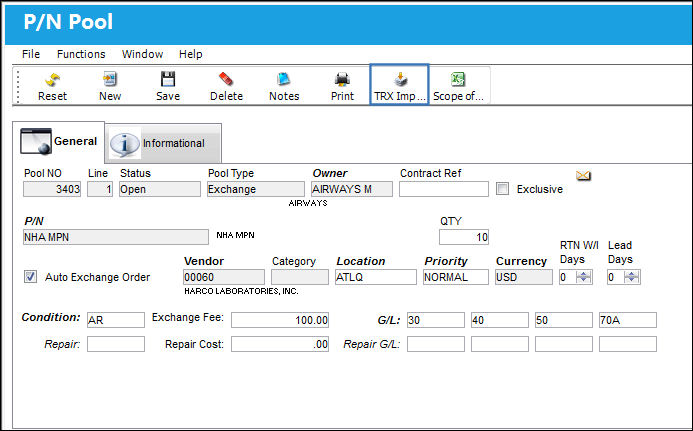
Complete all of the Import steps. For information regarding how to Import a file, refer to Importing a File via Import Button of the System Standards Training Manual.
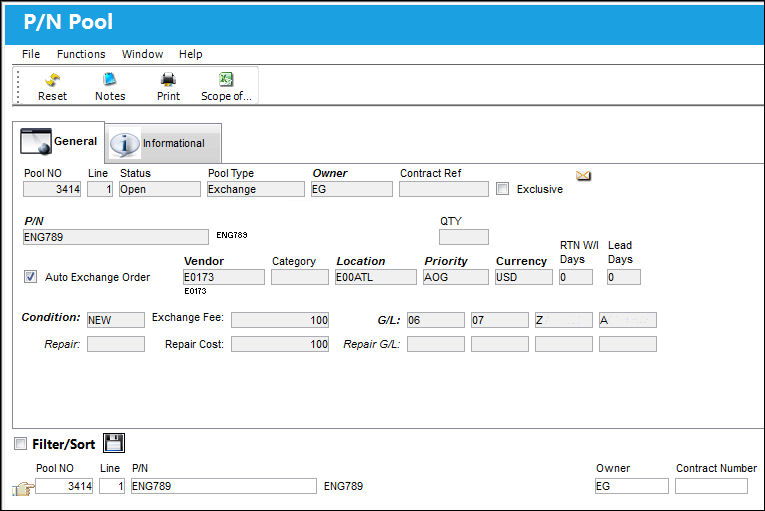
After the import is complete, the user may view the P/N Pool window to see the imported P/N Pool:
Share
Print
|
©1997-2026 Trax USA Corp. All rights reserved. This manual may not be copied, photocopied, reproduced, translated, or converted to any electronic or machine-readable form, in whole or in part, without prior written approval from Trax USA Corp. |
 |