
 Share
Share
 Print
Print
|
|
|
|
|


The W/O Equipment Use Charge  button is available via the W/O Task Card window. This window allows users to charge their customers for the use of their equipment. This button is intended for Third Party Work and its functionality is linked to the Customer entered in the Customer Order. This Customer Order Customer must be registered with the Customer Addbill Group and Group Number entered in this window.
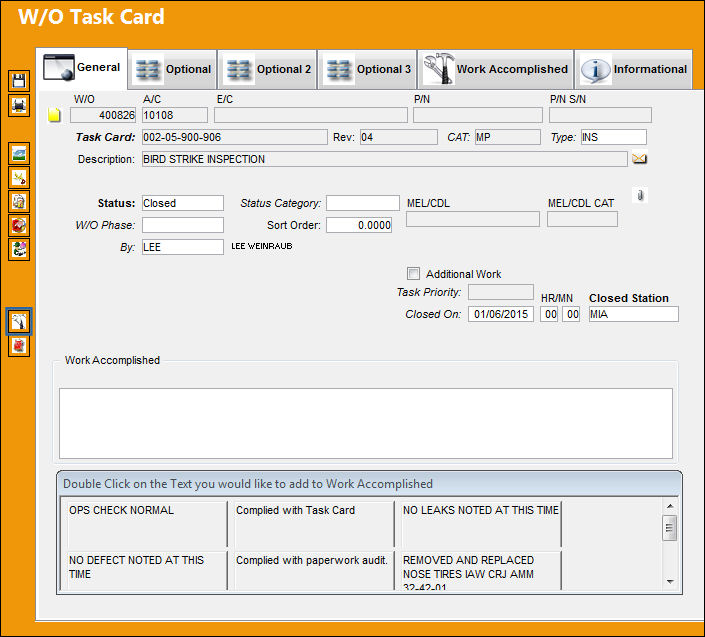
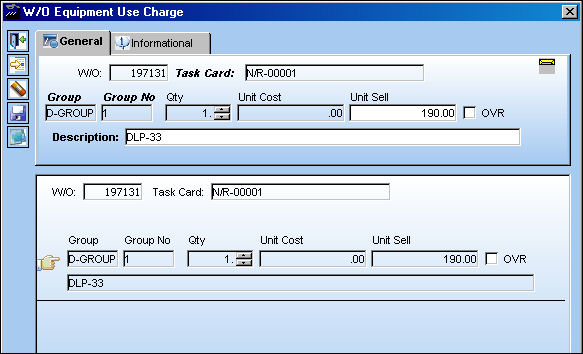
When the button is selected, the W/O Equipment Use Charge window appears. Populate all required information.
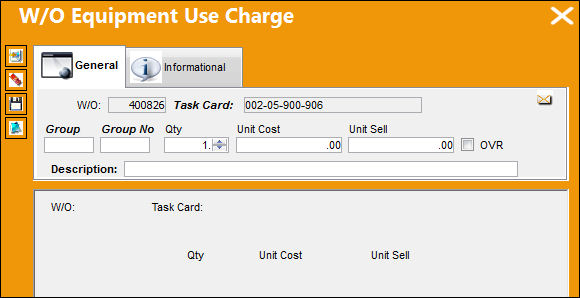
The following information/options are available in this window:
_____________________________________________________________________________________
W/O
The Work Order used to categorize, manage, and schedule work requirements for aircraft maintenance.
Task Card
The Task Card / Job Card that details the scheduled maintenance work.
Group
The Group reference to be associated to the Work Order Addbill.
Group No
The Group Number reference to be associated to the Work Order Addbill.
Qty
The quantity of parts indicating the amount of equipment used.
Unit Cost
The unit cost of the equipment.
Unit Sell
The defaulted unit sell price by the Customer associated to the Third Party W/O's Customer Contract. This amount is populated through the Customer Addbill Master/Group Number/Customer Master. This field is auto-populated once the Group and Group Number fields are populated and the window is saved (see below). For more information refer to the Customer Button, via Group Number Button in the Customer Addbill section of the Production Training Manual.
OVR checkbox
Select the Override checkbox to be able to override the entry.
Description
The description of the Group Number. This field is auto-populated once the Group and Group Number fields are populated and the window is saved.
_____________________________________________________________________________________
As mentioned above, the W/O Equipment Use Charge window is linked to the Customer entered in the Third Party W/O's Customer Contract (for more information refer to the Third Party Button via the Production Training Manual). The following is the setup required for proper functionality in the W/O Equipment Use Charge window.
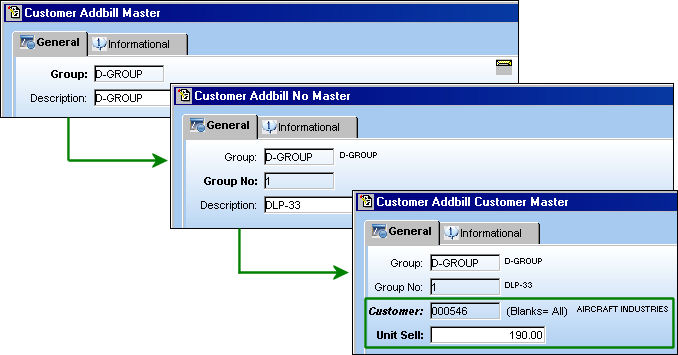
Once the Group and Group Number information is entered and the Save  button is selected, the Unit Sell and Description fields will be auto-populated based on the information entered in the Customer Addbill Customer Master window. For more information refer to the Customer Button, via Group Number Button in the Customer Addbill section of the Production Training Manual.
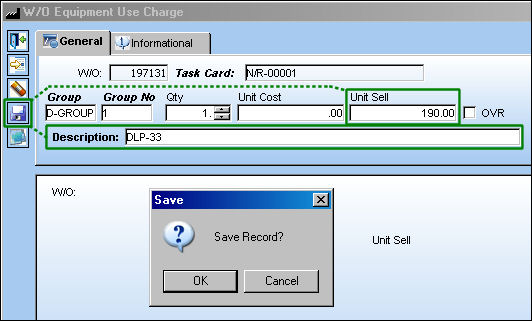
Once saved the entry is displayed at the bottom of the window.
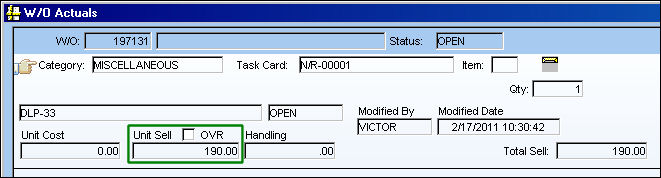
This charge can then be viewed in the W/O Actuals window.
Share
Print
|
©1997-2026 Trax USA Corp. All rights reserved. This manual may not be copied, photocopied, reproduced, translated, or converted to any electronic or machine-readable form, in whole or in part, without prior written approval from Trax USA Corp. |
 |