
 Share
Share
 Print
Print
|
|
|
|
|


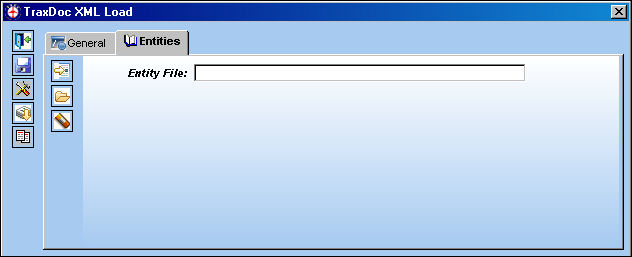
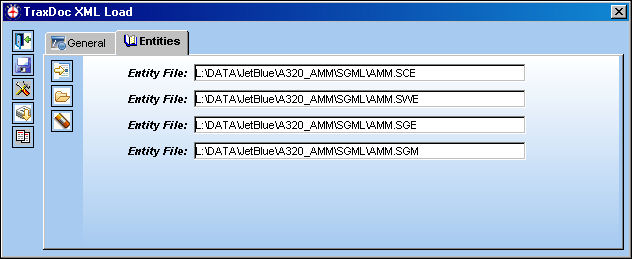
The TraxDoc XML Load, Entities tab allows users to load Entity Files.
Select the New  button. The Entity File field appears. Right click in Entity File field.
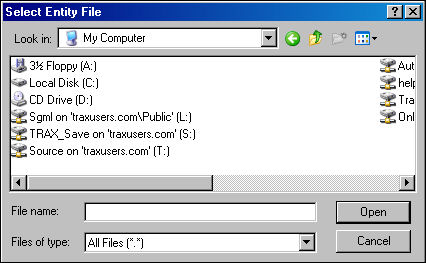
The Select Entity File window appears. Browse to the desired Entity File and select 'Open.'
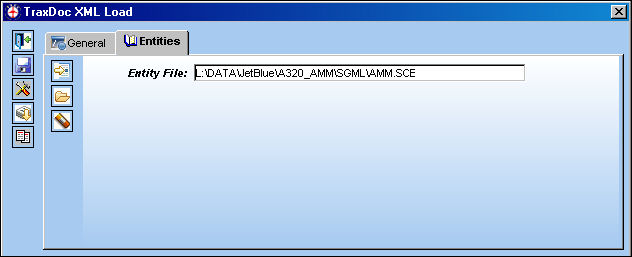
The file is populated as shown below.
Select the Multiple Entities  button to load multiple Entity Files at once.
The Select Multiple Entities Files window appears. Use the Control button to select multiple files. When desired files are selected, click on the 'Open' button.
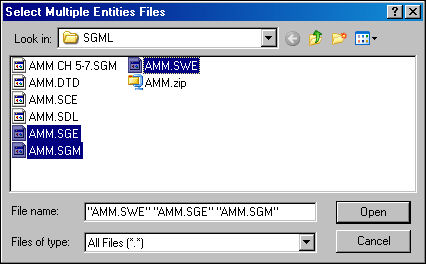
All selected files were attached to the Entities tab:
Select the Delete  button to delete the selected file.
Share
Print
|
©1997-2026 Trax USA Corp. All rights reserved. This manual may not be copied, photocopied, reproduced, translated, or converted to any electronic or machine-readable form, in whole or in part, without prior written approval from Trax USA Corp. |
 |