
 Share
Share
 Print
Print
|
|
|
|
|


Invoice Tax
The System Transaction Codes are displayed with both the Code Names and Descriptions. The Code Descriptions directly illustrate their functionality and role in the system, as fields are populated and tasks are performed.
 The Invoice Tax Transaction Code is security controlled via Settings/ Explorer/ System Transaction Codes/ Link/ Invoice Taxes. For additional information, refer to the Security Explorer, via the System Administration Training Manual.
Transaction Code: |
Invoice Taxes |
General Description: |
Add taxes to an invoice. |
Are Authorization Steps Available? |
N |
Is System Notification Available? |
N |
Trax Control Panel Path(s): |
Link/ Update/ Invoice Entry/ invoice Order Detail/ New Invoice Item Button |
Windows(s): |
w_invoice_order_eu |
Related Switch(s): |
None |
Functions: |
|
Reports: |
None |
Available Functionality:
The Invoice Tax Transaction Code is used to add a percentage of tax to an invoice. The secondary function of the Code is to auto populate the G/L Code specified in the Transaction Code in the Invoice Order Detail window.
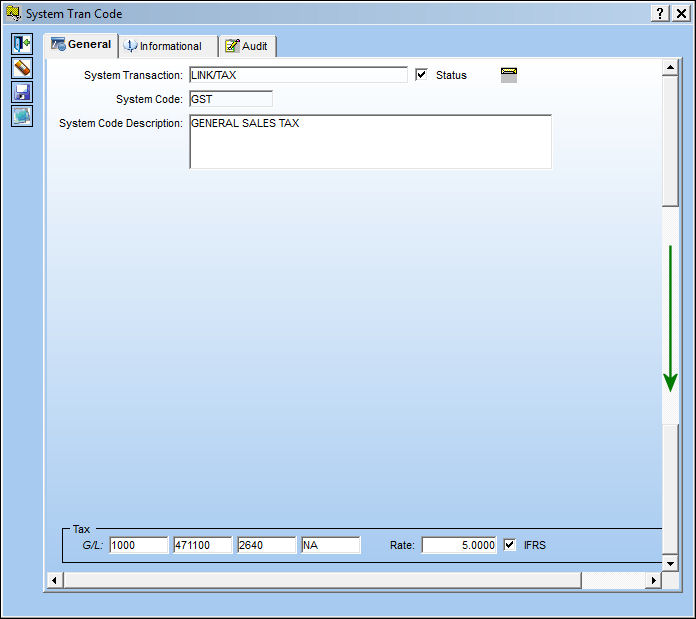
The following information/options are available in this window:
_____________________________________________________________________________________
Status checkbox
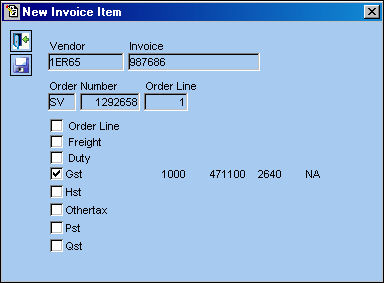
Select the Status checkbox to have the specified Transaction Code appear in 'Active' status in the New Invoice Item window via the Link Training Manual. In the following example, the GST Transaction Code is Inactive, therefore does not appear in the New Invoice Item window.
Shelf Life Re-Certification checkbox
When selected, parts with Shelf Life Re-Certification can be queried in the Shop Tasks Detail Area via Shop Resource Task Planner which can be found in the Planning EVO Training Manual.
Rate
Enter the percentage of the rate of tax.
G/L
The General Ledger accounting code for the order.
IFRS checkbox
When selected, the the International Financial Reporting Standards (IFRS) proration calculations are implemented for Duty and/or Freight as well as any Invoice Taxes and Invoice Additional Fees charges made against a Purchase Order's line items at time of invoicing. For detailed information, refer to the IFRS Proration Functionality via the Link Training Manual.
 As an alternative to the IFRS Proration Functionality, IFRS can be captured through multiple invoice entries that can be tied to the Purchase Order's total invoiced cost. This option is tied to the hard-coded 'TAX' Invoice Tax tran code. See below for more information.
_____________________________________________________________________________________
Note the Tax Rate percentage and G/L Code in the GST Transaction Code.
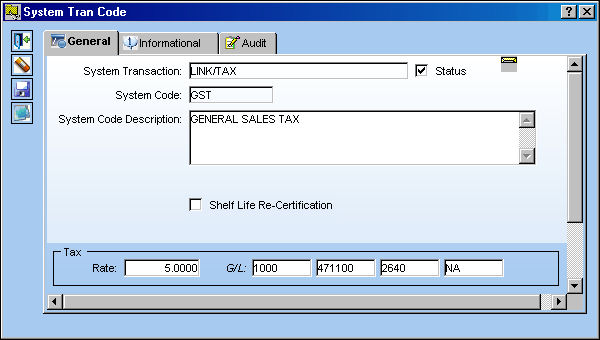
Create an invoice and select the New  button.
From the New Invoice item window, select the GST checkbox. Select the Save  button.
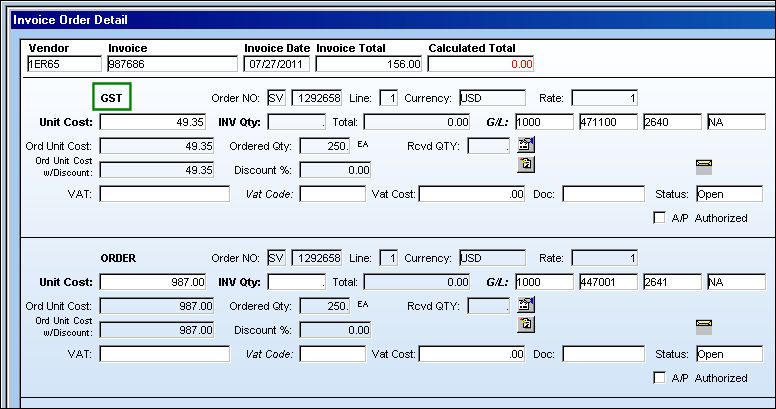
Notice the new line item will appear with the type of item listed to the top right. The 5% rate of tax is applied and the G/L Code is brought in from the Tran Code.
'TAX' Transaction Code:
The 'TAX' Invoice Tax tran code is hard-coded to not contain the G/L and Tax Rate fields. Using this 'TAX' tran code allows users to enter the dollar amount manually on the invoice, therefore these fields are not required in this tran code.
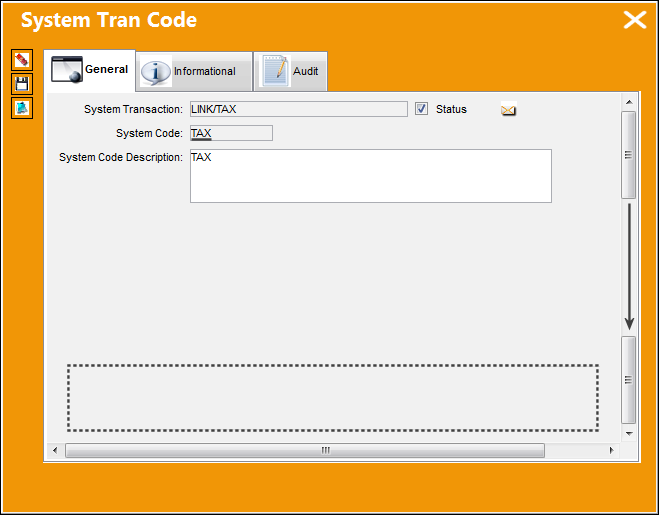
The 'TAX' Invoice Tax tran code does contain the IFRS checkbox. When selected, the IFRS functionality can be applied to Purchase Order invoices. For more information refer to the IFRS Total Cost Functionality via the Link Training Manual.
Share
Print
|
©1997-2026 Trax USA Corp. All rights reserved. This manual may not be copied, photocopied, reproduced, translated, or converted to any electronic or machine-readable form, in whole or in part, without prior written approval from Trax USA Corp. |
 |