
 Share
Share
 Print
Print
|
|
|
|
|


The Update Concession  button via the Concession Registry window allows users to edit Concessions.
This button is only available when Technical Records Switch  BLKCONSAVE is set to Yes. When set to Yes, Concession are read-only once saved unless the Update Concession button is selected. When this switch is set to No, Concessions will be editable after they're saved without using the Update Concession button. For more information refer to Switch BLKCONSAVE via the Technical Records Switches Manual.
 This button is security-controlled via Technical Records/Update/Concession Registry/Concession Update Button. For more information refer to the Security Explorer via the System Administration Training Manual.
When an existing Concession is opened via the Concession Registry window, notice that the fields cannot be edited.
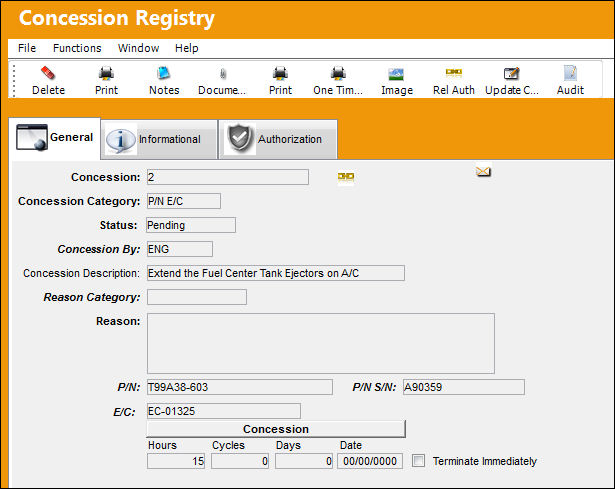
However, when the Update Concession button is selected, the Concession becomes editable.
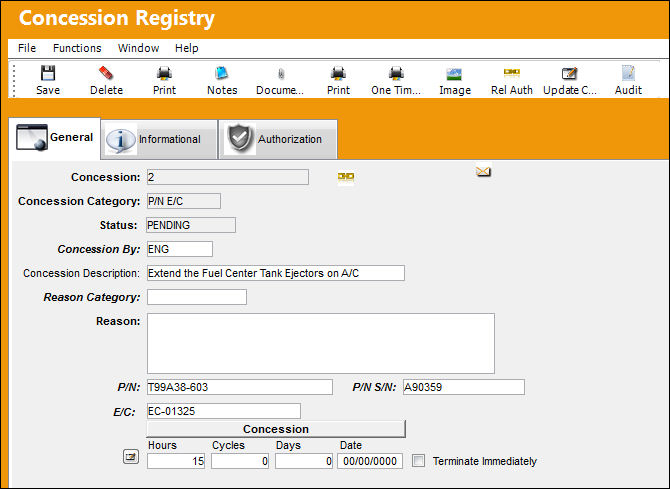
Share
Print
|
©1997-2026 Trax USA Corp. All rights reserved. This manual may not be copied, photocopied, reproduced, translated, or converted to any electronic or machine-readable form, in whole or in part, without prior written approval from Trax USA Corp. |
 |