
 Share
Share
 Print
Print
|
|
|
|
|


ACSCHEDMQ - A/C Schedule Flight Message Queuing

A/C Schedule Flight Message Queuing
Affected Window: System
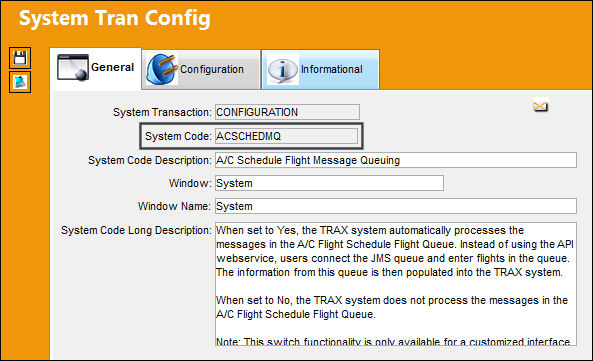
 This Switch functionality is only available for a customized interface system and is not applicable for most customers. For more information consult a TRAX System Administrator.
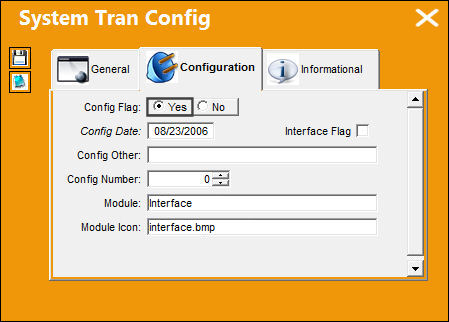
Switch Set to Yes:
When set to Yes, the TRAX system automatically processes the messages in the A/C Flight Schedule Flight Queue. Instead of using the API web service, users connect the JMS queue and enter flights in the queue. The information from this queue is then populated into the TRAX system.
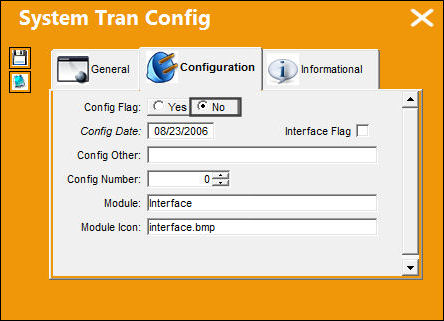
Switch Set to No:
When set to No, the TRAX system does not process the messages in the A/C Flight Schedule Flight Queue.
Share
Print
|
©1997-2026 Trax USA Corp. All rights reserved. This manual may not be copied, photocopied, reproduced, translated, or converted to any electronic or machine-readable form, in whole or in part, without prior written approval from Trax USA Corp. |
 |