
 Share
Share
 Print
Print
|
|
|
|
|


Document Control Broken Link Report
Through the Document Control Broken Link Report, the system searches and displays all Document Control items in the database that are not properly linked. These broken links can also be corrected/changed through this window. The report is found via System Administration/Update.
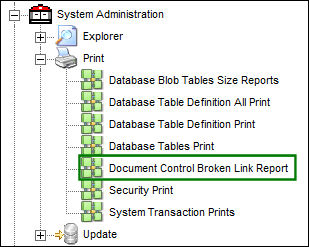
When selected in the Control Panel, the report is run as soon as the Document Control Broken Links window is opened. The following prompt appears at the center of the window displaying the tables and records being searched. Through this process, each link to a Document Control is tested.
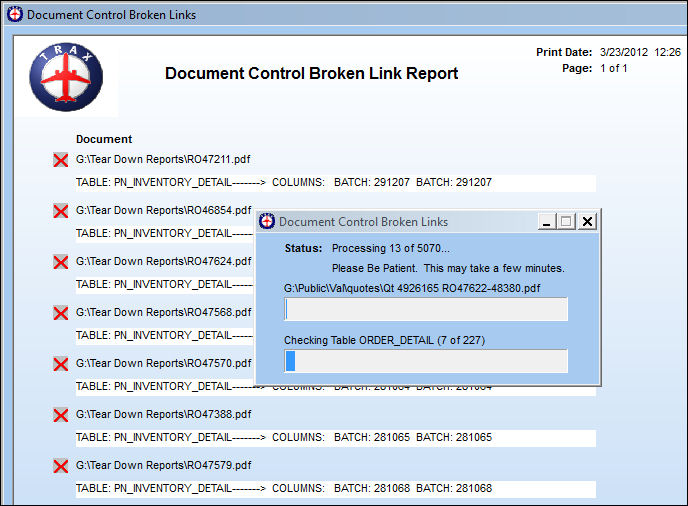
The size of the database affects the time if takes to complete this search/report. It may take over an hour to generate this report; users should schedule this print accordingly.
Once the report is completed, it is displayed as follows. Each entry indicates a broken link to a Document Control. The information includes the window (table) and the details of the record with the broken link. At the top right of the window, the Print Date/time and the current/total Page numbers are displayed.
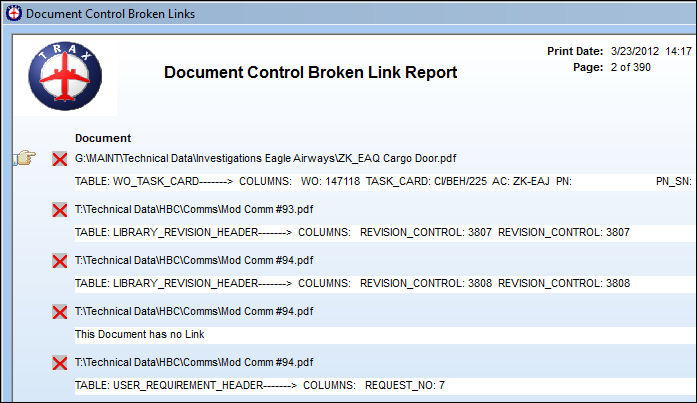
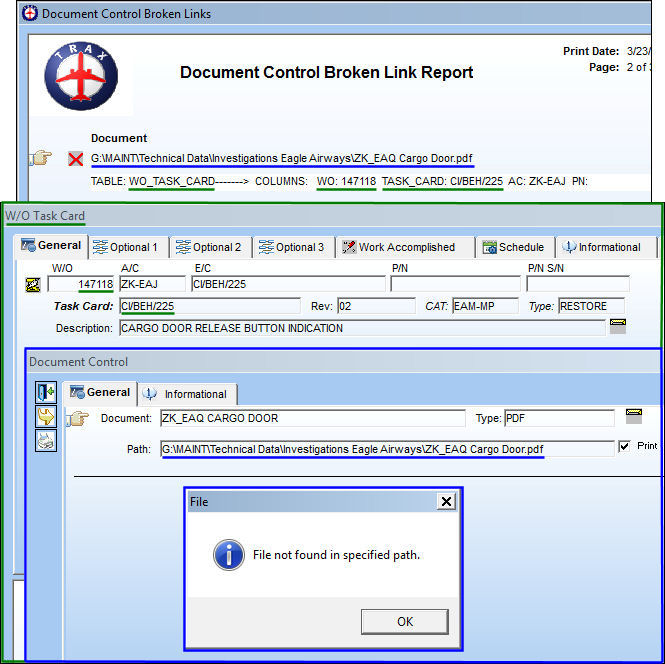
The information listed in each entry directs the user to the exact record that contains the broken link. Refer to the below diagram. The information listed in the Document Control Broken Link Report can be traced directly to the Document Control in the database.
For example, the following broken link can be found via the W/O Task Card window for Work Order 147118, Task Card CI/BEH/225. When the Document Control  button is selected, the Document Control window appears. But when the link is selected to view the attached PDF, a warning message appears indicating that the link is broken.
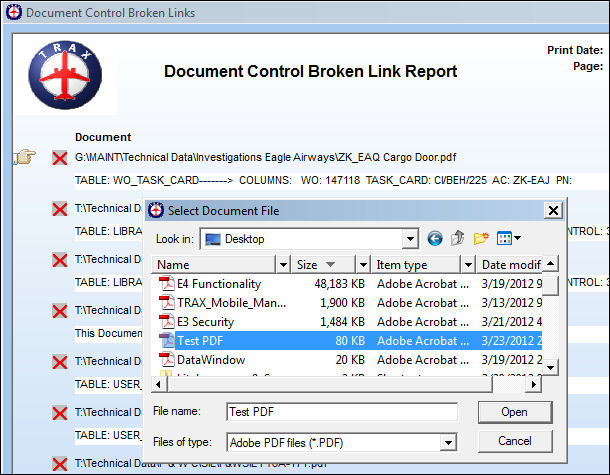
The broken links can be changed directly from the Document Control Broken Links Report by selecting the Change Links button. When selected, the Select Document File prompt allows users to select documents via different links.
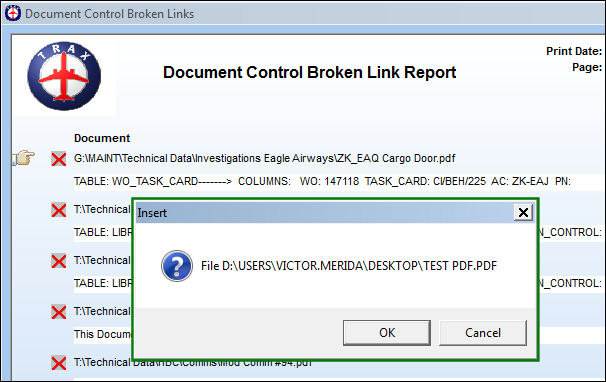
Once the new link is entered and saved, the following prompt asks if the file entered is correct.
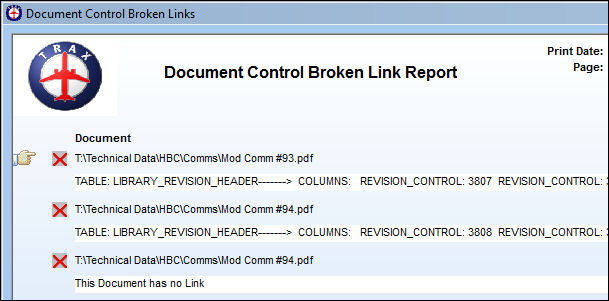
Once the log is corrected, the Broken Link entry is removed from the Report.
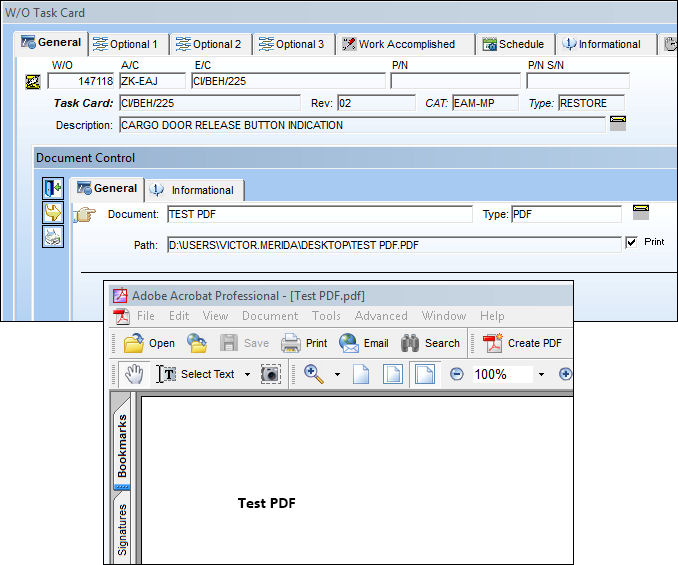
From the record that has been corrected, the attachment can be accessed.
Share
Print
|
©1997-2026 Trax USA Corp. All rights reserved. This manual may not be copied, photocopied, reproduced, translated, or converted to any electronic or machine-readable form, in whole or in part, without prior written approval from Trax USA Corp. |
 |