
 Share
Share
 Print
Print
|
|
|
|
|


Alert Level Re-Calculation
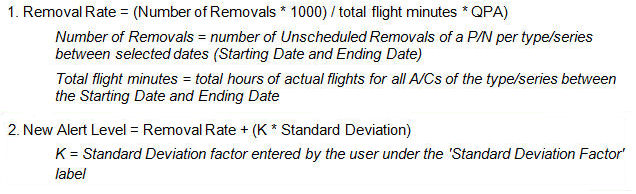
The Formula for the Alert Level Calculation has been altered slightly in E4 and all later releases of TRAX.
Formula for Alert Level Calculation is derived from the following formula:
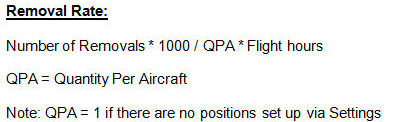
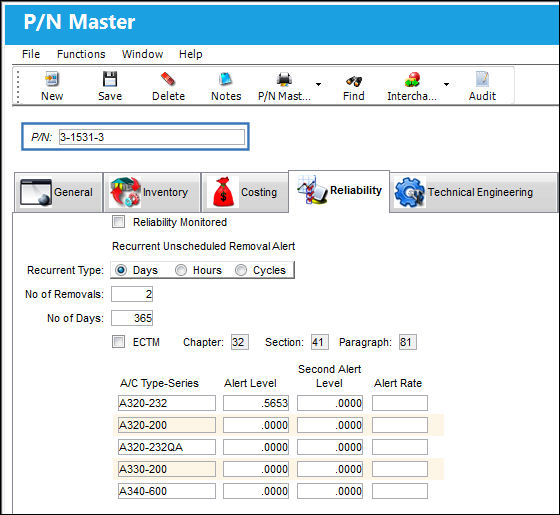
This is the following P/N that will be used to demonstrate the calculation of the New Alert Level:
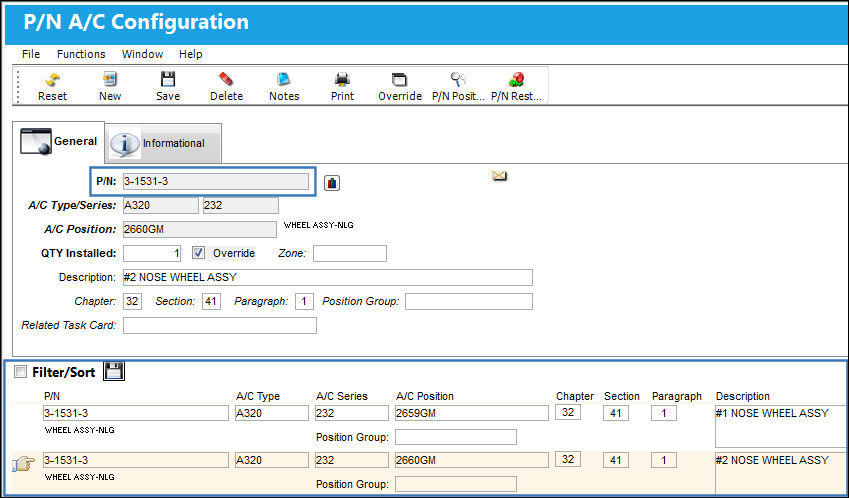
There is a quantity of 2 parts per aircraft for the A320/232 Type/Series:
QTY = 2
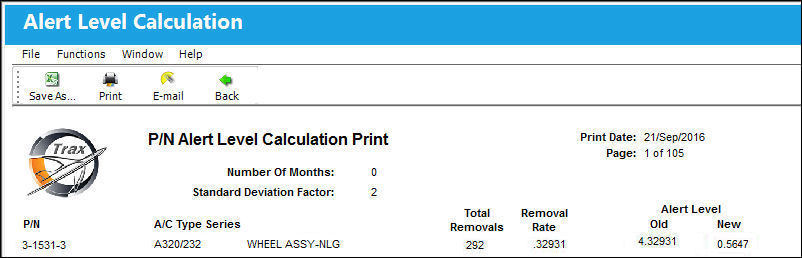
According to the A/C P/N Transaction History tab, there were 292 Unscheduled removals for the P/N from 09/01/2009 to 09/30/2010.
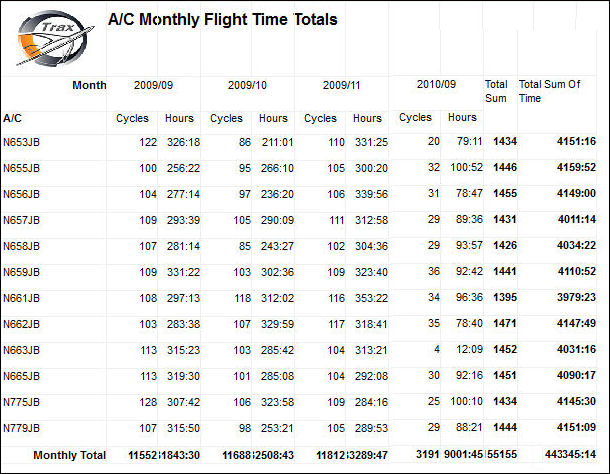
The total flight minutes have been derived from the following print:
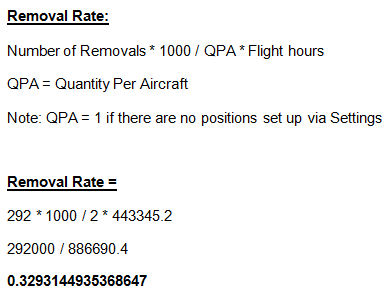
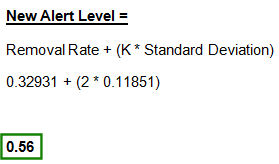
K = 2 (which is the Std Dev Factor) or the Standard Deviation Factor.
Run the print.
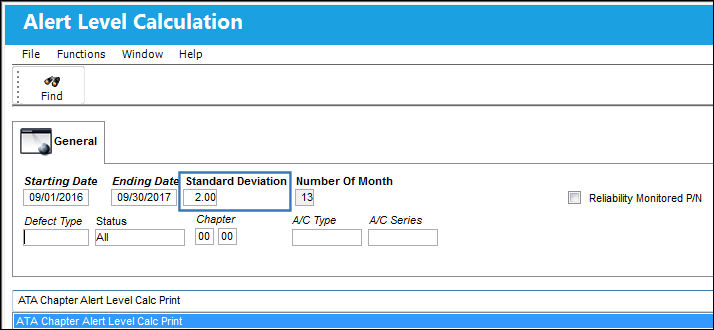
Fleet Family Alert Level Calculation
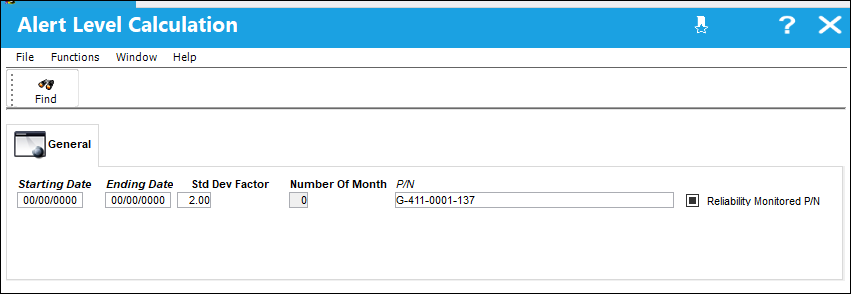
The following information/options are available in this window:
_____________________________________________________________________________________
Starting Date
The starting date
Ending Date
The ending date
Std Dev Factor
Enter standard deviation
Number of Month
Select the up/down arrows to select the number of days or months the user would like to view.
This value changes to days or month depending on the calendar display selection.
P/N
This P/N has been configured in such a way as to trigger Recurrent Item alerts whenever an unscheduled removal threshold is reached through the P/N Master, Reliability tab. Removals with the Unscheduled radio button selected in the A/C P/N Transaction window will affect the part's reliability.
Reliability Monitored P/N checkbox
This P/N has been configured in such a way as to trigger Recurrent Item alerts whenever an unscheduled removal threshold is reached through the P/N Master, Reliability tab. Removals with the Unscheduled radio button selected in the A/C P/N Transaction window will affect the part's reliability.
_____________________________________________________________________________________
The New Alert Level is 0.5647:
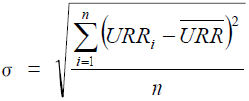
The following Standard Deviation formula can be used to calculate the Standard Deviation value:
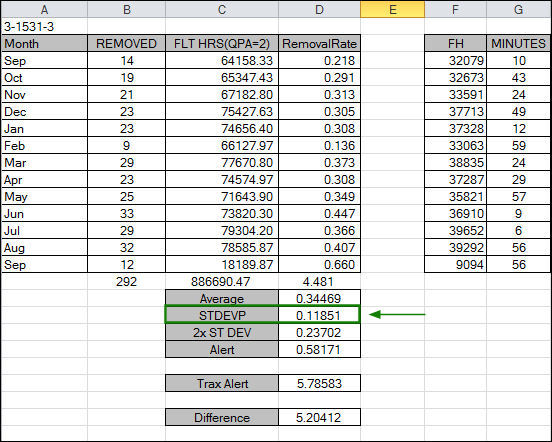
Or, the user can populate all information into and excel spreadsheet such as the one shown below:
Share
Print
|
©1997-2026 Trax USA Corp. All rights reserved. This manual may not be copied, photocopied, reproduced, translated, or converted to any electronic or machine-readable form, in whole or in part, without prior written approval from Trax USA Corp. |
 |