
 Share
Share
 Print
Print
|
|
|
|
|


Click on the N/L/A  button to view the Next Lower Assembly (NLA) information for this record (if applicable) via the P/N Assembly Explorer.
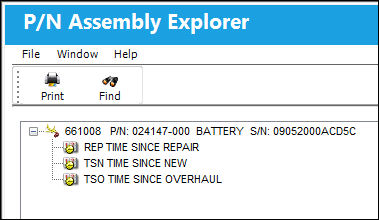
Some transactions can be performed in this window (right click on the NLA part with appropriate security and wall password access).
Specifically, these are Picklist Issue, Return to Stock, Rental Issue, Print Bin Label, Inventory Tag Reprint, Create RO, Create TO).
If an N/L/A is missing part of the assembly, the P/N Explorer will indicate that the components are missing with a RED “X”.
A report can be generated through the Print  button.
Share
Print
|
©1997-2026 Trax USA Corp. All rights reserved. This manual may not be copied, photocopied, reproduced, translated, or converted to any electronic or machine-readable form, in whole or in part, without prior written approval from Trax USA Corp. |
 |