
 Share
Share
 Print
Print
|
|
|
|
|


Select the N/L/K  button to display a list of all parts that are a part of the NHK (main Kit part number):
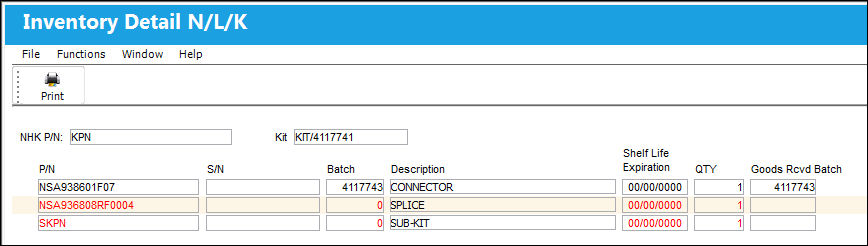
Notice the main part of the Kit appears with all other lower parts listed.
This button acts similar to the NLA button.
A report can be generated through the Print  button.
Share
Print
|
©1997-2026 Trax USA Corp. All rights reserved. This manual may not be copied, photocopied, reproduced, translated, or converted to any electronic or machine-readable form, in whole or in part, without prior written approval from Trax USA Corp. |
 |