
 Share
Share
 Print
Print
|
|
|
|
|


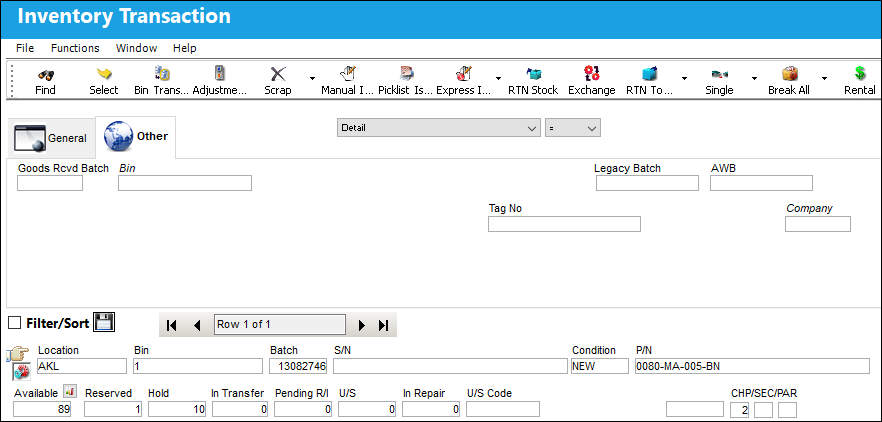
The Inventory Transaction, Detail view, displays all search criteria relevant to P/N information.
Enter one or more of the following as search criteria for the General Tab. Select search criteria and click on the Find  button.
As with the majority of search queries in TRAX, it is recommendable to enter as many search filters as possible to minimize the search result.
The query result gives information about the part, its current location, its condition and the number of available parts, as seen below:
Share
Print
|
©1997-2026 Trax USA Corp. All rights reserved. This manual may not be copied, photocopied, reproduced, translated, or converted to any electronic or machine-readable form, in whole or in part, without prior written approval from Trax USA Corp. |
 |