|
TRAX MANUALS > Inventory > Inventory Module > Inventory, Update Menu > Inventory Transaction > Inventory Transaction Views > Inventory Transaction, P/N Locator View
Inventory Transaction, P/N Locator View
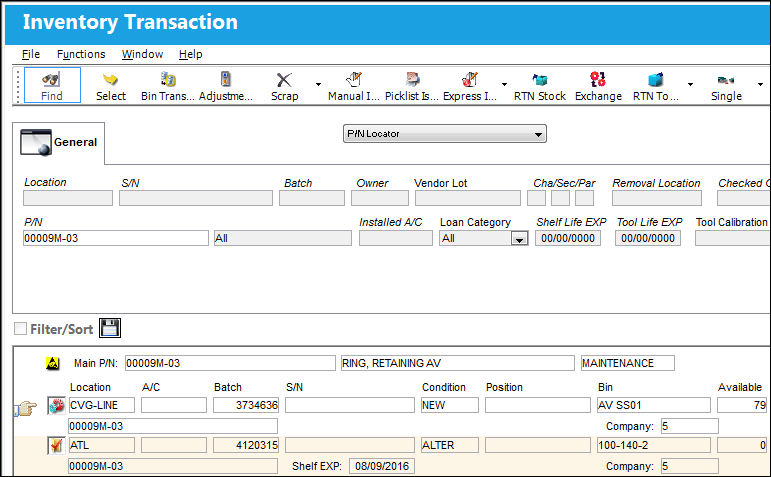
The P/N Locator drop down option, from the Inventory Transaction window, allows the user to search for parts and their availability in the system.
|
See Also Inventory Transaction Views Inventory Transaction, Detail View Inventory Transaction, Owned Units View Inventory Transaction, Pending Inventory View Inventory Transaction, Pending Tech Records View Inventory Transaction, SOS View Inventory Transaction, Summary View Inventory Transaction, Summary by Location, Company View Inventory Transaction, Summary by Location, P/N and Bin View Inventory Transaction, Summary by Location and P/N View Inventory Transaction, Summary Global Quantity View Inventory Transaction, Summary with Order Quantity View Inventory Transaction, Summary with Order Quantity with P/N Notes View Inventory Transaction, Tool Locator View |
|

 Share
Share
 Print
Print


