
 Share
Share
 Print
Print
|
|
|
|
|


All invoices transmitted to TRAX through the InvoiceWorks interface will contain a pre-existing image file inserted through the InvoiceWorks XML file.
This image file is inserted through the following tag that was added to the InvoiceWorks XML file: (<DocPath></DocPath> ). The image file location must be entered within this tag, as displayed below:
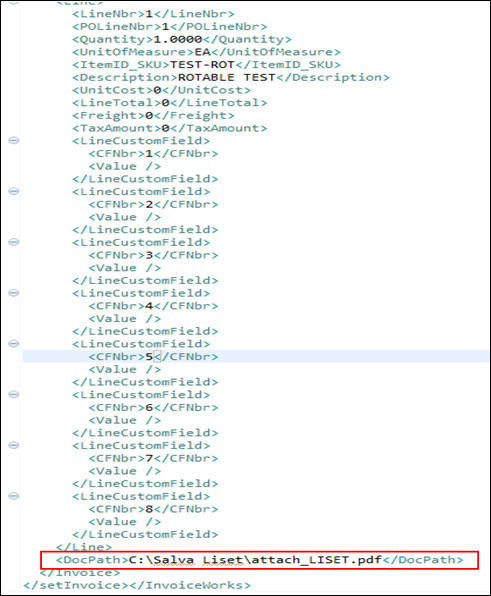
Note: The document must remain in the location specified (address or path) in order for the shortcut of the image to be maintained. This shortcut will not have any functionality and will be linked to reference the invoice image only. As a part of the interface, InvoiceWorks provides the path to the image. TRAX then takes this path and attaches it to the Document Control  button which in turn allows the system to reflect the image.
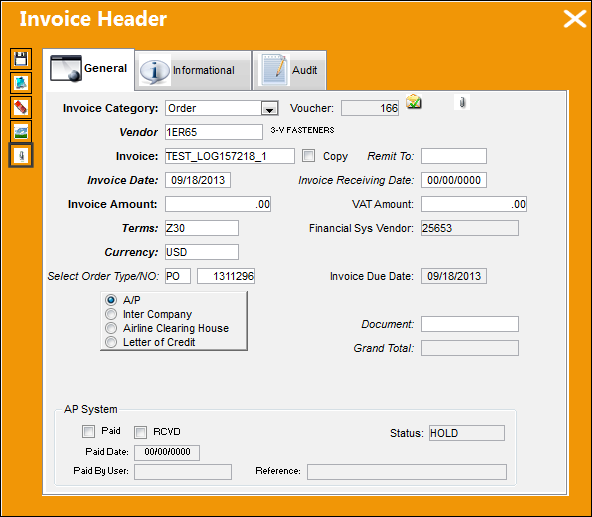
From the Invoice Header window, when the user selects the Document Control button, this image file will be attached to the InvoiceWorks invoice.
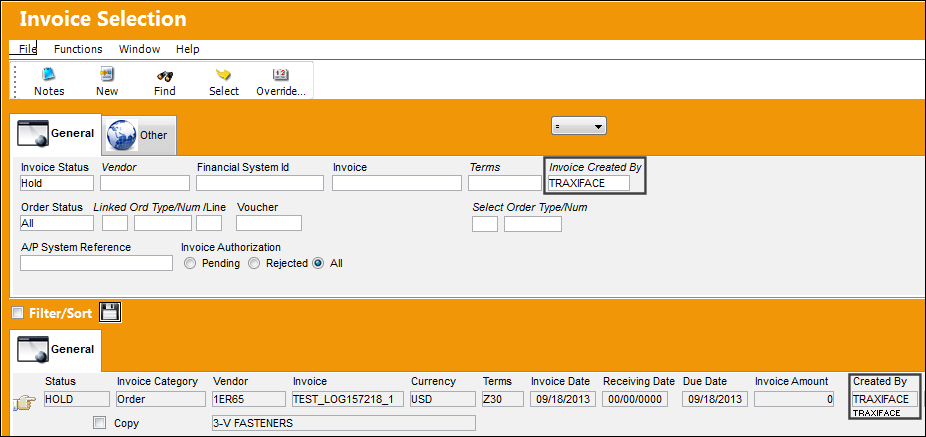
For example, the following Invoice was created through the InvoiceWorks interface.
Select the Document Control button.
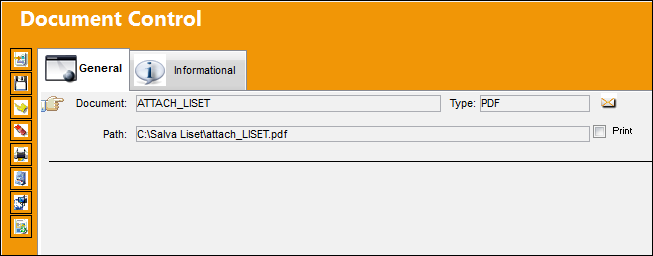
Notice that the image file indicated in the InvoiceWorks XML between the DocPath tag is automatically attached to the invoice.
Share
Print
|
©1997-2026 Trax USA Corp. All rights reserved. This manual may not be copied, photocopied, reproduced, translated, or converted to any electronic or machine-readable form, in whole or in part, without prior written approval from Trax USA Corp. |
 |