
 Share
Share
 Print
Print
|
|
|
|
|


One Step Invoice Post
The One Step Invoice Post program is a customized interface application that links to a financial software and allows the posting of invoices.
In order to be able to use this program, the interface must to be defined and set up.
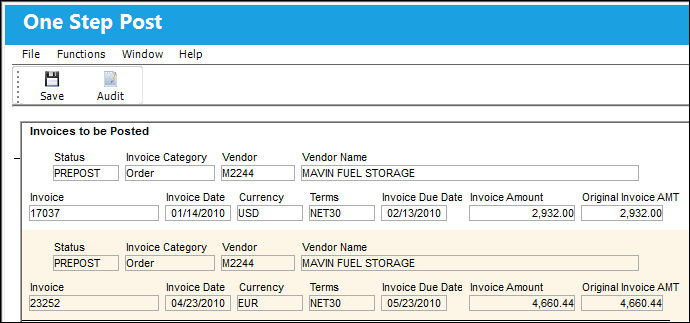
All invoices listed can be posted by pressing the Save  button.
A message will pop up and ask for confirmation.
Once confirmed, TRAX will post the invoices listed to the financial interface system.
This feature can work in conjunction with Pre-Paid Invoices. For more information, refer to Pre-Paid Invoices.
Additional functionality can be utilized with the Audit  button and the InvoiceWorks Purchase Orders and Inbound Notification.
Share
Print
|
©1997-2026 Trax USA Corp. All rights reserved. This manual may not be copied, photocopied, reproduced, translated, or converted to any electronic or machine-readable form, in whole or in part, without prior written approval from Trax USA Corp. |
 |