
 Share
Share
 Print
Print
|
|
|
|
|


Pre-Paid Invoices
Users can pay an invoice, either partially or in full, before receiving an order using the Pre-Paid Invoice option. If the invoice is partially paid, the remaining balance can be paid once the order is received.
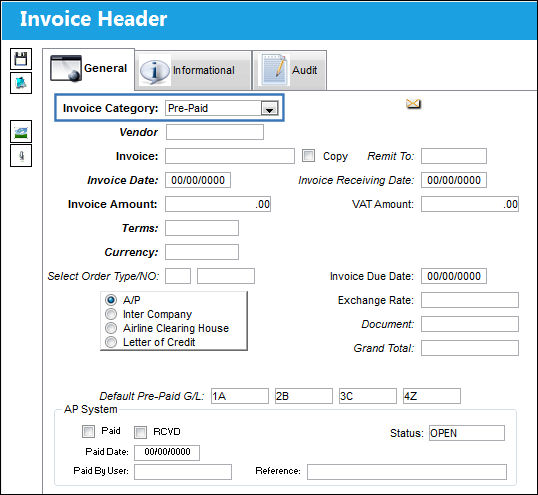
The following steps illustrate the correct process:
- Create the order.
- Authorize the order.
- Invoice the order at this point using the Pre-Paid option. The order can be linked to the Invoice.
- Receiving of the part and Receiving Inspection can happen after the order is invoiced. (Refer to Switch
 LKQTYREC for more information.)
For more information about Invoices, please refer to the Entering a New Invoice section of this manual.
Share
Print
|
©1997-2026 Trax USA Corp. All rights reserved. This manual may not be copied, photocopied, reproduced, translated, or converted to any electronic or machine-readable form, in whole or in part, without prior written approval from Trax USA Corp. |
 |