
 Share
Share
 Print
Print
|
|
|
|
|


In the following scenario, an Exchange Order Out will be auto generated when an NLA has been removed and installed onto an NHA.
P/N Pool Creation:
Create the P/N Pool Header for the Exchange Out Pool Type.
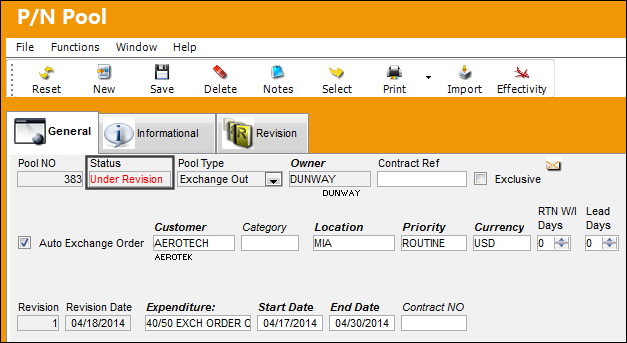
The status of the P/N Pool is 'Under Revision' until all parts are added to the P/N Pool Detail and the Pool Agreement is completed.
Once the header has been saved, the user will be taken to the P/N Pool Detail.
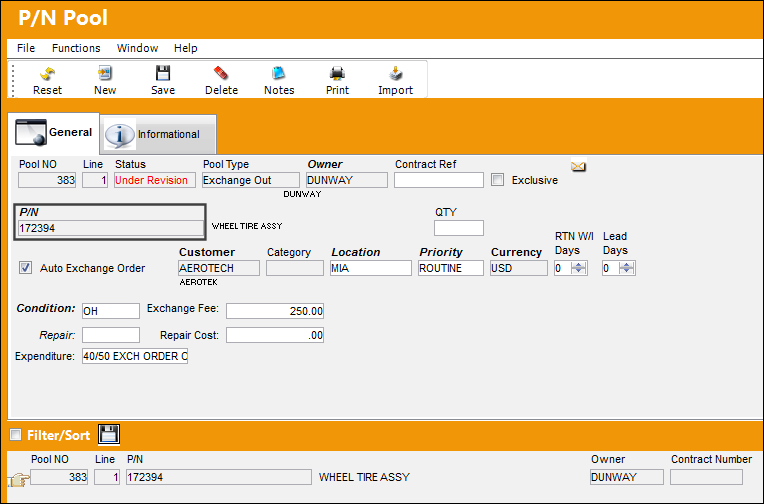
The following part is added to the P/N Pool.
If the Condition and Location of the part in the P/N Pool does not match the Condition and Location of the part in Inventory, a Picklist will not be generated when there is a need for the part.
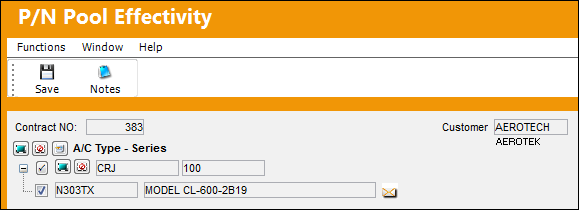
Return to the Header and select the Effectivity  button. P/N 172394 has been made effective to aircraft N303TX (which exists in the Aircraft Master).
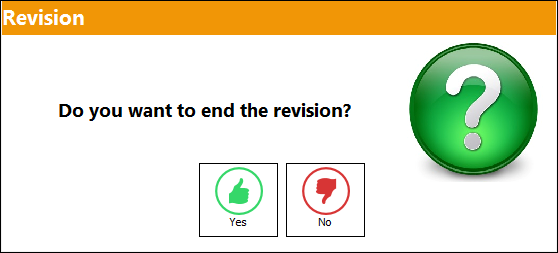
When the user attempts to exit the P/N Pool Detail, the following pop-up will appear. Do not end the revision until all parts have been added to the P/N Pool.
The status of the P/N Pool is now in 'Open' status. The status of the P/N Pool must be in 'Open' in order for the Auto Exchange Order Out functionality to work correctly.
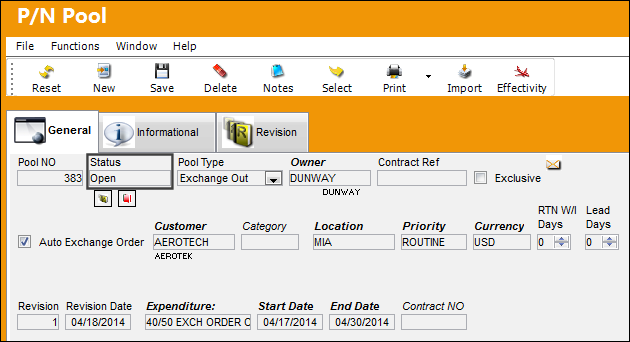
The P/N Pool is now ready to be utilized once an aircraft requires a component from the P/N Pool established.
P/N NHA / NLA Relationship:
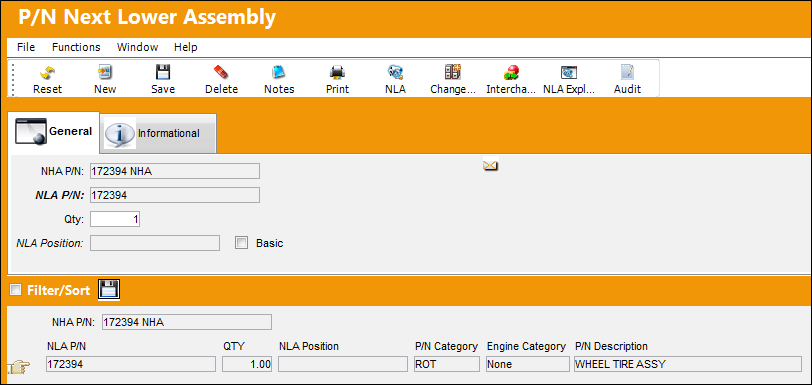
Work Order Creation:
A Third Party Work Order is created for the purpose of exchanging one NLA for another. The Work Order will be linked to the Customer Contract where the terms of the contract have already been agreed upon by the vendor and the customer.
The following Third Party Work Order is created:
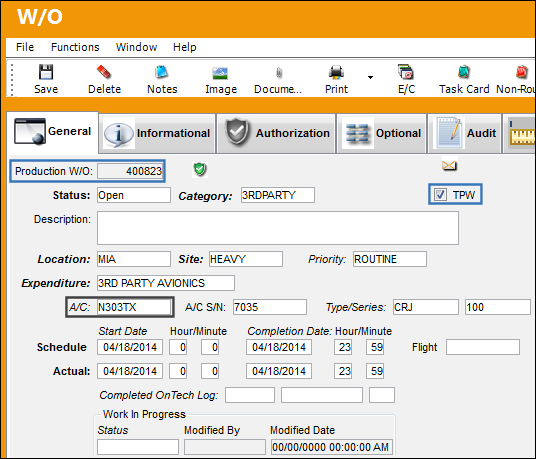
The Work Order is linked to the Customer Contract:
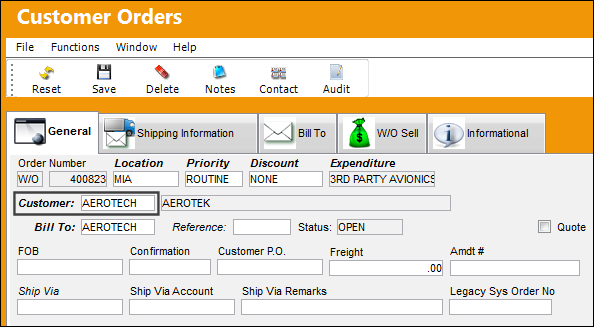
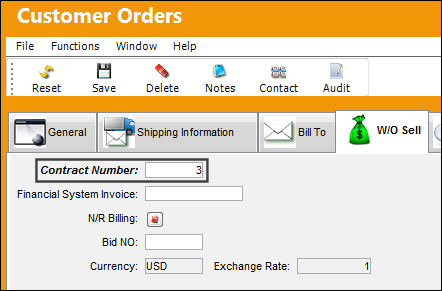
The Contract Number is specified in the Customer Orders, W/O Sell tab:
At this point, the components must be located in the inventory location. Once the components have been located, they will be issued to the Work Order.
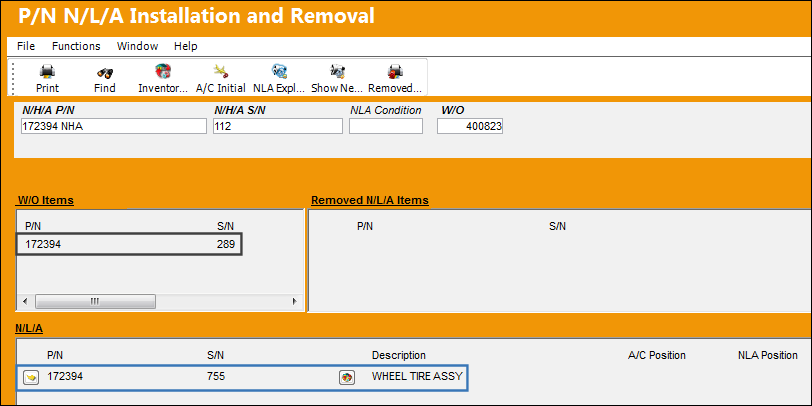
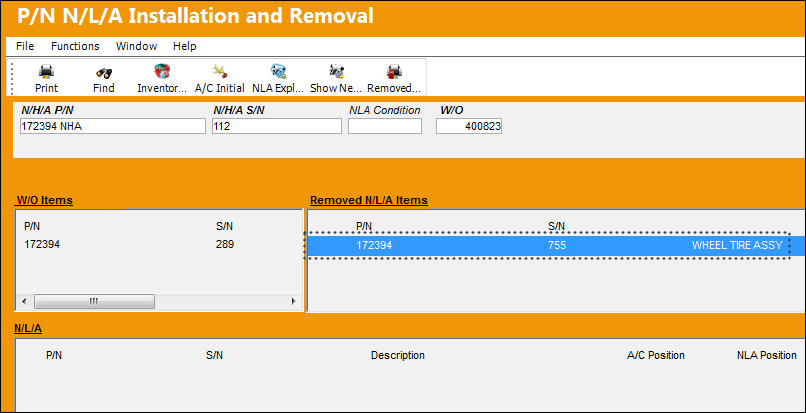
S/N 289 has been issued to the Work Order. S/N 755 is an NLA of P/N 172394 NHA. S/N 755 will be removed from it NHA. Highlight and drag S/N 755 into the 'Removed N/L/A Items' box.
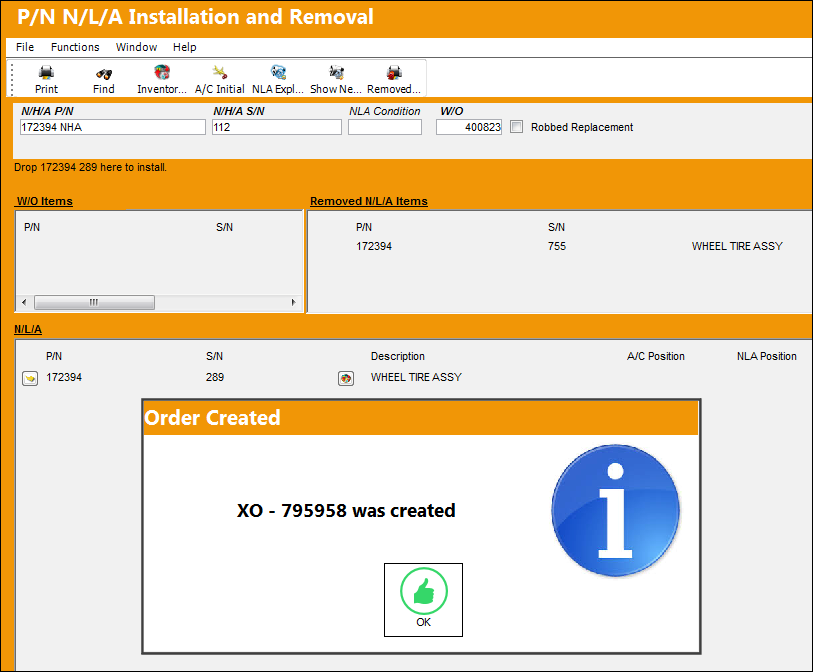
Now that S/N 755 has been removed from the NHA, highlight both the removed S/N and the S/N issued to the Work Order. Drag S/N 289 into the N/L/A box.
The Auto Exchange Order Out is automatically created:
Go to Order/ Query/ Orders Query
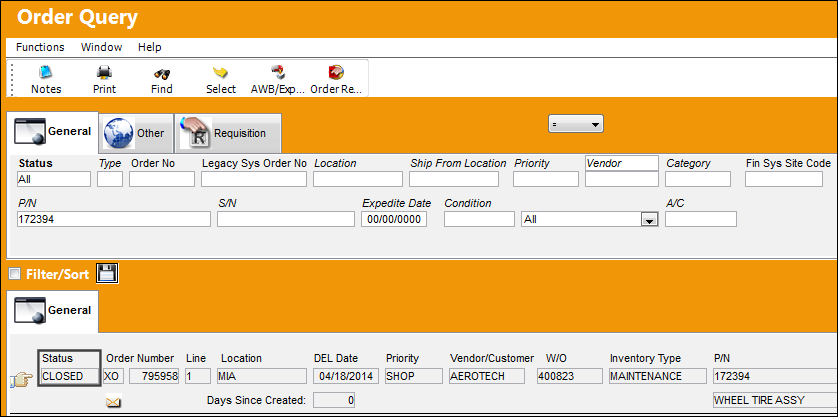
The Exchange Order Out appears is in 'Closed' status. Once the supplied S/N has been installed onto the aircraft, the Exchange Order Out will go to 'Closed' status.
Select into the details of the order.
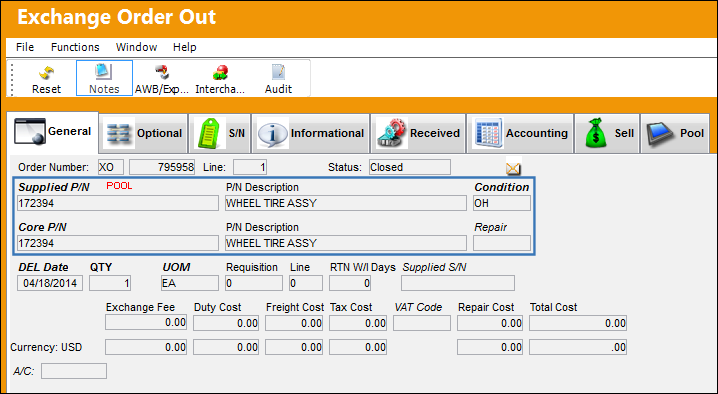
The Exchange Order Out has been created with the correct Pool part:
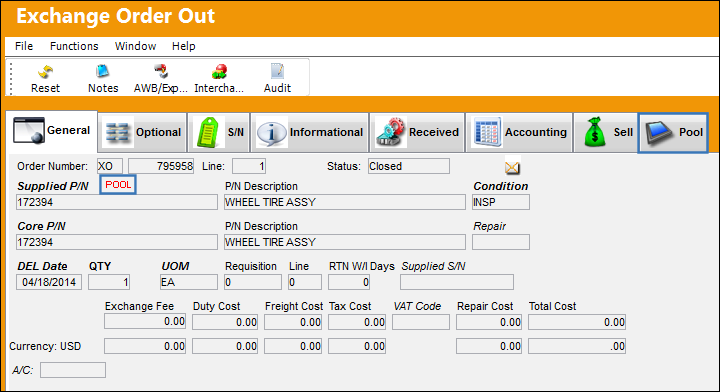
Note that the 'POOL' icon appears on the Exchange Order Out, General tab. The Pool tab is also available. Select the Exchange Order Out Detail, Pool tab.
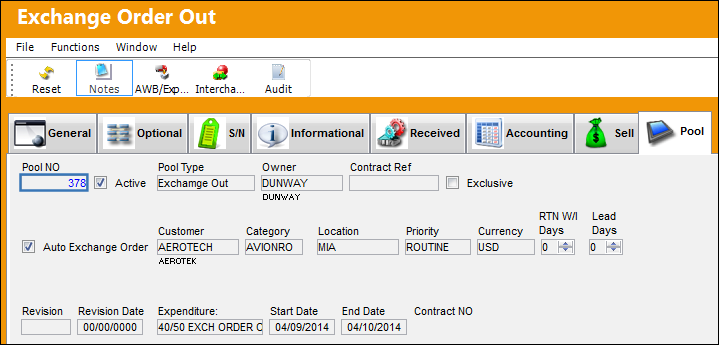
The Pool Agreement can be viewed from this tab. The user may select the hyperlink (highlighted in blue) to be directed to to the P/N Pool Detail.
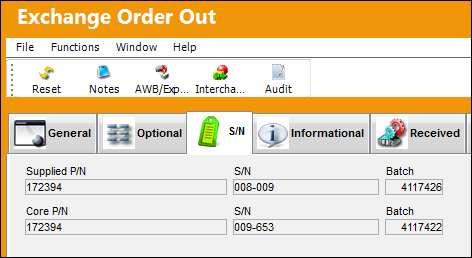
Select the Exchange Order Out Detail, S/N tab.
The correct S/Ns are recorded against the Exchange Order Out Detail, S/N tab:
Share
Print
|
©1997-2026 Trax USA Corp. All rights reserved. This manual may not be copied, photocopied, reproduced, translated, or converted to any electronic or machine-readable form, in whole or in part, without prior written approval from Trax USA Corp. |
 |