
 Share
Share
 Print
Print
|
|
|
|
|


Select the Force P/O  button to immediately create Purchase Orders for any individual lines on the Contract Order, regardless of whether the re-order criteria for the part has been met.
Select the Force P/O button. The following prompt will be received:
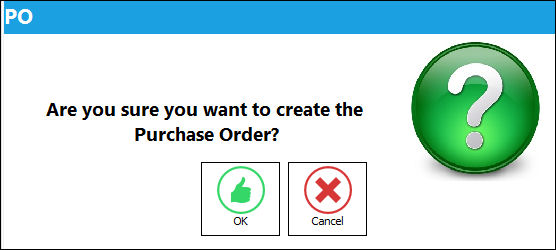
Select OK to proceed with the transaction. The Purchase Order created will appear in the list of all Purchase Orders (Orders/ Update/ Purchase Order).
Select Cancel to abort the transaction. If the order is not a Monthly Contract Order, upon selecting OK, the Force PO will prompt the following pop-up window:
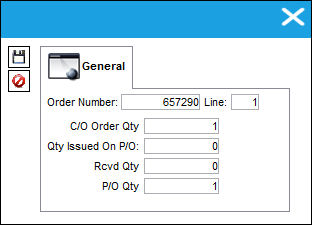
The following information/options are available in this window:
_____________________________________________________________________________________
Order Number
Contract Order Number.
Line
Contract Order Line Number.
C/O Order Qty
Contract Order quantity.
Qty Issued On P/O
Number of Part Numbers on Purchase Orders resulting from the Contract Order.
Rcvd Qty
Received Qty.
P/O Qty
Enter number of Parts to be forced onto the Purchase Order. Upon exiting, the PO will be generated. The user must go to Orders/ Update/ Purchase Order to view the order generated.
If the Order is not a monthly contract, the Qty Issued On P/O will not be allowed to exceed total C/O Order Qty.
_____________________________________________________________________________________
A warning will be prompted if the Quantity Issued On P/O equals C/O Order Qty and the Contract Order is not a monthly agreement.
To abort to the Force P/O transaction, select the Cancel  button.
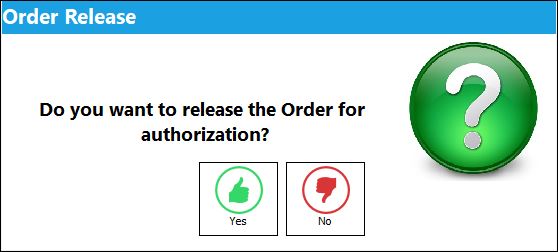
If zero is entered in the Force PO's P/O Qty field, the user will receive the following message:
The selection of either the 'Yes' or 'No' buttons will not result in a Purchase Order generation.
Share
Print
|
©1997-2026 Trax USA Corp. All rights reserved. This manual may not be copied, photocopied, reproduced, translated, or converted to any electronic or machine-readable form, in whole or in part, without prior written approval from Trax USA Corp. |
 |