
 Share
Share
 Print
Print
|
|
|
|
|


Release Order For Authorization
Once the Order has been created, upon clicking the Save  button and Exit, the user will be asked if they wish to release the Order for authorization:
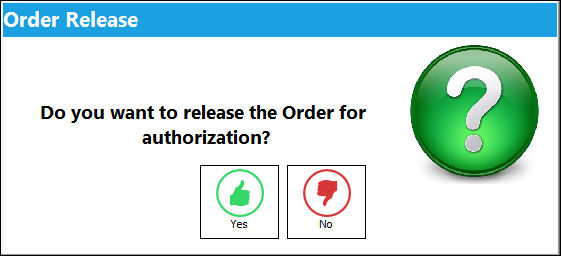
If Yes is selected, the Order will be placed in the Order Authorization Explorer (Orders/ Explorer/ Order Authorization Explorer) to await authorization. Once authorized, the order will be sent to the Vendor.
If No is selected, the Release For Authorization  button will appear on the Order Header so that the order can be released when ready.
You must have the appropriate security access to this button.
To release the Order for authorization, on the Order Header, confirm that the Hand  pointer is pointing to the record with which you want to work by selecting the record.
Once you have clicked the button, the button will disappear, indicating that the item has been sent to the Order Authorization Explorer (Orders/ Explorer/ Order Authorization Explorer) to await authorization.
In either case, the Order must then be authorized by the appropriate personnel via Orders/ Explorer/ Order Authorization Explorer. Once the Order has been placed in the Order Authorization Explorer to await authorization, the next process is to authorize the steps, notification will be sent accordantly to the appropriate individuals. However, if the User has the appropriate order authorization limits as defined in the Authorization Master (Settings/ Update), the user will be able to print or e-mail the Order.
TRAX may be configured to prevent the receiving of unauthorized orders. For additional information, please refer to Switch  PORCVAU, via the Orders Switches Manual.
Share
Print
|
©1997-2026 Trax USA Corp. All rights reserved. This manual may not be copied, photocopied, reproduced, translated, or converted to any electronic or machine-readable form, in whole or in part, without prior written approval from Trax USA Corp. |
 |