
 Share
Share
 Print
Print
|
|
|
|
|


Save the Rental Order Finalization
After completing and verifying the information in the Cost tab of the Rental Order and deciding whether or not to produce an Invoice, select the Save  button to complete Finalization. If the Invoiced checkbox has been selected, then after exiting the window, an Invoice Print will automatically appear.
Depending on Switch  RNINVAUTH the Invoice may have to be accessed through the Customer Invoice Order Authorization of the Production module. For more information, refer to the Customer Invoice Authorization Invoice.
If an Invoice has been produced, the user has the option of Printing  or E-mailing
  the appropriate document.
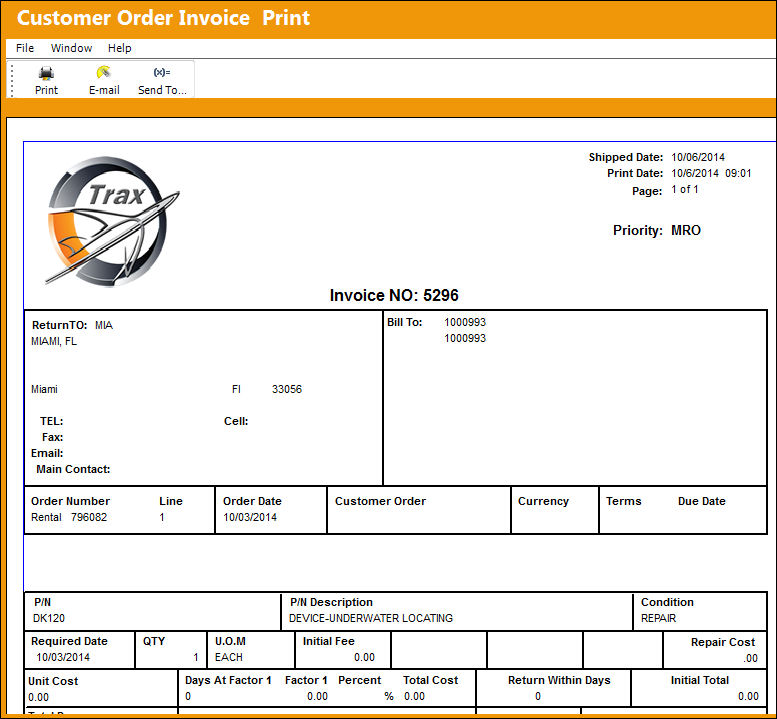
To produce the Invoice after exiting the window and closing the Invoice that automatically appears, select the Invoice  button, via the Orders Query.
Share
Print
|
©1997-2026 Trax USA Corp. All rights reserved. This manual may not be copied, photocopied, reproduced, translated, or converted to any electronic or machine-readable form, in whole or in part, without prior written approval from Trax USA Corp. |
 |